Using the SNC toolbox
20
4
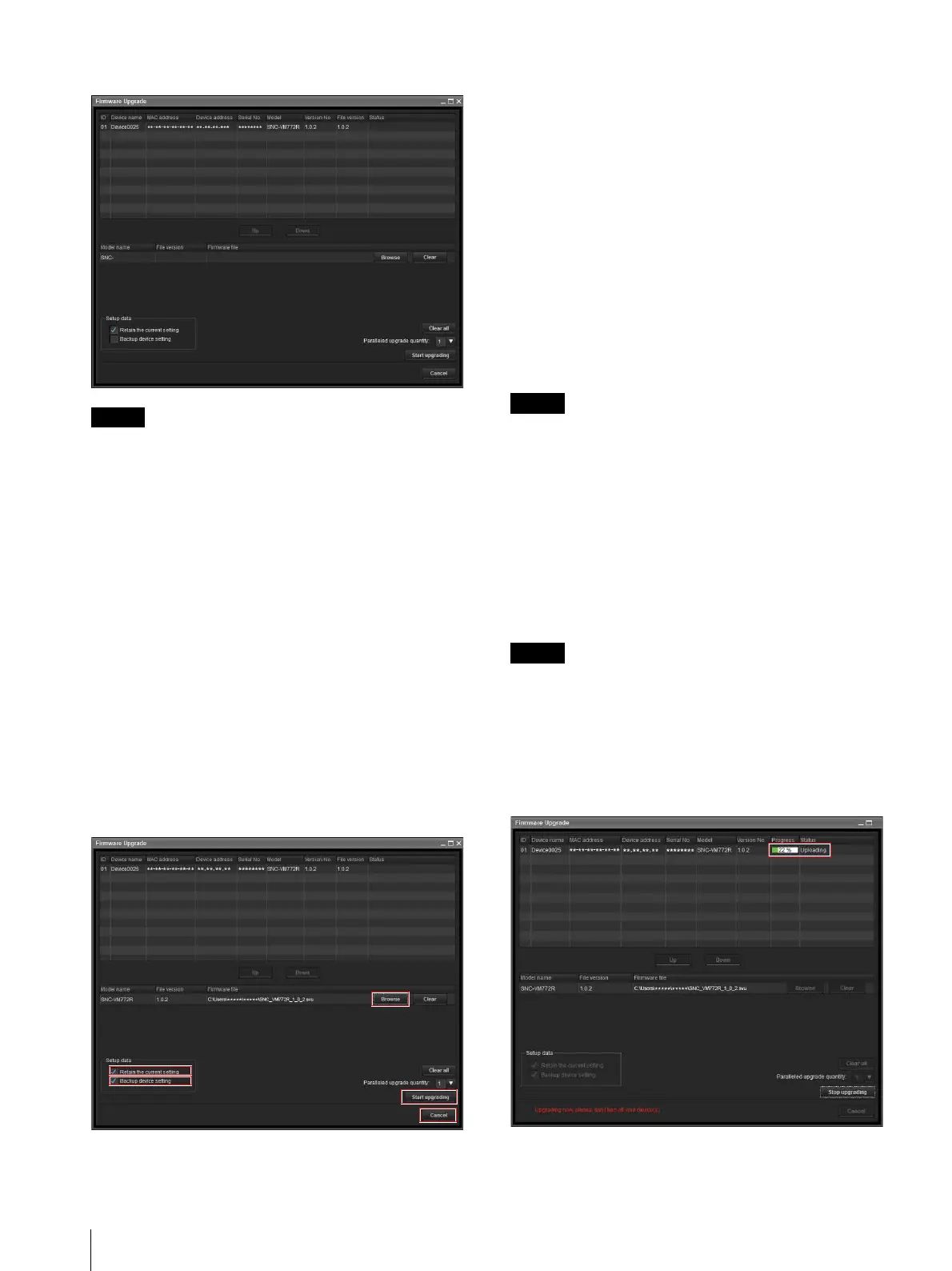
The Firmware Upgrade screen is displayed.
Tips
• The Firmware Upgrade screen can also be displayed
using the following method:
Select Firmware Upgrade from the Tools menu.
• If the selected device has no device account
information, the Firmware Upgrade screen may be
displayed instead of the Device Account screen. When
upgrading fails without the device account setting,
enter the device account information and retry the
upgrading. (SNC-VB770/VM772R)
Upgrading
1
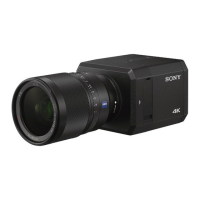
Set the order to perform device upgrading using Up
and Down.
2
Click Browse and select a firmware file for each
model.
After the file is loaded into the SNC toolbox, the
directory of the firmware file is displayed on the left
side of the Browse button.
3
Select how many devices to upgrade at the same
time in Paralleled upgrade quantity.
4
To retain the setting data used for the current
device, check Retain the current setting.
5
To back up the device setting in the computer,
check Backup device setting.
The setting file is stored in the following folder:
When using Windows 7, Windows 8.1 or
Windows 10
Folder: <My Document>\Sony\SNC
toolbox\cfg\<YYMMDDHHMM>
(YY: Year, MM: Month, DD: Day, HH: Hour, MM:
Minute)
File name: <MAC address>.cfg
Tip
You can specify the backup folder under Device setting
backup folder on the General tab in Option from the
Tools menu.
6
Click Start upgrading.
Upgrading starts.
Elapsed time display for upgrading
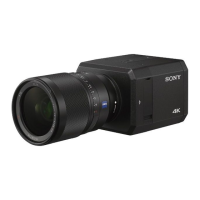
During upgrading, the progress and status are displayed.
You can cancel upgrading by clicking Stop upgrading.
Note
Do not turn off the power while the progress and status
are being displayed.
If you are using SNC-VR772R or SNC-VB770, you
cannot cancel upgrading even by clicking Stop
upgrading while Uploading is being displayed. If
Retain the current setting is not checked, all the
settings will be initialized.



 To Next Page