Need help?
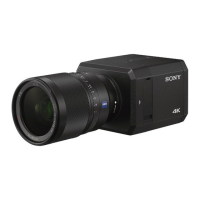
Do you have a question about the Sony SNC-VB770 and is the answer not in the manual?
Guides through downloading the installer, extracting, and running the setup for SNC toolbox.
Describes the menu bar, function buttons, and task/help menus for operating the SNC toolbox.
Details configuring IPv4 network settings, including IP address, subnet mask, and gateway.
Configures IPv4 network information for multiple selected devices simultaneously.
Step-by-step guide to set IP addresses, subnet masks, gateways, and DNS servers.
Guides on adding folders and registering devices via dialog or drag-and-drop.
Covers language, default device accounts, and firmware upgrade timeout settings.
How to mask specific areas of a camera's video feed for privacy protection.
Details the screen for setting mask positions, colors, numbers, and using PTZ controls.
How to select devices for upgrade and configure necessary device account information.
Guides on selecting firmware files, upgrade options, and managing settings.
Details how to initiate firmware upgrades and monitor their progress and status.
Explains status indicators for success/failure and how to check logs for troubleshooting.
Guides on importing settings from a CSV file and starting the batch configuration process.
Instructions for disabling Windows Firewall on Windows 7 for SNC toolbox compatibility.
Instructions for disabling Windows Firewall on Windows 8.1 and Windows 10.
 General
| Brand | Sony |
|---|---|
| Model | SNC-VB770 |
| Category | Security Camera |
| Language | English |


 To Next Page