EasyManua.ls Logo

Sony STR-AV500 - System Connectivity and Connections; Connection Notes and Safety Tips; Audio Connection Diagram Overview

Sony STR-AV500
28 pages
Print Icon
To Next Page IconTo Next Page
To Previous Page IconTo Previous Page
Loading...
Connecting
the
System
Connection
Notes
*
The
power
cord
should
be
connected
last
of
all,
first
making
sure
that
the
SYSTEM
POWER
switch
is
turned
off.
*
The
cable
connectors
should
be
fully
inserted
into
the
jacks.
A
loose
connection
may
cause
hum
and
noise.
Audio
Connection
Diagram
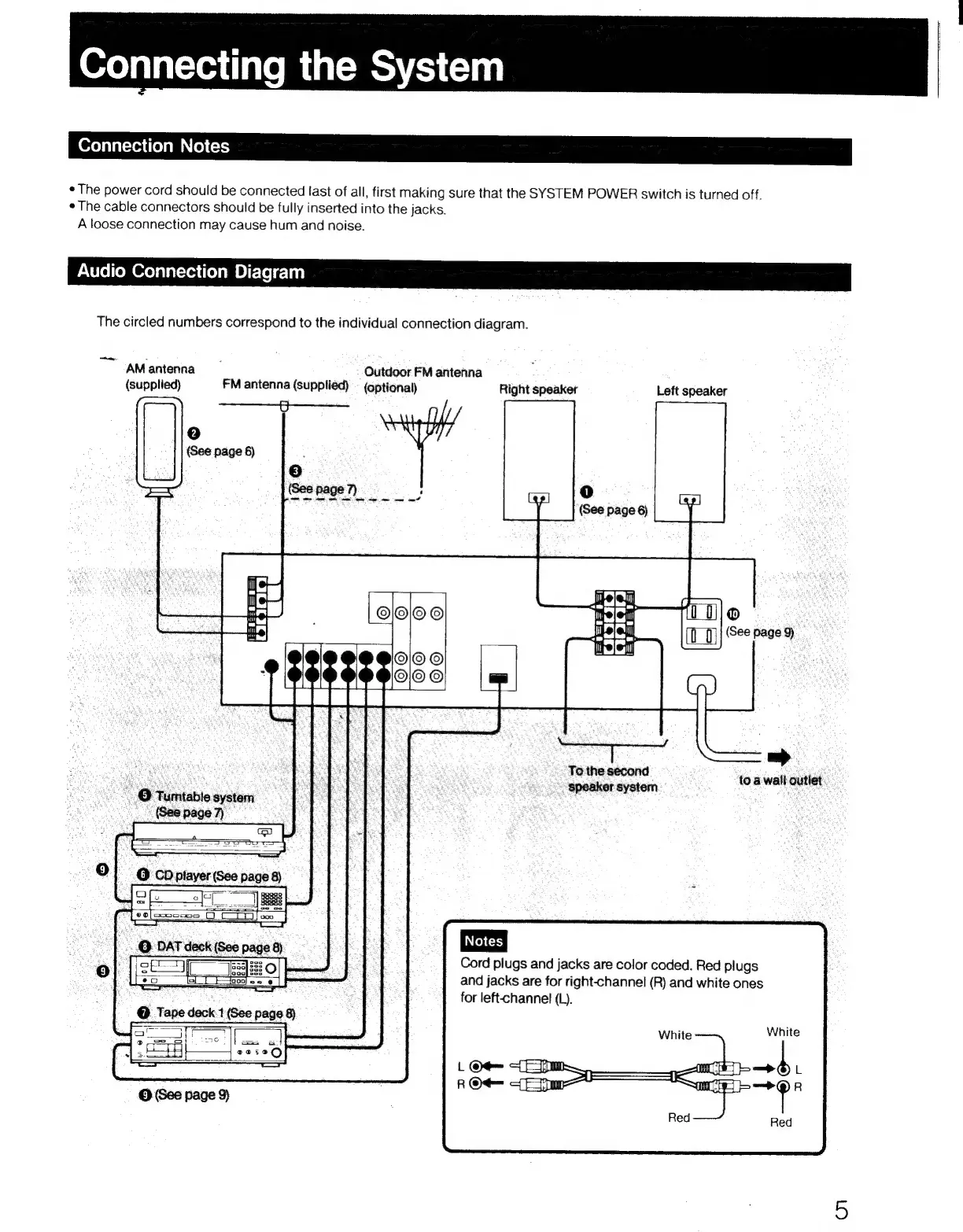
The
circled
numbers
correspond
to
the
individual
connection
diagram.
“~
AMantenna
Outdoor
FM
antenna
(supplied)
FM
antenna
(supplied)
-
(optional)
Right
speaker
Left
speaker
=
HH
OO
2)
(See
page
6)
;
(3)
Gee
page
7
/
aa
|e
tra
(See
page
6)
©
(See
page
9)
To
the
second
:
$peaker
system
to
a
wall
outlet
Cord
plugs
and
jacks
are
color
coded.
Red
plugs
and
jacks
are
for
right-channel
(R)
and
white
ones
for
left-channel
(L).
@
Tape
deck.1
(See
page
8)
|
ere

Related product manuals