EasyManua.ls Logo

Sony STR-AV500 - Page 9

Sony STR-AV500
28 pages
Print Icon
To Next Page IconTo Next Page
To Previous Page IconTo Previous Page
Loading...
©
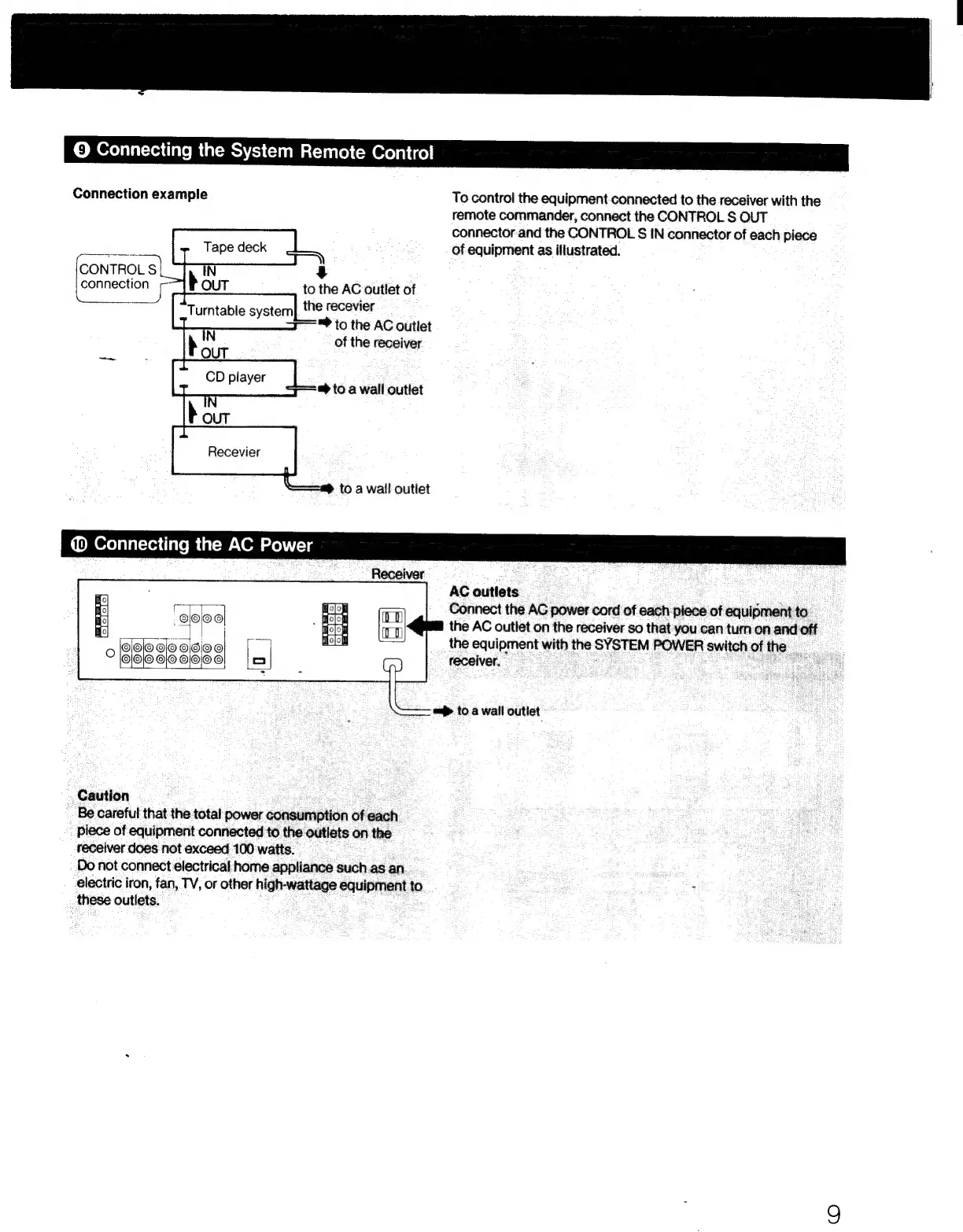
Connecting
the
System
Remote
Control
Connection
example
To
control
the
equipment
connected
to
the
receiver
with
the
remote
commander,
connect
the
CONTROL
S
OUT
connector
and
the
CONTROL
S$
IN
connector
of
each
piece
of
equipment
as
illustrated.
Tape
deck
CONTROL
S
3
oats
to
the
AC
outlet
of
Turntable
system
the
recevier
to
the
AC
outlet
of
the
receiver
®
to
a
wall
outlet
AC
outlets
Connect
the
AC
power
cord
of
each
piece
of
equipment
to
the
AC
outlet
on
the
receiver
so
that
you
can
tum
on
and
off
the
equipment
with
the
SYSTEM
POWER
switchofthe
=
receiver.
a
a>
to
a
wall
outlet
Caution
Be
careful
that
the
total
power
consumption
ofeach
piece
of
equipment
connected
to
the
outlets
on
the
receiver
does
not
exceed
100
watts.
Do
not
connect
electrical
home
appliance
such.as
an
electric
iron,
fan,
TV,
or
other
high-wattage
equipment
to
these
outlets.

Related product manuals