23
EN
STR-AZ7000ES/STR-AZ5000ES/STR-AZ3000ES
5-037-019-11(1)
Preparation 2: Performing Easy Setup
You can easily set the initial settings of the receiver from the Easy
Setup screen.
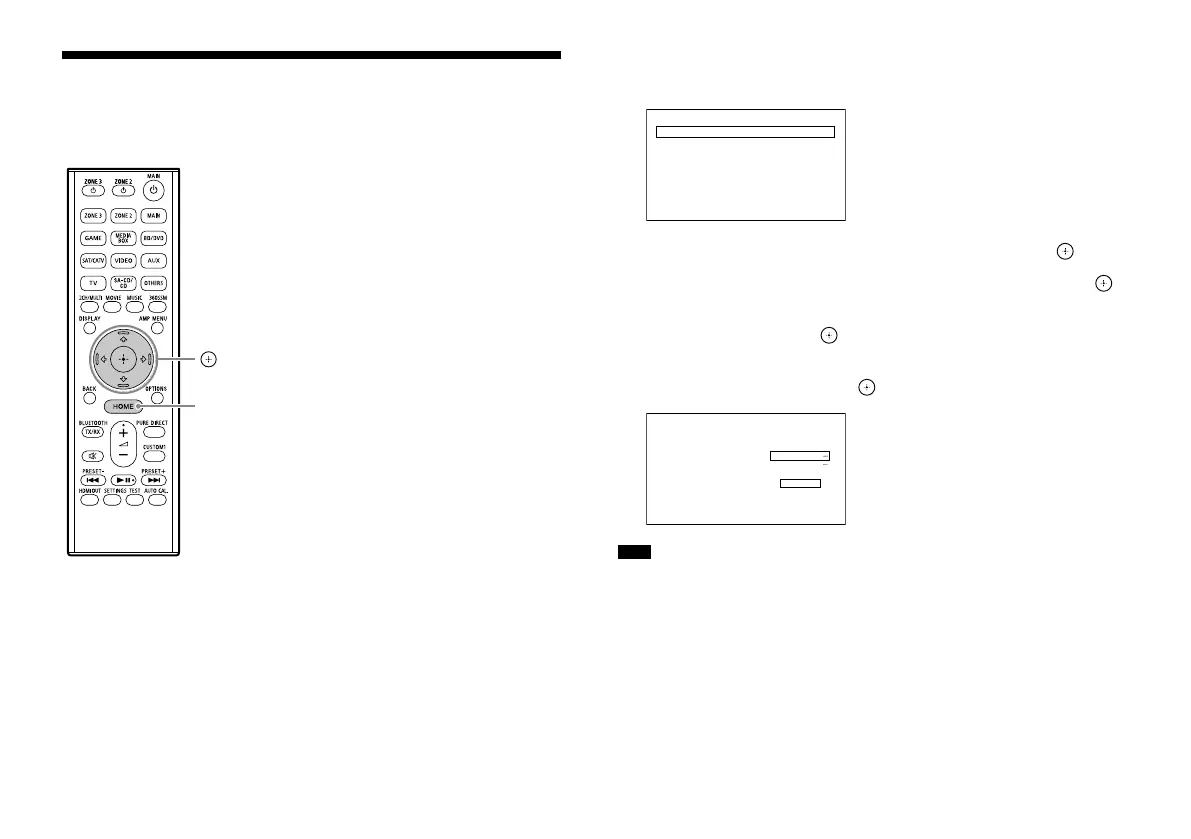
, ///
HOME
1 Press HOME.
The home menu is displayed on the TV screen.
Watch
Listen
Custom Preset
Sound Eects
Zone Controls
Setup
2 Press / repeatedly to select [Setup], and then press .
3 Press / repeatedly to select [Easy Setup], and then press .
4 Press / to select the language for the messages on the
screen, and then press .
5 Follow the on-screen instructions to select items using
/// , and confirm with .
Easy Setup
Auto Calibration
Configure the basic setup to operate the receiver.
Please select from the following.
You can set this later.
Internet Settings
Finish
Note
The speakers emit very loud sound during the calibration and the volume
cannot be adjusted. Be considerate of your neighbors and any children
who are present.











 To Next Page