24
EN
STR-AZ7000ES/STR-AZ5000ES/STR-AZ3000ES
5-037-019-11(1)
Enjoying video/sound from the connected
device
, ///
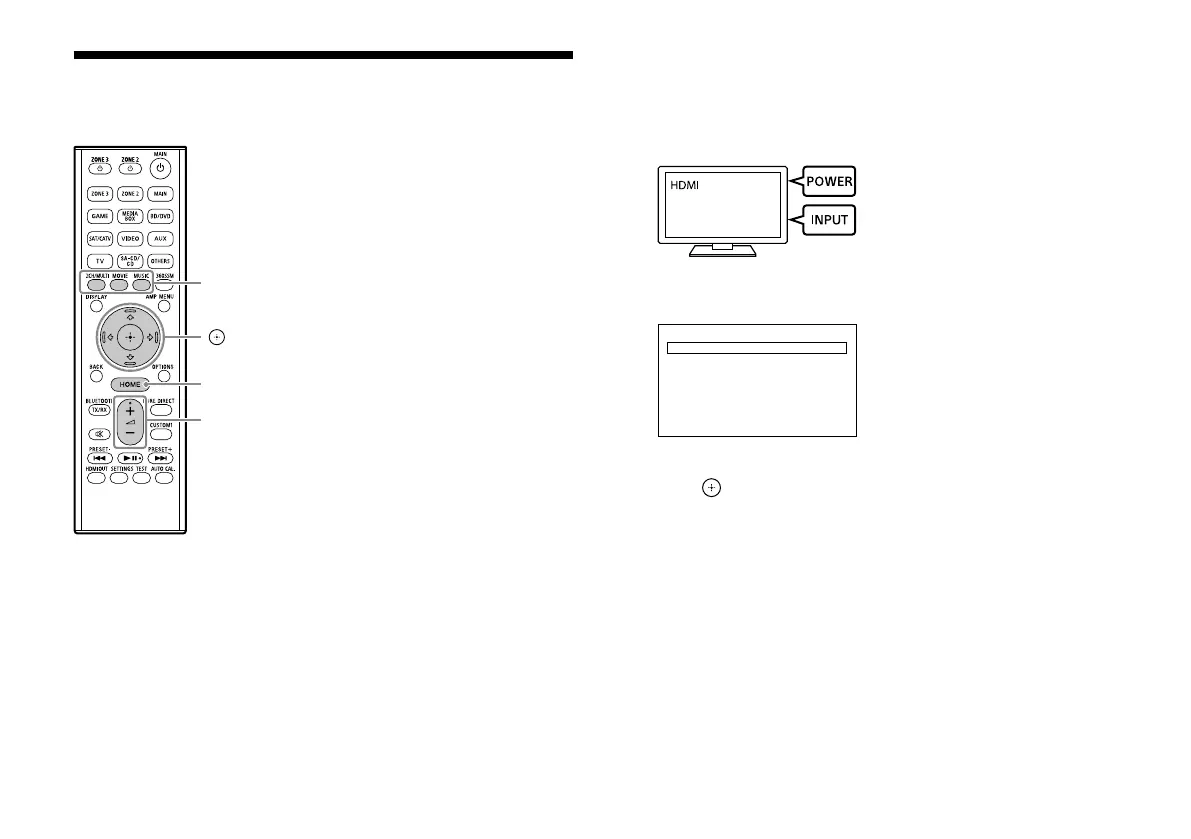
HOME
2CH/MULTI,
MOVIE, MUSIC
+/–
1 Turn on the device you want to play.
2 Turn on the receiver.
3 Turn on the TV, and then switch the input of the TV to which
the receiver is connected.
4 Press HOME.
The home menu is displayed on the TV screen.
Watch
Listen
Custom Preset
Sound Eects
Zone Controls
Setup
5 Press / repeatedly to select [Watch] or [Listen], and then
press .
The menu item list appears on the TV screen.
6 Select the device you want to play and start playback.
7 Press +/– to adjust the volume.
You can also use MASTER VOLUME on the receiver.
8 Press 2CH/MULTI, MOVIE or MUSIC to enjoy the surround
sound.
You can also use 2CH/MULTI, MOVIE or MUSIC on the receiver.
For details, see “Selectable sound fields and their effects” (page
28).











 To Next Page