40
EN
Using the hidden commands
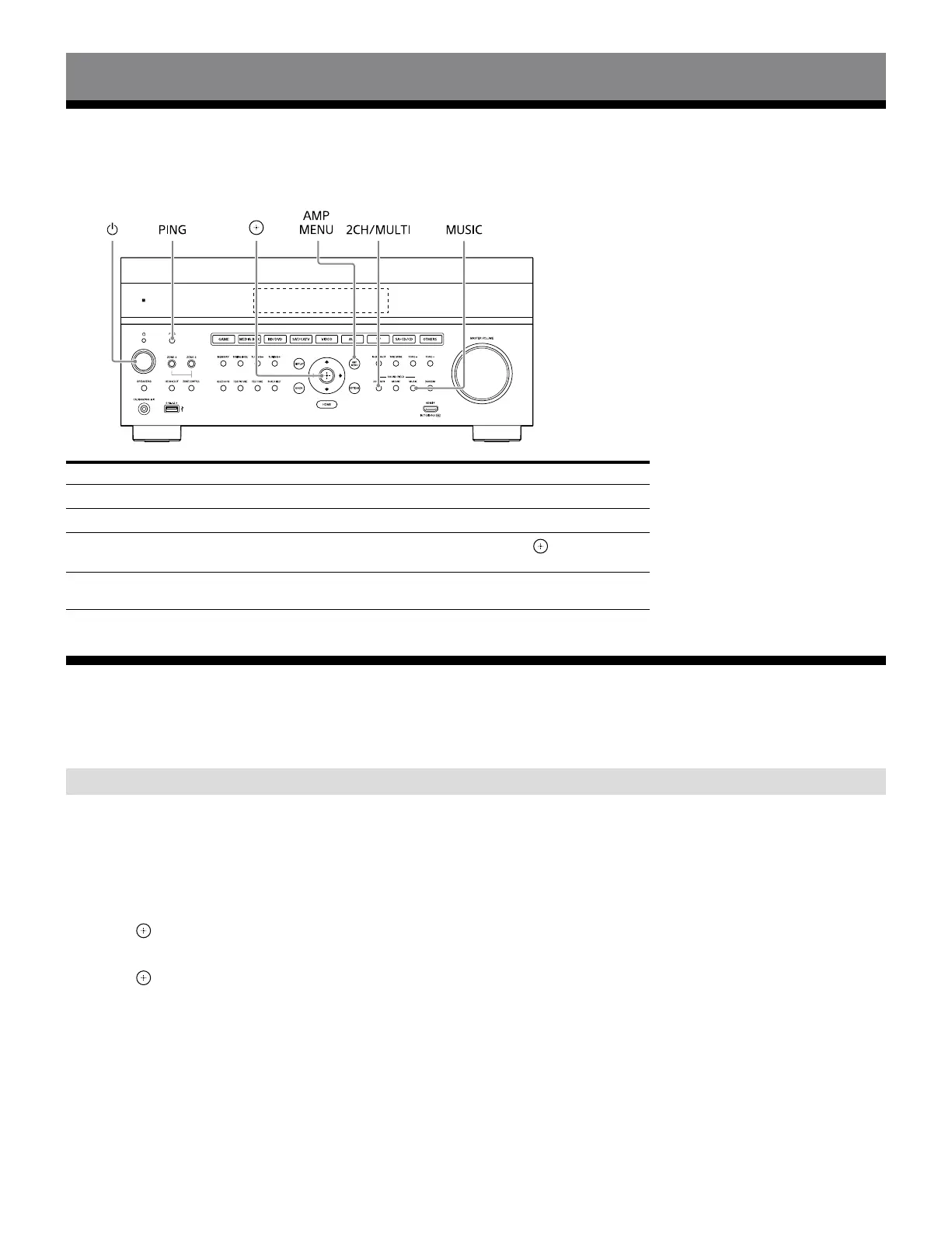
Performing commands using the receiver
This receiver allows you to perform various commands using buttons on the front panel.
The illustration below shows STR-AZ7000ES as a representative for the explanation.
Function Operation
User initialize (Memory Clear)
Hold down for 10seconds in standby mode.
Sound Field Clear
Hold down MUSIC and press in standby mode.
Settings Lock
Hold down PING and AMP MENU and press
while the
receiver is turned on.
Command mode
(Remote Control)
Hold down 2CH/MULTI and press in standby mode.
Performing commands using the supplied remote control
This receiver allows you to perform various commands using the supplied remote control.
Changing the remote control code
1 While holding down MAIN, press MAIN .
MAIN will start flashing.
2 Press CUSTOM1 to select AV1 or AV2 as needed.
MAIN will stop flashing and light up in red.
3 Press .
MAIN will start flashing again.
4 Press again to set the command mode.











 To Next Page