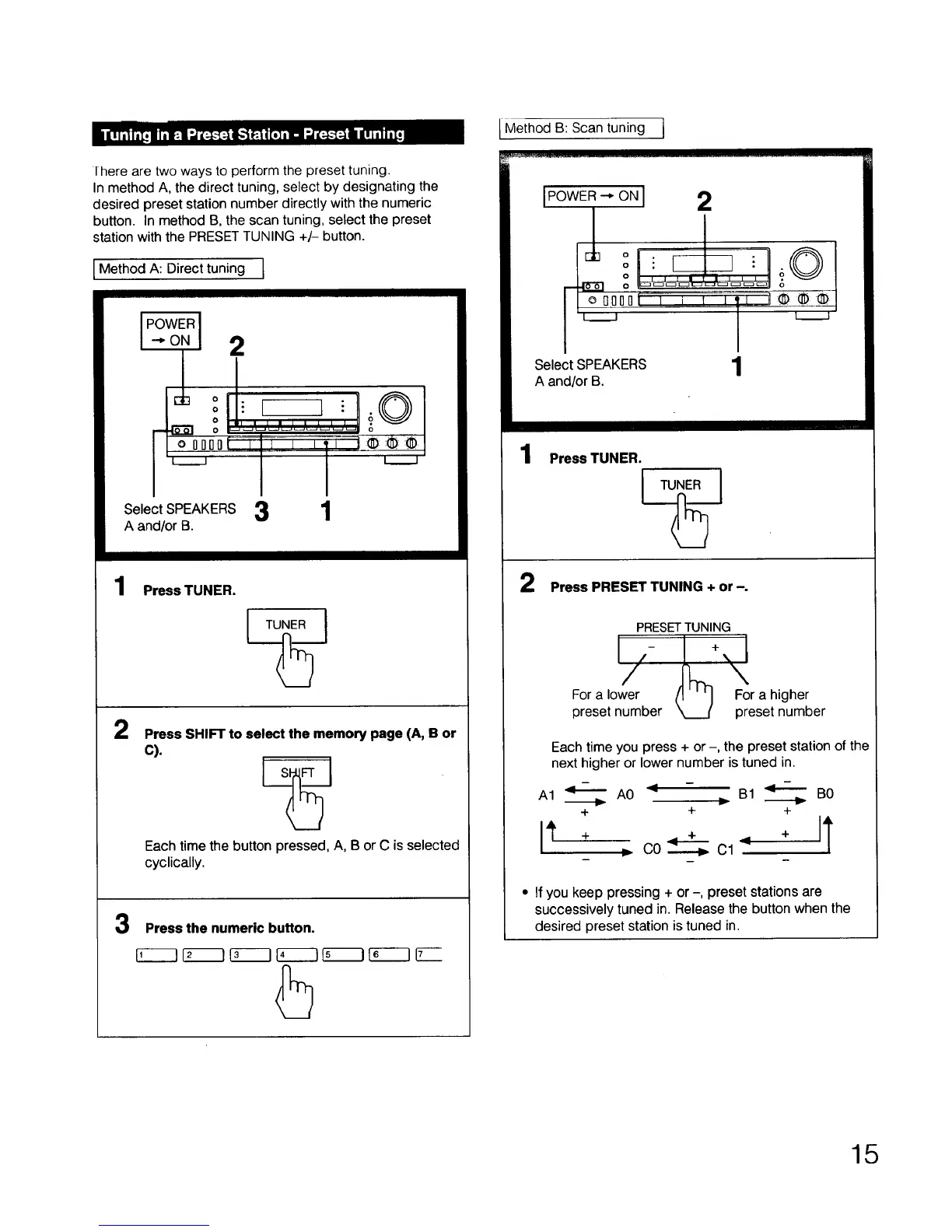
I here are two ways to perform the preset tuning.
In method A, the direct tuning, select by designating the
desired preset station number directly with the numeric
button. In method B, the scan tuning, select the preset
station with the PRESET TUNING +/- button.
Method A: Direct tuning I
4 o[.
O : [--
_o Ol : _1 _
I I
Select SPEAKERS 3
A and/or B.
1
1
Press TUNER.
TUNER J
2
Press SHIFT to select the memory page (A, B or
C).
Each time the button pressed, A, B or C is selected
cyclically.
3
Press the numeric button.
l Method B: Scan tuning j
IPOWER--*ONI 2
Jb o i I
o
' O I _ r •
i i
Select SPEAKERS
A and/or B.
1
1
2
Press TUNER.
TUNER J
Press PRESET TUNING + or -.
PRESETTUNING
For a ,ole_r- L+'_
preset number _ Fp°rae_igheb er
Each time you press + or -, the preset station of the
next higher or lower number is tuned in.
A1 _ A0 < - B1 _ B0
+ + +
> C0----._ Cl
• If you keep pressing + or -, preset stations are
successively tuned in. Release the button when the
desired preset station is tuned in.
15



 To Next Page