EasyManua.ls Logo

Sony STR-D911 - Remote Commander Button Functions

Sony STR-D911
36 pages
Print Icon
To Next Page IconTo Next Page
To Previous Page IconTo Previous Page
Loading...
Kol=Taidiavdiave
Mdalcmecclactcmr-lalem
Orelelige)
[=
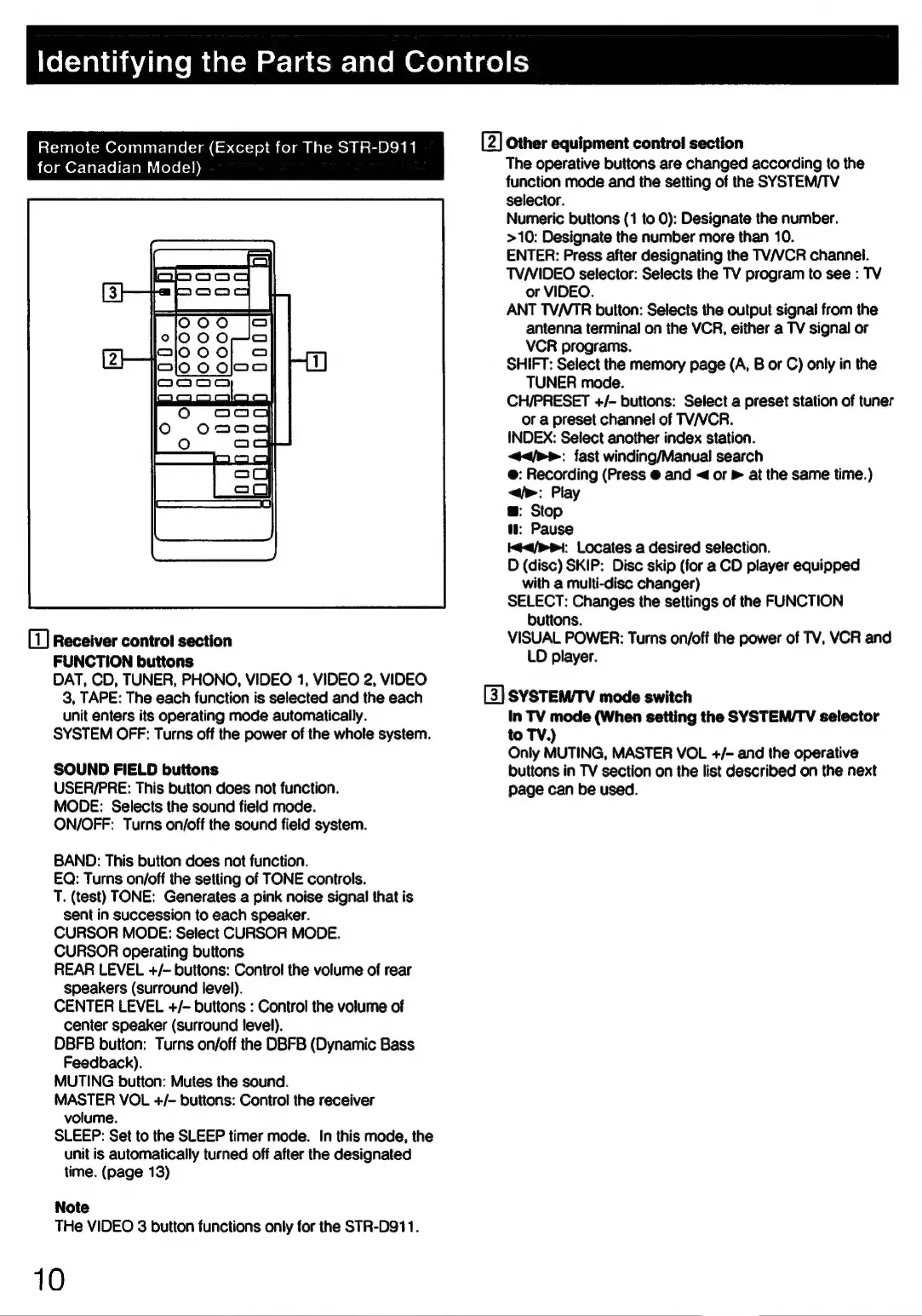
Remote
Commander
(Except
for
The
STR-D911
i
foy
an
Or-ler-loltslemiutele(=ap)
i
Receiver
control
section
FUNCTION
buttons
DAT,
CD,
TUNER,
PHONO,
VIDEO
1,
VIDEO
2,
VIDEO
3,
TAPE:
The
each
function
is
selected
and
the
each
unit
enters
its
operating
mode
automatically.
SYSTEM
OFF:
Turns
off
the
power
of
the
whole
system.
SOUND
FIELD
buttons
USER/PRE:
This
button
does
not
function.
MODE:
Selects
the
sound
field
mode.
ON/OFF:
Turns
on/off
the
sound
field
system.
BAND:
This
button
does
not
function.
EQ:
Turns
on/off
the
setting
of
TONE
controls.
T.
(test)
TONE:
Generates
a
pink
noise
signal
that
is
sent
in
succession
to
each
speaker.
CURSOR
MODE:
Select
CURSOR
MODE.
CURSOR
operating
buttons
REAR
LEVEL
+/-
buttons:
Control
the
volume
of
rear
speakers
(surround
level).
CENTER
LEVEL
+/-
buttons
:
Control
the
volume
of
center
speaker
(surround
level).
DBFB
button:
Turns
on/off
the
DBFB
(Dynamic
Bass
Feedback).
MUTING
button:
Mutes
the
sound.
MASTER
VOL
+/-
buttons:
Control
the
receiver
volume.
SLEEP:
Set
to
the
SLEEP
timer
mode.
In
this
mode,
the
unit
is
automatically
turned
off
after
the
designated
time.
(page
13)
Note
THe
VIDEO
3
button
functions
only
for
the
STR-D911.
10
[2]
Other
equipment
control!
section
The
operative
buttons
are
changed
according
to
the
function
mode
and
the
setting
of
the
SYSTEM/TV
selector.
Numeric
buttons
(1
to
0):
Designate
the
number.
>10:
Designate
the
number
more
than
10.
ENTER:
Press
after
designating
the
TV/VCR
channel.
TVNIDEO
selector:
Selects
the
TV
program
to
see
:
TV
or
VIDEO.
ANT
TV/VTR
button:
Selects
the
output
signal
from
the
antenna
terminal
on
the
VCR,
either
a
TV
signal
or
VCR
programs.
SHIFT:
Select
the
memory
page
(A,
B
or
C)
only
in
the
TUNER
mode.
CH/PRESET
+/-
buttons:
Select
a
preset
station
of
tuner
or
a
preset
channel
of
TV/VCR.
INDEX:
Select
another
index
station.
</p>:
fast
winding/Manual
search
@:
Recording
(Press
@
and
<
or
»
at
the
same
time.)
</>:
Play
@:
Stop
tt:
Pause
</>:
Locates
a
desired
selection.
D
(disc)
SKIP:
Disc
skip
(for
a
CD
player
equipped
with
a
multi-disc
changer)
SELECT:
Changes
the
settings
of
the
FUNCTION
buttons.
VISUAL
POWER:
Turns
on/off
the
power
of
TV,
VCR
and
LD
player.
[3]
SYSTEM/TV
mode
switch
In
TV
mode
(When
setting
the
SYSTEM/TV
selector
to
TV.)
Only
MUTING,
MASTER
VOL
+/-
and
the
operative
buttons
in
TV
section
on
the
list
described
on
the
next
page
can
be
used.

Related product manuals