EasyManua.ls Logo

Sony STR-D911 - Page 13

Sony STR-D911
36 pages
Print Icon
To Next Page IconTo Next Page
To Previous Page IconTo Previous Page
Loading...
Labeling
the
Program
Source
|
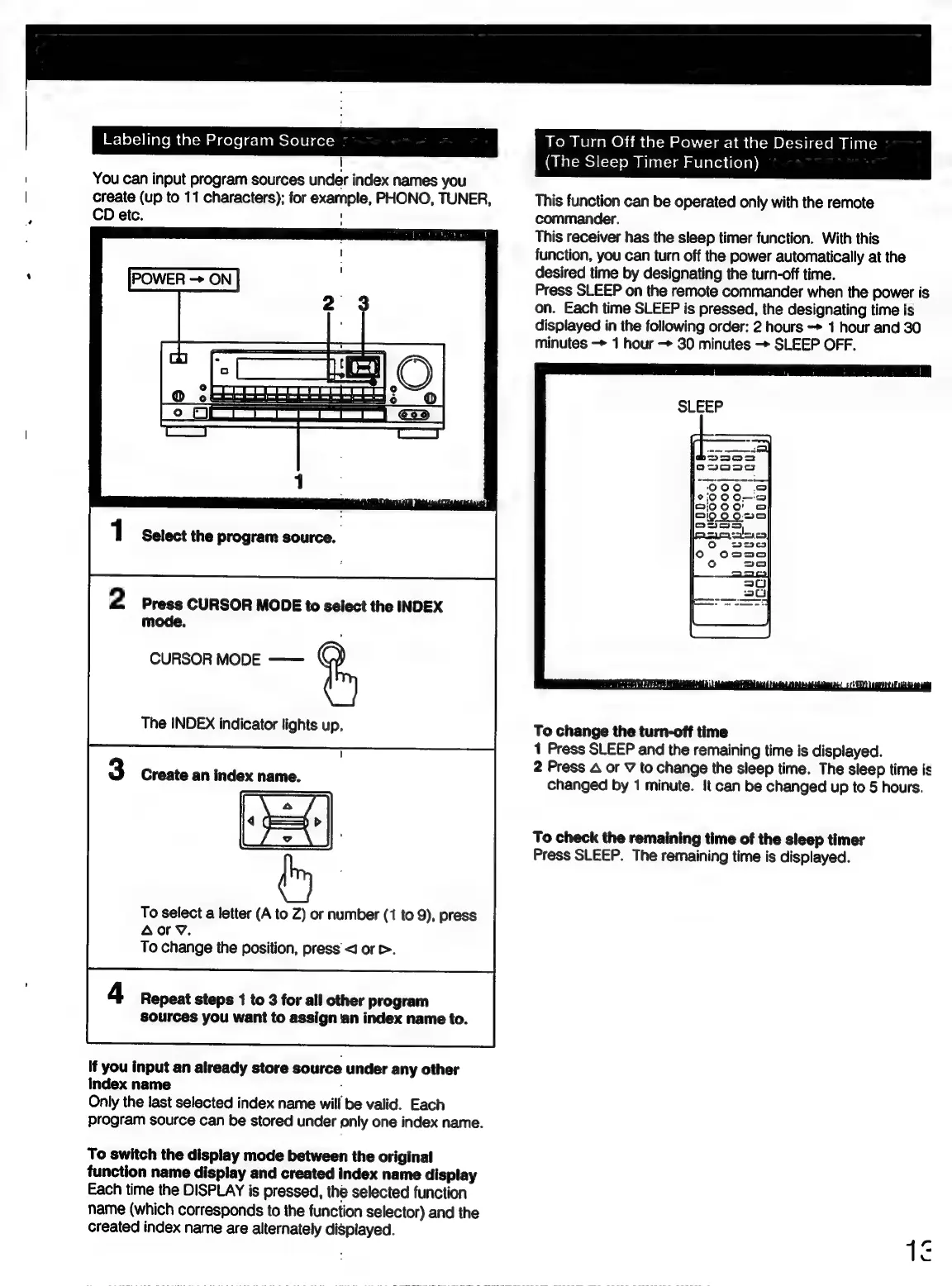
You
can
input
program
sources
under
index
names
you
Create
(up
to
11
characters);
for
example,
PHONO,
TUNER,
CD
etc.
1
Select
the
program
source.
2
Press
CURSOR
MODE
to
select
the
INDEX
mode.
CURSOR
MODE
——
ig
The
INDEX
indicator
lights
up,
Create
an
index
name.
To
select
a
letter
(A
to
Z)
or
number
(1
to
9),
press
Aoy.
To
change
the
position,
press
<J
or
>.
Repeat
steps
1
to
3
for
all
other
program
sources
you
want
to
assign
an
index
name
to.
If
you
input
an
already
store
source
under
any
other
index
name
;
Only
the
last
selected
index
name
will
be
valid.
Each
program
source
can
be
stored
under
only
one
index
name.
To
switch
the
display
mode
between
the
original
function
name
display
and
created
index
name
display
Each
time
the
DISPLAY
is
pressed,
the
selected
function
name
(which
corresponds
to
the
function
selector)
and
the
created
index
name
are
alternately
displayed.
To
Turn
Off
the
Power
at
the
Desired
Time
(The
Sleep
Timer
Function)
This
function
can
be
operated
only
with
the
remote
commander.
This
receiver
has
the
sleep
timer
function.
With
this
function,
you
can
turn
off
the
power
automatically
at
the
desired
time
by
designating
the
turn-off
time.
Press
SLEEP
on
the
remote
commander
when
the
power
is
on.
Each
time
SLEEP
is
pressed,
the
designating
time
is
displayed
in
the
following
order:
2
hours
-*
1
hour
and
30
minutes
—
1
hour
->
30
minutes
-
SLEEP
OFF.
To
change
the
turn-off
time
1
Press
SLEEP
and
the
remaining
time
is
displayed.
2
Press
A
or
V
to
change
the
sleep
time.
The
sleep
time
is
changed
by
1
minute.
It
can
be
changed
up
to
5
hours.
To
check
the
remaining
time
of
the
sleep
timer
Press
SLEEP.
The
remaining
time
is
displayed.

Related product manuals