EasyManua.ls Logo

Sony STR-D911 - Sound Field Settings and Effects; Adjusting Tone Controls for Sound Fields; Selecting and Adjusting Sound Field Programs

Sony STR-D911
36 pages
Print Icon
To Next Page IconTo Next Page
To Previous Page IconTo Previous Page
Loading...
Sound
Field
Settings
Adjusting
the
Tone
Controls
Pe
See
ue
UN
rd
ee
ee
te
ee
Re
eae
ae
NE
Be
pn
hag
i
i
a
Rare
ee
Rs
Eo:
ae
ee
wath
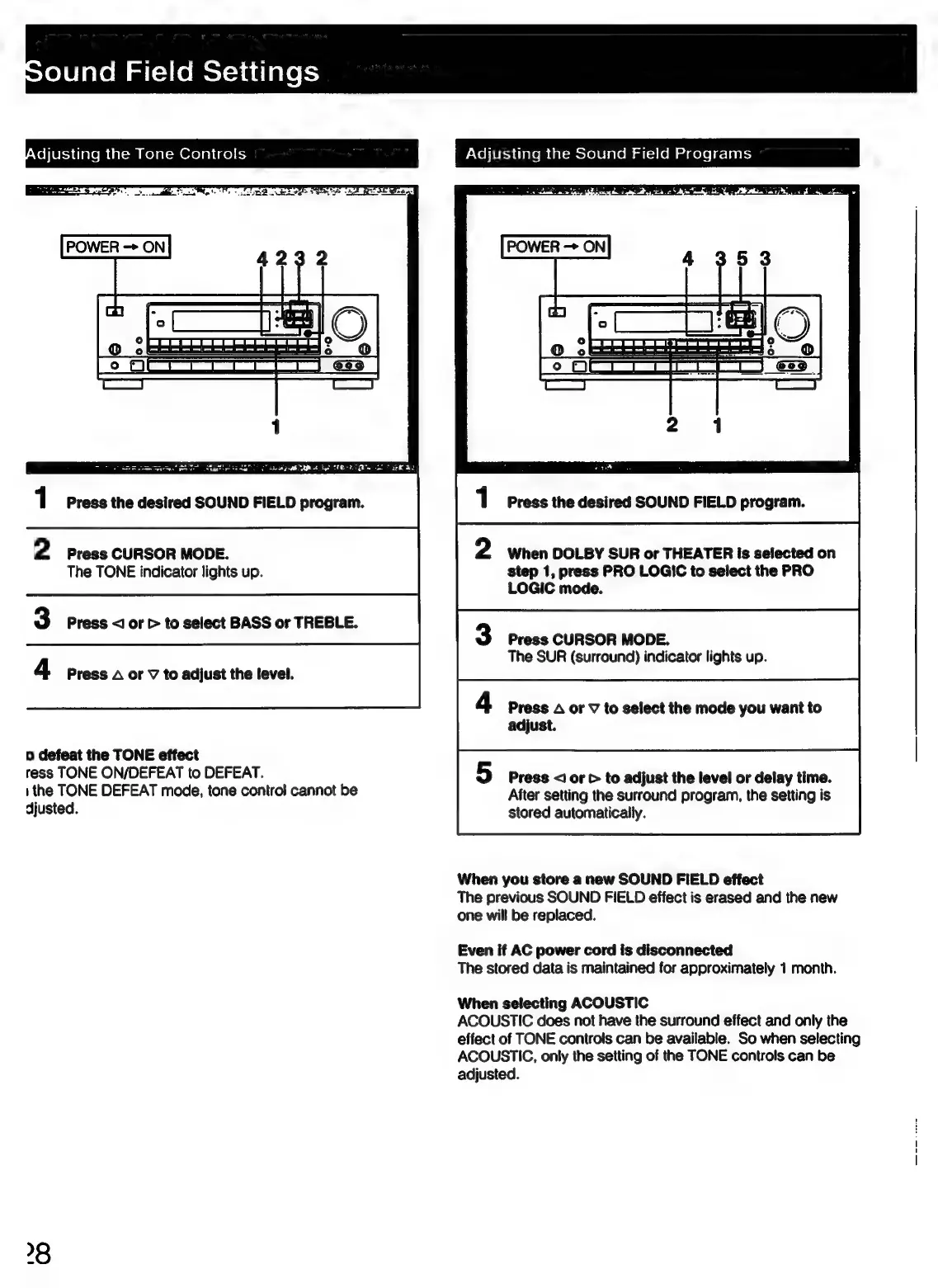
Press
the
desired
SOUND
FIELD
program.
ND
Press
CURSOR
MODE.
The
TONE
indicator
lights
up.
Press
<1]
or
>
to
select
BASS
or
TREBLE.
m&
|
Press
A
or
V
to
adjust
the
level.
o
defeat
the
TONE
effect
ress
TONE
ON/DEFEAT
to
DEFEAT.
ithe
TONE
DEFEAT
mode,
tone
control
cannot
be
djusted.
Poh
ier-s
(laren
(at-moroletalem
a=)
(om
aaaelele-lints
1
Press
the
desired
SOUND
FIELD
program.
2
When
DOLBY
SUR
or
THEATER
is
selected
on
step
1,
press
PRO
LOGIC
to
select
the
PRO
LOGIC
mode.
3
Press
CURSOR
MODE.
The
SUR
(surround)
indicator
lights
up.
4
Press
A
or
V
to
select
the
mode
you
want
to
adjust.
5
Press
<I
or
>
to
adjust
the
level
or
delay
time.
After
setting
the
surround
program,
the
setting
is
stored
automatically.
When
you
store
a
new
SOUND
FIELD
effect
The
previous
SOUND
FIELD
effect
is
erased
and
the
new
one
will
be
replaced.
Even
if
AC
power
cord
is
disconnected
The
stored
data
is
maintained
for
approximately
1
month.
When
selecting
ACOUSTIC
ACOUSTIC
does
not
have
the
surround
effect
and
only
the
effect
of
TONE
controls
can
be
available.
So
when
selecting
ACOUSTIC,
only
the
setting
of
the
TONE
controls
can
be
adjusted.

Related product manuals