EasyManua.ls Logo

Sony STR-D911 - Page 29

Sony STR-D911
36 pages
Print Icon
To Next Page IconTo Next Page
To Previous Page IconTo Previous Page
Loading...
or-liniate
me)
om
ealcesiolelscom
ai-1(emel-acelare
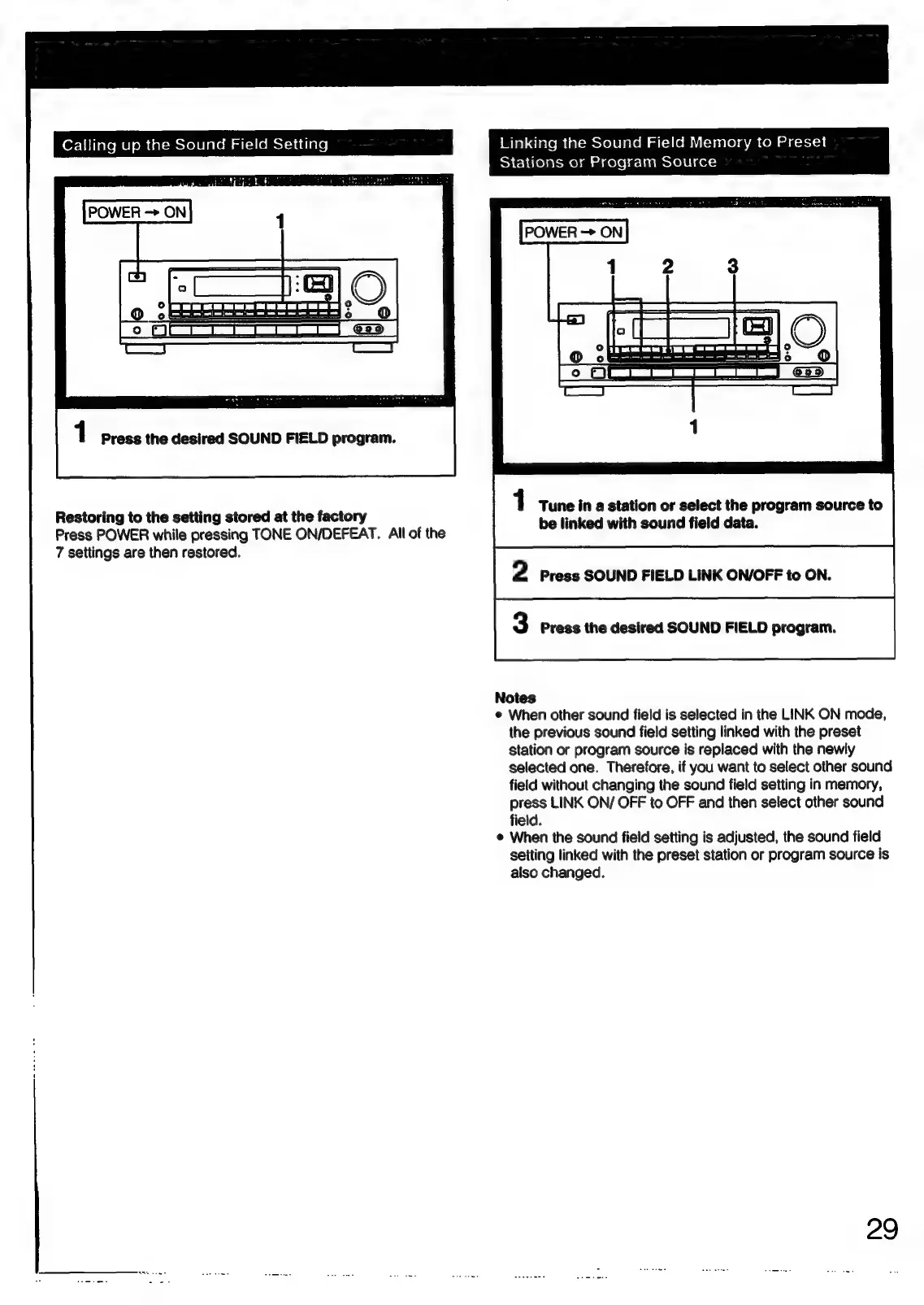
Linking
the
Sound
Field
Memory
to
Preset
Stations
or
Program
Source
POWER
ON
1
Press
the
desired
SOUND
FIELD
program.
1
Tune
in
a
station
or
select
the
program
source
to
Restoring
to
the
setting
stored
at
the
factory
Press
POWER
while
pressing
TONE
ON/DEFEAT.
All
of
the
be
linked
with
sound
field
data.
7
settings
are
then
restored.
2
Press
SOUND
FIELD
LINK
ON/OFF
to
ON.
3
Press
the
desired
SOUND
FIELD
program.
Notes
¢
When
other
sound
field
is
selected
in
the
LINK
ON
mode,
the
previous
sound
field
setting
linked
with
the
preset
station
or
program
source
is
replaced
with
the
newly
selected
one.
Therefore,
if
you
want
to
select
other
sound
field
without
changing
the
sound
field
setting
in
memory,
press
LINK
ON/
OFF
to
OFF
and
then
select
other
sound
field.
©
When
the
sound
field
setting
is
adjusted,
the
sound
field
setting
linked
with
the
preset
station
or
program
source
is
also
changed.
29

Related product manuals