32
GB
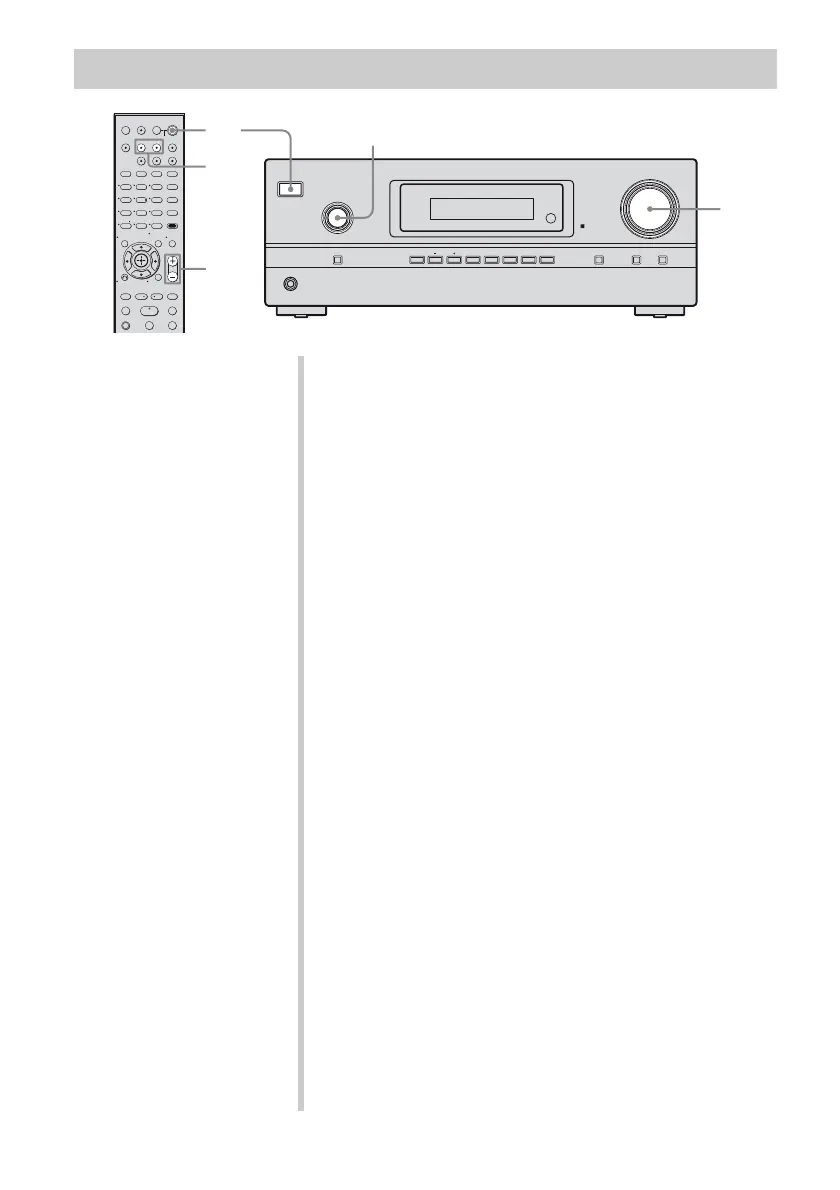
Watching a DVD/Blu-ray disc
?/1
PHONES
INPUT SELECTOR
INPUT MODE TUNING MODE
MASTER VOLUME
DISPLAY DIMMER MUTING
MEMORY/
ENTER
2CH/
A.DIRECT
A.F.D. MOVIE MUSICTUNING
123
46
78
0/10
ENTER
9
SYSTEM STANDBY
TV INPUT
SLEEP
DMPORT
VIDEO BD DVD SAT
2CH A.F.D.
RETURN/EXIT
TV CH –
PRESET –
TV CH +
PRESET +
TUNING –
TV
TUNING +
FM MODE
REPLAY ADVANCE
MOVIE MUSIC
MEMORY AMP MENU
CLEAR
DISPLAY MUTING
MASTER VOL
TV VOL
D.SKIP
D.TUNING
DVD/BD
MENU
SA-CD/CDTV TUNER
?/1
-
.
H
mM
X
x
<
<
>
5
>10/
TV
?/1
AV
?/1
TOOLS/
OPTIONS
MENU/HOME
6
6
3
2
3
Notes
• Refer to the operating
instructions supplied with the
TV and DVD player or Blu-ray
disc player.
• Check the following if you
cannot listen to multi channel
sound.
– Be sure this receiver is
connected to the DVD player
or Blu-ray disc player via a
digital connection.
– Be sure the digital audio
output of the DVD player or
Blu-ray disc player is set up
properly.
Tips
• Select the sound format of the
disc to be played, if necessary.
• You can select the sound field to
suit the movie/music. Refer to
page 44 for details.
Recommended sound fields:
Movie: C.ST.EX
Music: CONCERT
1 Turn on the TV and DVD player or Blu-ray
disc player.
2 Turn on the receiver.
3 Press DVD to watch a DVD or press BD to
watch a Blu-ray disc.
You can also use INPUT SELECTOR on this receiver to
select “DVD” or “BD”.
4 Switch the input of the TV so that an image
of the DVD or Blu-ray disc is displayed.
5 Play back the disc.
6 Adjust to a suitable volume.
7 After you have finished watching the DVD or
Blu-ray disc, eject the disc and turn off the
receiver, TV and DVD player or Blu-ray disc
player.



 To Next Page