EasyManua.ls Logo

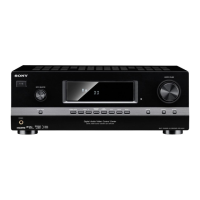
Sony STR-DH500 - User Manual

Sony STR-DH500
72 pages
Print Icon
To Next Page IconTo Next Page
Loading...
©2009 Sony Corporation
4-129-450-42(1)
Multi Channel AV
Receiver
Operating Instructions
STR-DH500

Table of Contents

Other manuals for Sony STR-DH500

Questions and Answers

  • R
    Rachel ShafferSep 4, 2025
    What to do if there is severe hum or noise coming from my Sony STR-DH500 Receiver?
    • J
      jacquelinejamesSep 4, 2025
      If you're experiencing a severe hum or noise with your Sony Receiver, try the following: * Ensure all speakers and components are securely connected. * Keep connecting cords away from transformers, motors, TVs, and fluorescent lights (at least 3 meters away). * Move your audio components away from the TV. * Clean the plugs and jacks with a cloth slightly moistened with alcohol.
  • J
    James RasmussenSep 18, 2025
    Why does RDS not work on my Sony STR-DH500 Receiver?
    • L
      Lisa YangSep 18, 2025
      If RDS is not working on your Sony Receiver: * Make sure that you are tuned to an FM RDS station. * Select a stronger FM station.
  • L
    Lynn LarsenSep 16, 2025
    How to make recording possible with my Sony Receiver?
    • G
      Gregory HutchinsonSep 16, 2025
      If you're unable to record with your Sony Receiver: * Check that the components are connected correctly. * Select the source component using the input buttons.
  • J
    Jordan TaylorSep 14, 2025
    How do I enable the surround effect on my Sony STR-DH500?
    • R
      Rodney WebsterSep 14, 2025
      To enable the surround effect on your Sony Receiver, make sure the sound field function is on by pressing MOVIE or MUSIC.
  • F
    fhayesSep 12, 2025
    Why is the source image input to the HDMI jack on the Sony STR-DH500 Receiver not output from the TV?
    • W
      wilcoxleslieSep 12, 2025
      If the source image input to the HDMI jack on your Sony Receiver is not outputting to the TV: * Check the HDMI connection. * Depending on the playback component, you may need to set up the component.
  • G
    George MartinezSep 12, 2025
    What to do if there is no sound from digital sources when selecting SAT input on my Sony STR-DH500 Receiver?
    • J
      Jason JohnsonSep 12, 2025
      If you're not getting sound from digital sources when selecting the SAT input on your Sony Receiver: * Check that the INPUT MODE is not set to “ANALOG”. * Check that ANALOG DIRECT is not set to on.
  • D
    dodsonkurtSep 9, 2025
    Why is there no picture or an unclear picture on the TV screen connected to my Sony STR-DH500?
    • J
      Jake WhiteSep 9, 2025
      If you're experiencing no picture or an unclear picture on the TV screen connected to your Sony Receiver: * Select the appropriate input using the input buttons. * Set your TV to the appropriate input mode. * Move your audio components away from the TV.
  • N
    nfoleySep 7, 2025
    Why does 'NO INPUT' appear on the display of my Sony Receiver?
    • M
      Molly MatthewsSep 7, 2025
      If “NO INPUT” is displayed on your Sony Receiver: * Check that your component is connected to the COAXIAL or OPTICAL jack. * If no signal is input through the COAXIAL or OPTICAL jack, “NO INPUT” appears on the display and this is not a malfunction.
  • G
    Gregory PhillipsSep 5, 2025
    What to do if my Sony Receiver does not reproduce Dolby Digital or DTS multi channel sound?
    • K
      katelyn84Sep 5, 2025
      If your Sony Receiver isn't reproducing Dolby Digital or DTS multi-channel sound, verify that the DVD or other source you're playing is actually recorded in Dolby Digital or DTS format. Also, when connecting a DVD player or similar device to the receiver's digital input jacks, check the audio output settings of the connected component.
  • T
    Timothy WilliamsAug 20, 2025
    Why is there no sound from my Sony Receiver, regardless of the selected component?
    • J
      John JohnsonAug 20, 2025
      If you're experiencing a complete lack of sound or very low sound levels from your Sony Receiver, there are several things to check: * Ensure speakers and components are correctly and securely connected. * Verify all speaker cords are properly connected. * Confirm both the receiver and all components are powered on. * Check that the MASTER VOLUME is not set to “VOL MIN”. * Make sure headphones are disconnected. * Deactivate the muting function by pressing MUTING. * Select the appropriate component using the input buttons. Also, the protective device on the receiver may have been activated. If this is the case, turn off the receiver, resolve any short-circuit issues, and then turn the power back on.

Summary

Safety and Warning Information

Fire and Electric Shock Prevention

Measures to reduce risk of fire/electric shock from exposure to rain, moisture, and heat.

Battery Handling and Disposal

Instructions for safe battery handling and proper disposal in accordance with regulations.

Front Panel and Indicator Overview

Front Panel Controls and Layout

Detailed description of the receiver's front panel buttons, display, and jacks.

Rear Panel and Component Connections

Rear Panel Connection Terminals

Details on digital/analog input/output, antenna, and speaker connection jacks.

Remote Commander Operations

Remote Commander Overview and Functions

Introduction to the remote commander and its buttons for power, input, sound, tuning, and menus.

Getting Started: Initial Setup

Installing and Connecting Speakers

Guide to setting up a 5.1 channel speaker system and connecting them to the receiver.

Connecting the TV

Guide to connecting the television to the receiver for viewing.

Connecting Audio and Video Components

Instructions for connecting various audio/video components like CD players, DVD players, tuners, and VCRs.

Preparing the Receiver and Remote

Connecting power and performing initial setup operations.

Automatic Calibration (AUTO CALIBRATION)

Procedure to automatically calibrate speaker levels, distances, and settings.

Adjusting Speaker Levels and Balance

Using the test tone to adjust speaker levels and balance for optimal listening.

Playback Operations

Selecting and Playing Components

How to select and play back audio or video components connected to the receiver.

Amplifier Operations

Navigating Amplifier Menus

Guide to navigating and using the receiver's amplifier menus for adjustments.

Menu Parameters Summary

Summary of available settings and parameters within each amplifier menu.

Enjoying Surround Sound

AUTO FORMAT DIRECT (A.F.D.) Mode

Listening to high fidelity sound and selecting decoding modes for stereo and multi-channel audio.

Tuner Operations

Listening to FM;AM Radio

How to listen to FM and AM broadcasts using the built-in tuner.

Other Operations

Precautions for Safe Use

Troubleshooting Common Issues

Sony STR-DH500 Specifications

General IconGeneral
EqualizerYes
Product colorBlack
Audio decodersDTS
Impedance8 Ω
RMS rated power500 W
Audio output channels5.1 channels
Total Harmonic Distortion (THD)1 %
Supported radio bandsAM, FM
Headphone outputs1
Dimensions (WxDxH)430 x 157.5 x 322 mm
Power requirements120 V, 60 Hz
HDMI ports quantity4
I/O ports2 x Anten. 1 x Coax. - in 3 x Compon. - in 1 x Compon. - out 2 x HD Compon. - in 1 x HD Compon. - out 2 x Compos. - in 1 x Compos. - out 1 x DM 3 x HDMI - in 1 x HDMI - out 2 x Opt. - in 1 x Sub. - out
Power consumption (standby)0.3 W
Weight and Dimensions IconWeight and Dimensions
Weight7400 g

Related product manuals