EasyManua.ls Logo

Sony STR-DH500 - User Manual

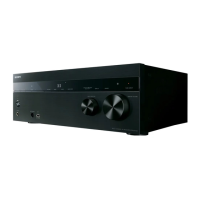
Sony STR-DH500
72 pages
Print Icon
To Next Page IconTo Next Page
Loading...
©2009 Sony Corporation
4-129-450-42(1)
Multi Channel AV
Receiver
Operating Instructions
STR-DH500

Table of Contents

Other manuals for Sony STR-DH500

Questions and Answers

  • C
    Christopher BrownSep 2, 2025
    How to troubleshoot no sound from DIGITAL MEDIA PORT adapter connected to Sony STR-DH500?
    • T
      Tony JacksonSep 2, 2025
      If you're not getting sound from a component connected to the DIGITAL MEDIA PORT adapter on your Sony Receiver: * Adjust the volume of this receiver. * Turn off the receiver, then reconnect the DIGITAL MEDIA PORT adapter and/or component if they are not connected correctly. * Check the DIGITAL MEDIA PORT adapter and/or component device to make sure it supports this receiver.
  • S
    Stacey BakerAug 31, 2025
    How to fix no sound from speakers when connecting via HDMI on my Sony STR-DH500 Receiver?
    • V
      vjohnsonAug 31, 2025
      If you're not getting sound from the speakers when connecting your Sony Receiver and playback component via HDMI: * Make sure that you have connected the digital audio jacks on the playback component to the receiver. * Turn off the TV’s volume or activate the TV’s muting function.
  • J
    Jessica BrownAug 29, 2025
    What to do if there is no sound from center or surround speakers on my Sony STR-DH500?
    • J
      jacobavilaAug 29, 2025
      If you're experiencing no sound or very low sound from the center or surround speakers on your Sony Receiver: * Select a CINEMA STUDIO EX mode. * Adjust the speaker level. * Ensure the center/surround speakers are set to either “SMALL” or “LARGE”.
  • L
    lphillipsAug 27, 2025
    How do I fix unbalanced or reversed left and right sounds on my Sony Receiver?
    • M
      Michael HubbardAug 28, 2025
      If the left and right sounds are unbalanced or reversed on your Sony Receiver: * Check that the speakers and components are connected correctly and securely. * Adjust the balance parameters using the LEVEL menu.
  • Y
    yporterAug 26, 2025
    Why is there no sound from one of the front speakers connected to my Sony Receiver?
    • K
      Kenneth AveryAug 26, 2025
      If you're not getting sound from one of the front speakers connected to your Sony Receiver: * Connect headphones to the PHONES jack to see if sound is output there. * If only one channel is output from the headphones, the component may not be connected to the receiver correctly. Check that all the cords are fully inserted into the jacks on both the receiver and the component. * If both channels are output from the headphones, the front speaker may not be connected to the receiver correctly. Check the connection of the front speaker which is not outputting any sound. * Make sure you have connected to both the L and R jacks of an analog component, and not only to either the L or R jack. Use an audio cord (not supplied).
  • A
    Ashlee MartinezAug 25, 2025
    Why is there no sound from the subwoofer connected to my Sony Receiver?
    • J
      Jacqueline NovakAug 25, 2025
      If there's no sound coming from the subwoofer connected to your Sony Receiver: * Check that the subwoofer is connected correctly and securely. * Ensure that you have turned on your subwoofer. * Make sure the subwoofer is set to “YES”.
  • D
    Daniel BakerAug 22, 2025
    How to troubleshoot no sound from a specific component on my Sony Receiver?
    • S
      Steve WebbAug 22, 2025
      If you're not getting any sound from a specific component connected to your Sony Receiver, make sure that: * The component is correctly connected to the appropriate audio input jacks. * The connecting cords are fully inserted into the jacks on both the receiver and the component.

Summary

Safety and Warning Information

Fire and Electric Shock Prevention

Measures to reduce risk of fire/electric shock from exposure to rain, moisture, and heat.

Battery Handling and Disposal

Instructions for safe battery handling and proper disposal in accordance with regulations.

Front Panel and Indicator Overview

Front Panel Controls and Layout

Detailed description of the receiver's front panel buttons, display, and jacks.

Rear Panel and Component Connections

Rear Panel Connection Terminals

Details on digital/analog input/output, antenna, and speaker connection jacks.

Remote Commander Operations

Remote Commander Overview and Functions

Introduction to the remote commander and its buttons for power, input, sound, tuning, and menus.

Getting Started: Initial Setup

Installing and Connecting Speakers

Guide to setting up a 5.1 channel speaker system and connecting them to the receiver.

Connecting the TV

Guide to connecting the television to the receiver for viewing.

Connecting Audio and Video Components

Instructions for connecting various audio/video components like CD players, DVD players, tuners, and VCRs.

Preparing the Receiver and Remote

Connecting power and performing initial setup operations.

Automatic Calibration (AUTO CALIBRATION)

Procedure to automatically calibrate speaker levels, distances, and settings.

Adjusting Speaker Levels and Balance

Using the test tone to adjust speaker levels and balance for optimal listening.

Playback Operations

Selecting and Playing Components

How to select and play back audio or video components connected to the receiver.

Amplifier Operations

Navigating Amplifier Menus

Guide to navigating and using the receiver's amplifier menus for adjustments.

Menu Parameters Summary

Summary of available settings and parameters within each amplifier menu.

Enjoying Surround Sound

AUTO FORMAT DIRECT (A.F.D.) Mode

Listening to high fidelity sound and selecting decoding modes for stereo and multi-channel audio.

Tuner Operations

Listening to FM;AM Radio

How to listen to FM and AM broadcasts using the built-in tuner.

Other Operations

Precautions for Safe Use

Troubleshooting Common Issues

Sony STR-DH500 Specifications

General IconGeneral
EqualizerYes
Product colorBlack
Audio decodersDTS
Impedance8 Ω
RMS rated power500 W
Audio output channels5.1 channels
Total Harmonic Distortion (THD)1 %
Supported radio bandsAM, FM
Headphone outputs1
Dimensions (WxDxH)430 x 157.5 x 322 mm
Power requirements120 V, 60 Hz
HDMI ports quantity4
I/O ports2 x Anten. 1 x Coax. - in 3 x Compon. - in 1 x Compon. - out 2 x HD Compon. - in 1 x HD Compon. - out 2 x Compos. - in 1 x Compos. - out 1 x DM 3 x HDMI - in 1 x HDMI - out 2 x Opt. - in 1 x Sub. - out
Power consumption (standby)0.3 W
Weight and Dimensions IconWeight and Dimensions
Weight7400 g

Related product manuals