32
GB
Settings and Adjustments
Adjusting the Speaker
Settings <SP SETUP>
See “Multi-Channel Surround Setup” on page 18 for
details on the parameters available in the SP SETUP
menu.
p Front speaker size (FRONT SP)
Initial setting : LARGE
p Center speaker size (CENTER SP)
Initial setting : LARGE
p Rear speaker size (REAR SP)
Initial setting : LARGE
p Sub woofer selection (SUB WOOFER)
Initial setting : YES
p Front speaker distance (FRONT)
Initial setting : 5.0 meter
p Center speaker distance (CENTER)
Initial setting : 5.0 meter
p Rear speaker distance (REAR)
Initial setting : 3.5 meter
p Sub woofer distance (S.W)
Initial setting : 5.0 meter
p Sub woofer phase polarity (S.W PHASE)
Initial setting : NORMAL
p Rear speaker position (REAR POSI.)
Initial setting : BEHIND
p Rear speaker height (REAR HIGHT)
Initial setting : LOW
p Front speaker roll off frequency (FRONT)
Initial setting : > 120 Hz
p Center speaker roll off frequency (CENTER)
Initial setting : > 120 Hz
p Rear speaker roll off frequency (REAR)
Initial setting : > 120 Hz
p Distance unit (DIST. UNIT)
Initial setting : METER
Adjusting the Equalization
<EQUALIZER>
The EQUALIZER menu lets you adjust the equalization
(low, mid, and high frequencies) of the front, center, and
rear speakers individually. The equalizer bank lets you
store up to 5 different equalizer settings.
The following menu is only available after pressing
EQUALIZER BANK and selecting one of the equalizers
(EQ PRESET 1~5).
p Front speaker bass adjustment (Level/
Frequency)
FRONT BASS +XX.XdB
FRONT BASS XXXHz
1 Turn MENU to select the level (dB) or frequency (Hz).
2 Turn +/– to adjust.
Repeat until you achieve the sound you desire.
• The level can be adjusted ±10 dB in 0.5 dB steps.
• The frequency can be adjusted from 99 Hz to 1 kHz in
21 steps.
p Front speaker midrange adjustment (Level/
Frequency)
FRONT MID +XX.XdB
FRONT MID XXXHz
Adjust as described in “Front speaker bass adjustment”.
• The level can be adjusted ±10 dB in 0.5 dB steps.
• The frequency can be adjusted from 198 Hz to 10 kHz in
37 steps.
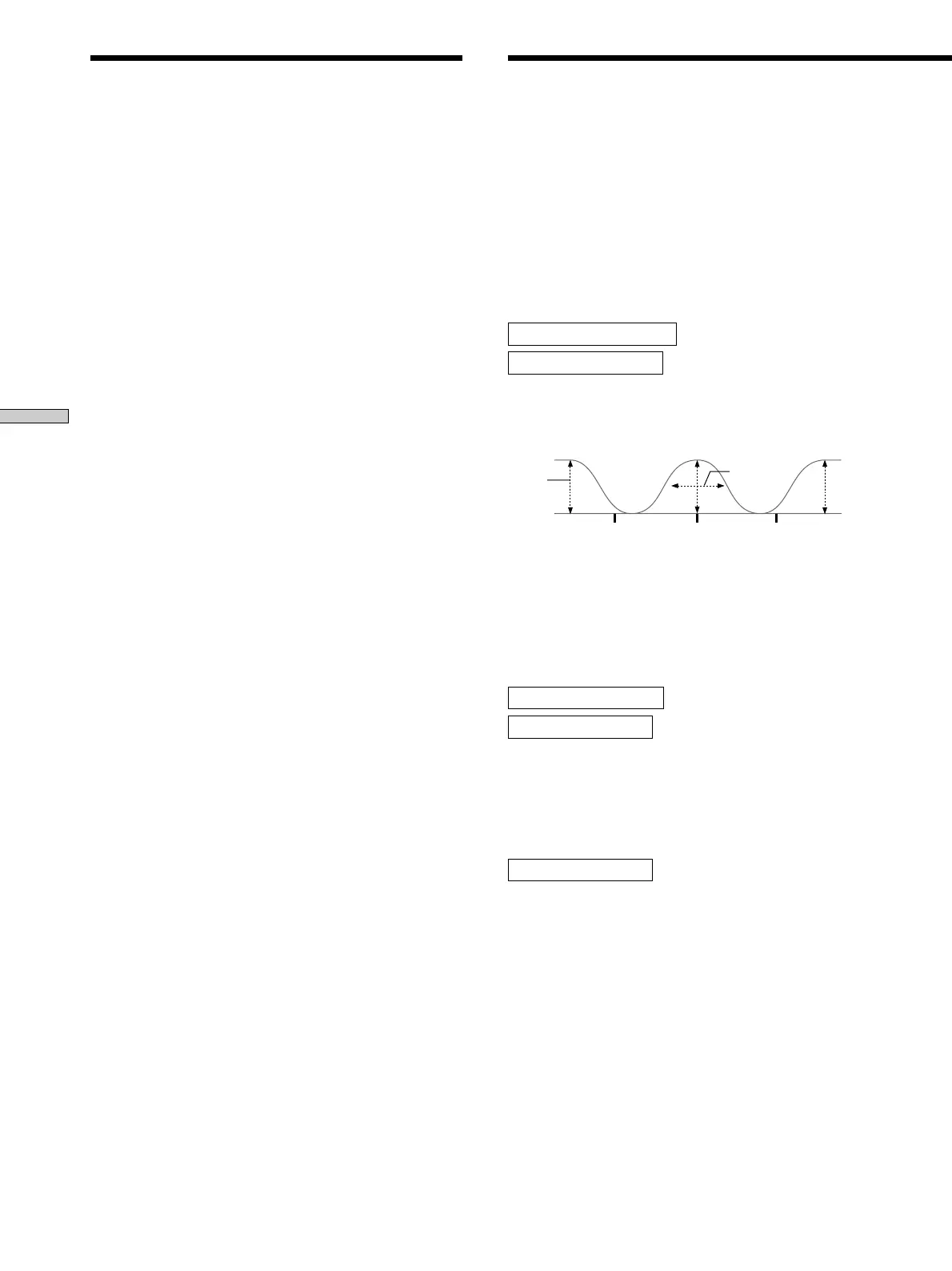
p Front speaker midrange bandwidth
FRONT MID [WIDE]
This parameter lets you adjust the width of the midrange
band.
• “WIDE” provides a wide band centered on the selected
frequency, for general adjustments.
• “MIDDLE” provides a normal band.
• “NARROW” provides a narrow band centered on the
selected frequency, for specific adjustments.
Level
(dB)
Frequency
(Hz)
Frequency
(Hz)
Frequency
(Hz)
BASS
TREBLE
MID
Band-
width










 To Next Page