11
Chapter 1 Overview
6 Menu operation buttons
For details of menu operation, see “Basic Menu
Operations” on page 22.
7 POWER lamp
Lights when the monitor is put into operation mode
from standby mode (see STANDBY lamp 8) by
pressing the POWER switch 2.
Note
When the STANDBY lamp 8 is blinking, the monitor
cannot be put into operation mode (internal data
initialization is taking place). Wait until the
STANDBY lamp 8 is steadily lit.
8 STANDBY lamp
Lights when the monitor is in standby mode. The
monitor will be in standby mode under the following
conditions:
•The MAIN POWER switch (on the rear panel) is
turned on (the STANDBY lamp will blink for a few
moments after the switch is turned on, then will
light).
•The monitor is changed from operation mode to
standby mode by external control.
9 OVER LOAD lamp
Lights to warn of CRT overload.
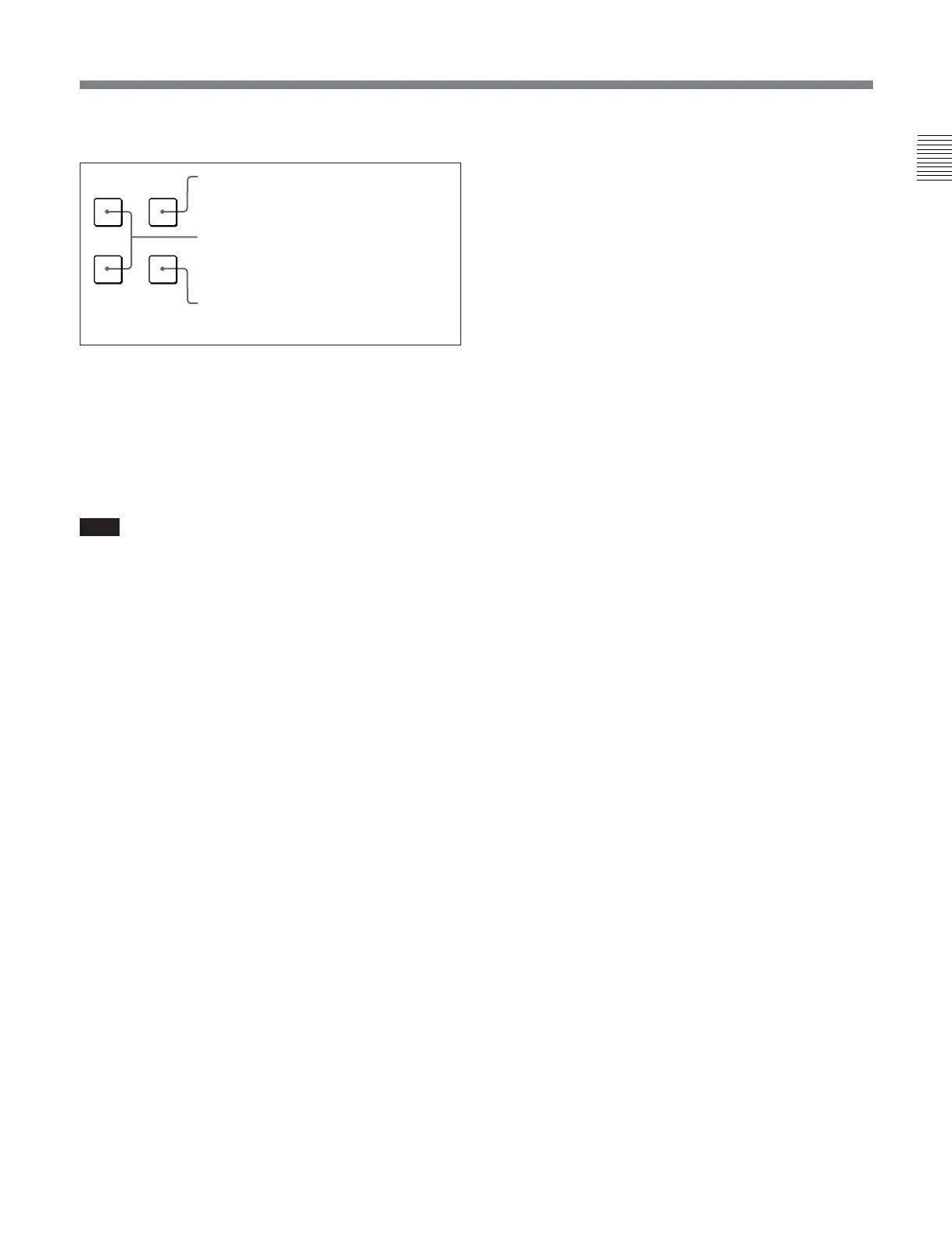
MENU button: Press to display the Menus.
ENTER button: Press to confirm the items
and values entered (Ent button on the
numeric keypad 4 has the same function).
UP/DOWN buttons: Press to select the
items and setting values.
UP MENU
DOWN
ENTER



 To Next Page
 Loading...




