9
GB
x
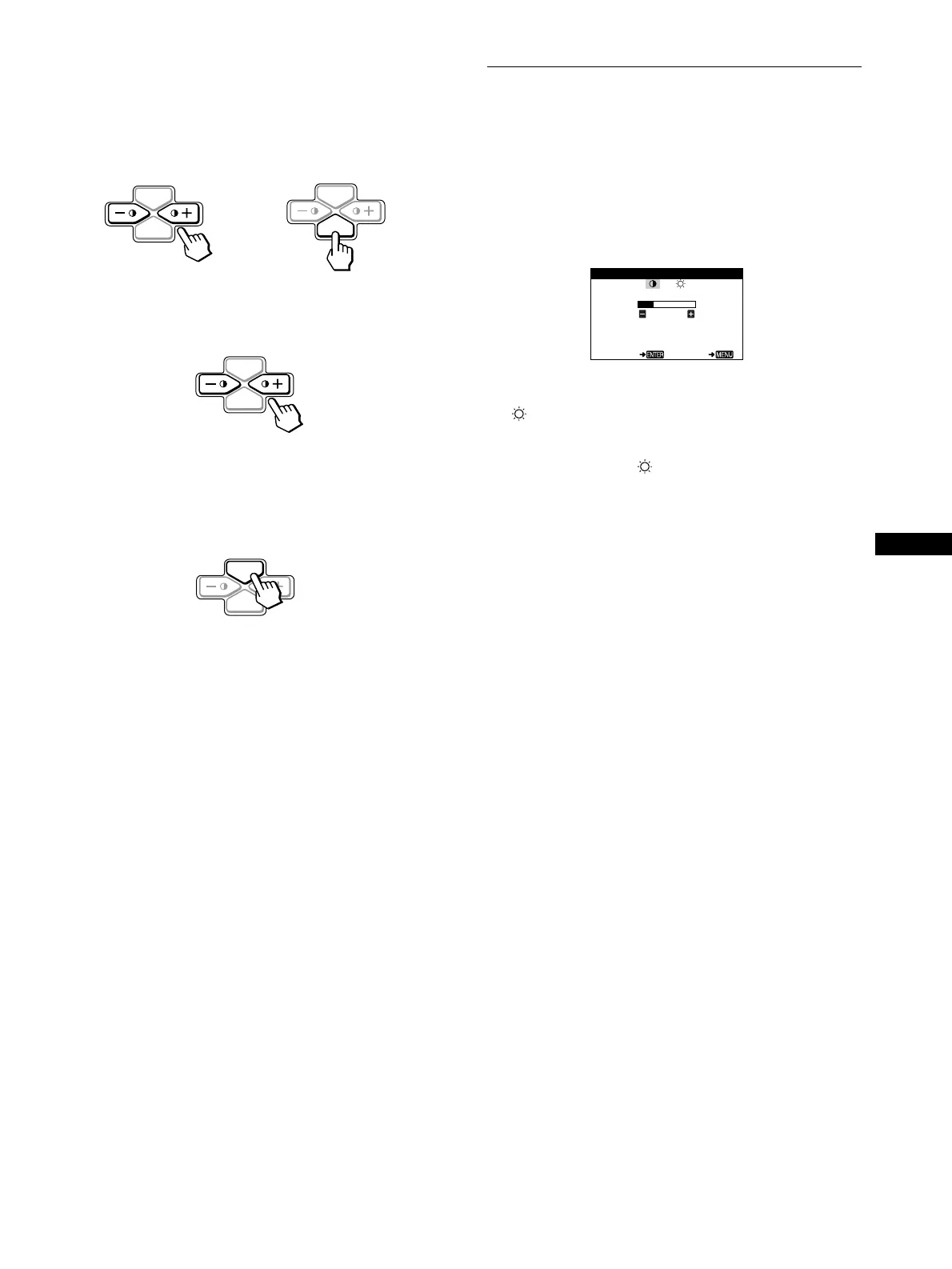
Using the MENU, ENTER, and
+
++
+
/
−
−−
−
buttons
1
Select the menu you want to adjust.
Press the
+
/
−
buttons to highlight the desired menu. Press the
ENTER button to select the menu and adjustment items.
2
Adjust the menu.
Press the
+
/
−
buttons to make the adjustment.
3
Close the menu.
Press the MENU button once to return to the main menu, and
twice to return to normal viewing. If no buttons are pressed,
the menu closes automatically after about 30 seconds.
x
Resetting the adjustments
You can reset the adjustments using the RESET menu. See
page 12 for more information on resetting the adjustments.
Adjusting the contrast and
brightness (CONTRAST/
BRIGHTNESS)
These settings are stored in memory for all input signals.
1
Press either one of the
6
(CONTRAST)
+
++
+
/
−
−−
−
buttons.
The CONTRAST/BRIGHTNESS menu appears on the
screen.
2
Press the ENTER button to select
6
(CONTRAST) or
(BRIGHTNESS).
3
Press the
+
++
+
/
−
−−
−
buttons to adjust either the contrast
(
6
) or brightness ( ).
The menu automatically disappears after about 30 seconds.
MENU
ENTER
MENU
ENTER
b
MENU
ENTER
MENU
ENTER
CONTRAST
26
60.0kHz/70.0Hz
1024X768
SELECT EX I T
CONTRAST / BRI GHTNESS





 To Next Page