ll_structions in this manual alt, bas__,don usill_ the lcmotc
control. You can also use the controls on the TV.
The menu illustrations are from KV-20M20. When features
found on other models are discussed, the manual lists the
models covered by that specific set of menus.
Note
• The menu disappears 90 seconds after you press a button, or
immediately after you press MENU.
• Refer to separate instructions for remote control pre-programming
(KV-20V60 only).
Inserting Batteries
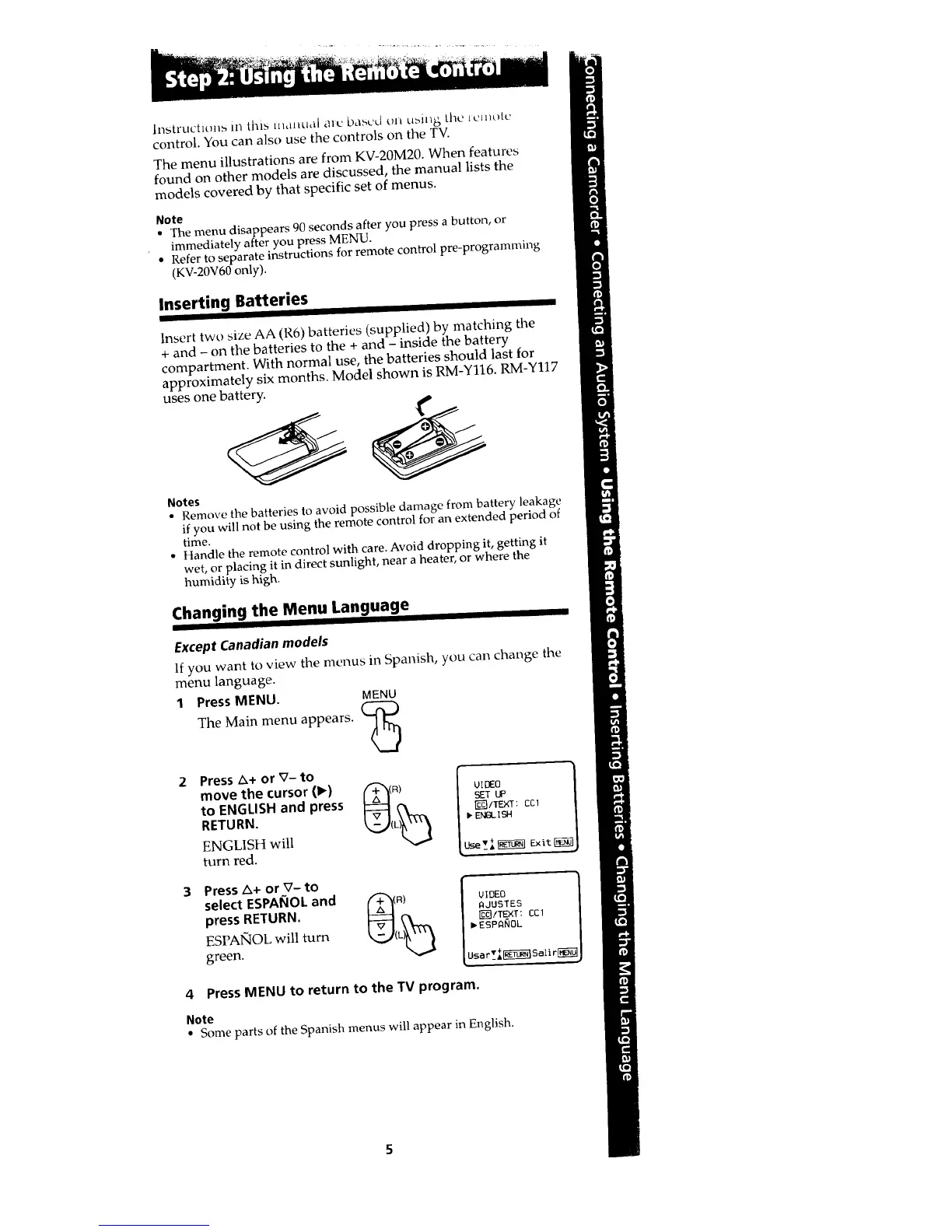
Insert two size AA (R6) batteries (supplied) by matching the
+ and - on the batteries to the + and - inside the battery
compartment. With normal use, the batteries should last for
approximately six months. Model shown is RM-Y116. RM-Y117
uses one battery.
Notes
• Remove the batteries to avoid possible damage from battery leakage
if you will not be using the remote control for an extended period of
time.
• Handle the remote control with care. Avoid dropping it, getting it
wet, or placing it in direct sunlight, near a heater, or where the
humidity is high.
Changing the Menu Language
Except Canadian models
If you want to view the menus in Spanish, you can change the
menu language.
1 Press MENU. MENU
The Main menu appears.
(2
2 Press _+ or V- to
move the cursor (1_)
to ENGLISH and press
RETURN.
ENGLISH will
turn red.
_ITEXT : COl
IpENd_ ISH
Press A+ or V- to
select ESPANOL and t""$_ R)
press RETURN.
ESPAIqOL will turn (
green.
VIDEO
AJUSTES
_/TE×T: COl
_ESPANOL
4 Press MENU to return to the TV program.
Note
• Some parts of the Spanish menus will appear in English.








 To Next Page