EasyManua.ls Logo

Sony Trinitron KV-13M40 - Page 4

Sony Trinitron KV-13M40
16 pages
Print Icon
To Next Page IconTo Next Page
To Previous Page IconTo Previous Page
Loading...
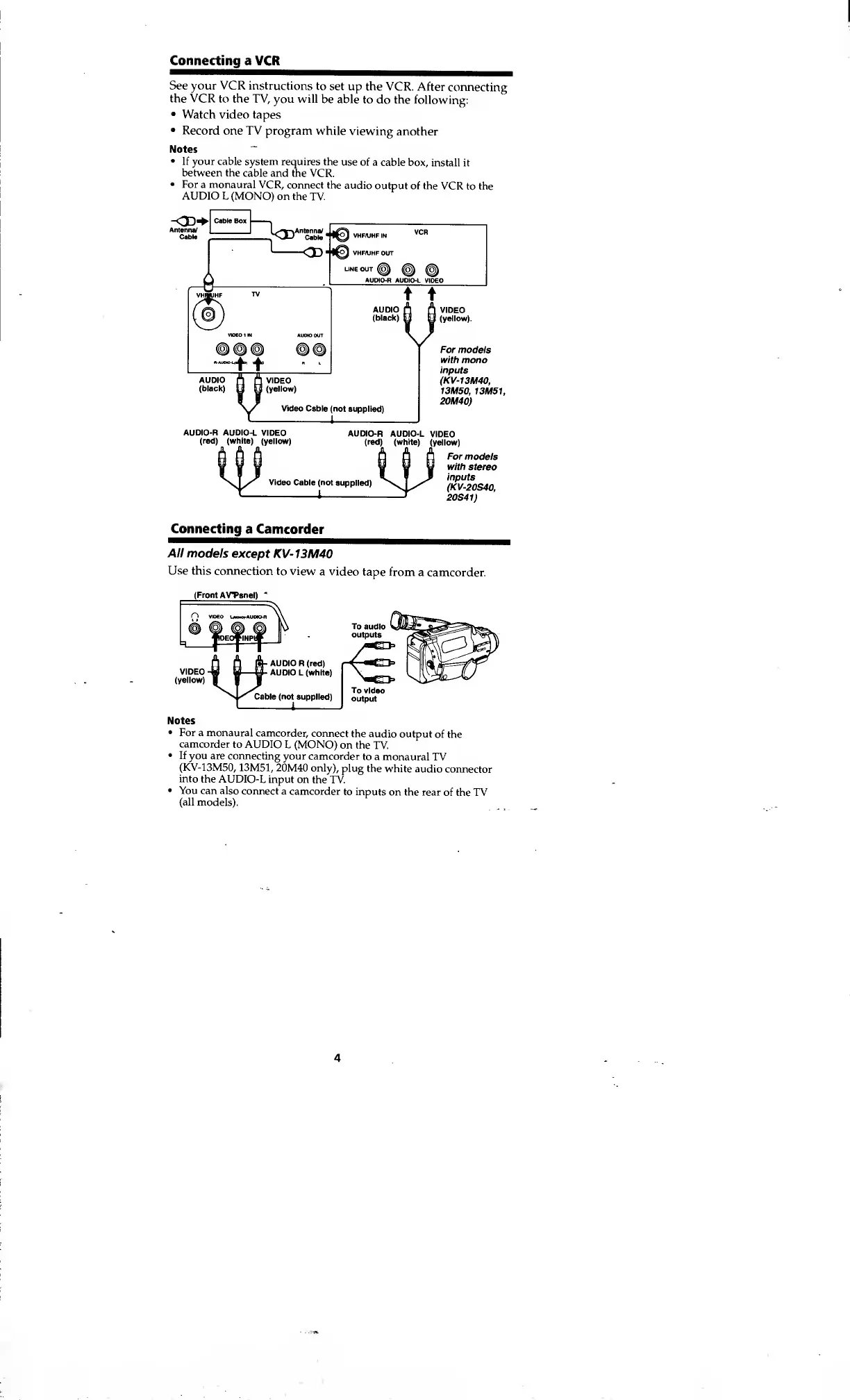
Connecting
a VCR
See your VCR instructions
to
set up the
VCR. After
connecting
the VCR
to
the
TV, you will
be able
to do the
following:
Watch
video tapes
Record
one TV program while
viewing
another
Notes
~
If your cable system
requires the
use of
a cable box,
install it
between the
cable and the VCR.
For
a
monaural
VCR,
connect the
audio
output of the
VCR to the
AUDIO L (MONO)
on the TV.
-<3D+
Cab
"
Bo*
I
1
Antenna/ I I
U*T"y
.Antenna/
Cable
For models
with
mono
inputs
(KV-13M40,
13M50,
13M51,
20M40)
For models
with stereo
inputs
(KV-20S40,
20S41)
Connecting
a Camcorder
All models
except
KV-13M40
Use this connection
to view
a video
tape from
a
camcorder.
(Front
AVTanel)
Notes
For a monaural
camcorder,
connect
the audio
output
of the
camcorder
to AUDIO
L (MONO)
on the TV.
If
you are connecting
your
camcorder
to a monaural
TV
(KV-13M50,
13M51,
20M40 only),
plug the
white
audio connector
into
the AUDIO-L
input on
the TV.
You can also
connect a
camcorder
to inputs
on the rear
of the TV
(all models).
4

Other manuals for Sony Trinitron KV-13M40

Related product manuals