EasyManua.ls Logo

Sony Trinitron KV-13M40 - Auto Program

Sony Trinitron KV-13M40
16 pages
Print Icon
To Next Page IconTo Next Page
To Previous Page IconTo Previous Page
Loading...
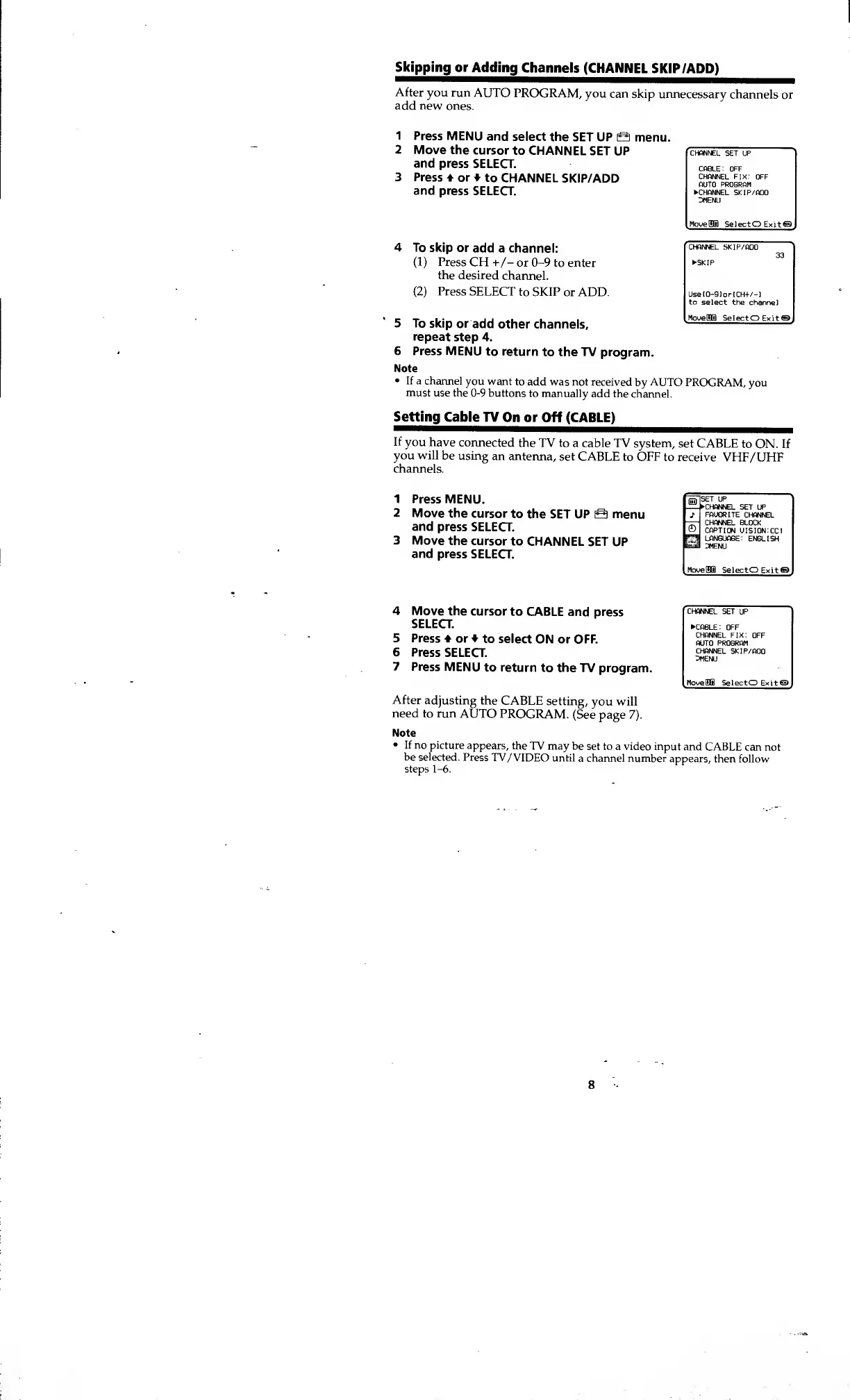
Skipping or
Adding
Channels
(CHANNEL
SKIP /ADD)
After
you run
AUTO
PROGRAM,
you can
skip unnecessary
channels
or
add new
ones.
1
Press
MENU
and
select the
SET UP a
menu.
CHANNEL
SET UP
C«B_E: OFF
CHANNEL FIX:
OFF
AUTO PROGRAM
CHANNEL SKIP/ADO
3MENU
SelectO
Exit®
Move the
cursor
to CHANNEL
SET UP
and press
SELECT.
Press
or
to
CHANNEL
SKIP/ADD
and press
SELECT.
4 To
skip or
add a channel:
(1)
Press
CH
+/- or
0-9
to enter
the desired
channel.
(2)
Press
SELECT
to SKIP
or ADD.
5
To
skip or
add
other channels,
repeat
step 4.
6
Press MENU
to return
to the TV program.
Note
If a channel
you want
to add was not
received
by
AUTO
PROGRAM,
you
must
use the
0-9
buttons
to manually
add the
channel.
Setting
Cable TV
On or
Off (CABLE)
If
you have
connected
the
TV to a
cable TV system,
set CABLE
to
ON.
If
you will
be using
an antenna,
set CABLE
to OFF
to receive
VHF/UHF
channels.
CHANNEL SKIP/ADD
SKIP
UseI0-91or[CH+/-l
to
select the channel
MoueOB SelectO Exit®
1 Press
MENU.
2 Move the
cursor
to the
SET UP
Q
menu
and press
SELECT.
3 Move
the cursor
to CHANNEL
SET
UP
and press
SELECT.
SET UP
.CHANNEL
SET UP
FAUORITE CHANNEL
CHANNEL BLOCK
CAPTION
UISION:CCl
LANGUAGE:
ENGLISH
3MENU
SelectO
Exit®
CHANNEL
SET UP
CABLE : OFF
CHANNEL FIX:
OFF
AUTO PROGRAM
CHANNEL
SKIP/ADD
3MENU
MovefflS) SelectO Exit®
4 Move the
cursor
to CABLE
and press
SELECT.
5
Press
* or
to select
ON or OFF.
6 Press
SELECT.
7
Press
MENU
to return
to the
TV program.
After
adjusting
the
CABLE
setting,
you will
need to run
AUTO
PROGRAM.
(See page
7).
Note
If no picture
appears,
the
TV may be
set to a video input
and
CABLE can not
be selected.
Press
TV/VIDEO
until
a channel number
appears,
then follow
steps
1-6.
8

Other manuals for Sony Trinitron KV-13M40

Related product manuals