11
MENU
KV-25FS150/KV-29FS150
2-898-781-21(1)
Using the Sound Menu
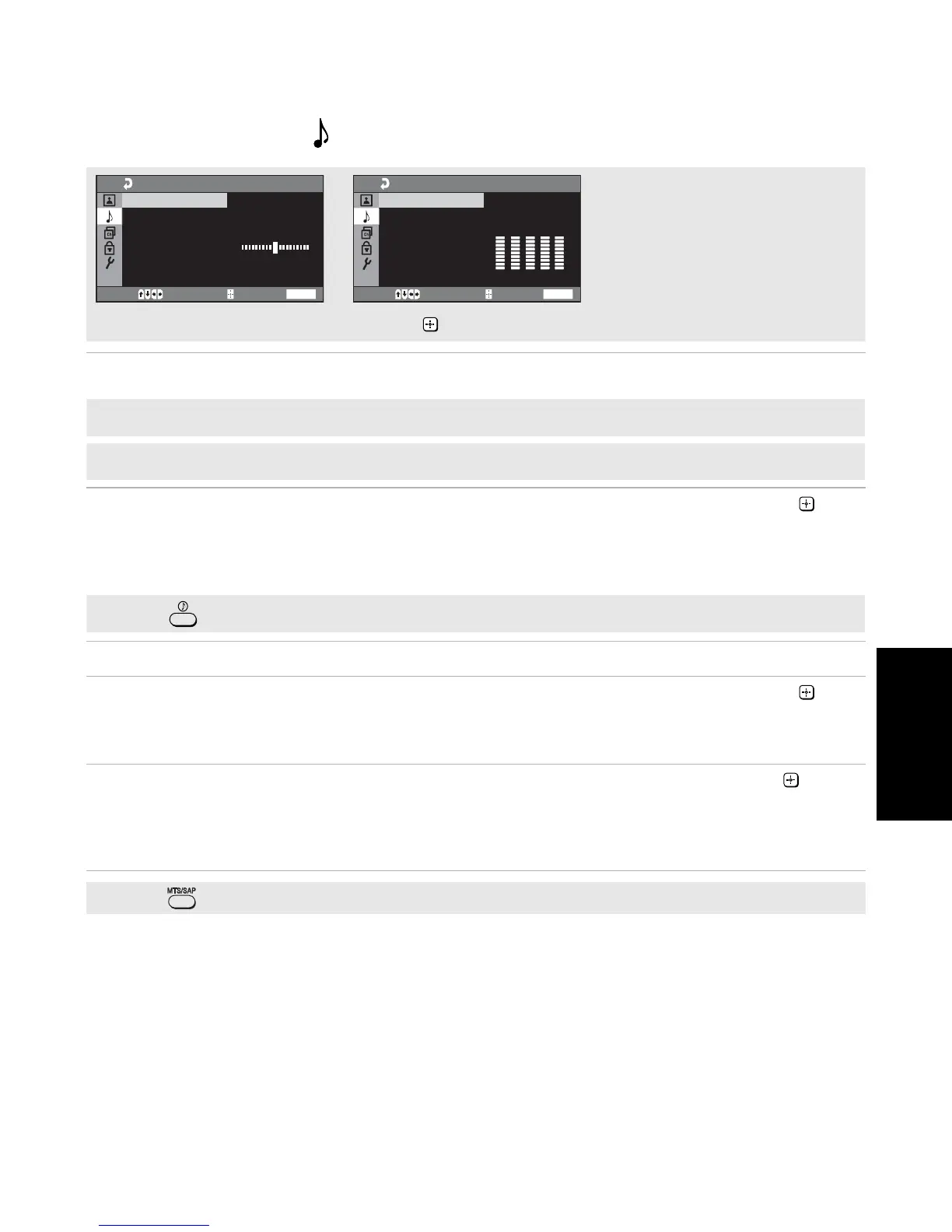
Sound Mode Select any of the modes: “Dynamic” (low and high tones), "Standard" (voice and
high tones), or “Custom” (adjusts the settings to your preference).
Effect
Use the V or v buttons to highlight one of the following options, then press to
select it.
Surround: Simulates theater quality sound for stereo programs.
Simulated: Simulates the stereo
sound
of movie theaters for mono programs.
Off: Mono or normal stereo reception.
Balance
Press B to emphasize the left speaker. Press b
to emphasize the right speaker.
Steady Sound
Stabilizes volume
Use the V or v buttons to highlight one of the following options, then press to
select it.
On: Select to stabilize the volume when changing channels.
Off: Select to turn Steady Sound off.
MTS
Multi-Channel TV
Sound
Use the
V
or
v
buttons to highlight one of the following options, then press .
Stereo: Select when viewing a broadcast in stereo.
Auto SAP: Select to have the TV automatically switch to a Second Audio Program
(SAP) when a signal is received.
Mono: Select to reduce noise in areas of poor reception.
✍
Press to directly select MTS settings (Stereo, Auto SAP and Mono).
Press
v
to highlight an option; then press .
WEGA GATE
Move Select End
Sound
Sound Mode: Dynamic
Sound Adjustment
Effect: Off
Balance
Steady Sound: Off
MTS: Stereo
WEGA GATE
Move Select End
Sound Adjustment
Adjust
100
300
1k
3k
8k
✍
The Sound Adjustment option is only available when Sound Mode is set to Custom.
✍
In Video you cannot access MTS.
✍
Press to directly select Effect settings (Surround, Simulated, Off).




 To Next Page