
EasyManua.ls Logo

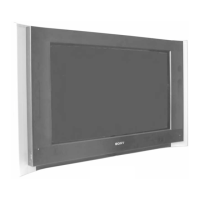
Sony TRINITRON KV-32HQ100B - User Manual

Sony TRINITRON KV-32HQ100B
112 pages
Print Icon
To Next Page IconTo Next Page
Loading...
- 1 -
SERVICE MANUAL
AE-7A
CHASSIS
MODEL
COMMANDER DEST CHASSIS NO.
KV-32HQ100B
RM-940 FR SCC-R12B-A
KV-32HQ100E
RM-940 ESP SCC-R13A-A
KV-32HQ100K
RM-940 OIRT SCC-R11B-A
MODEL
COMMANDER DEST CHASSIS NO.
KV-32/36HQ100
RM-940
KV-36HQ100B
RM-940 FR SCC-R12A-A
KV-36HQ100E
RM-940 ESP SCC-R13B-A
KV-36HQ100K
RM-940 OIRT SCC-R11A-A
All manuals and user guides at all-guides.com

Questions and Answers

  • Y
    ypowellAug 17, 2025
    How to fix Sony TRINITRON KV-32HQ100B remote control that is not working?
    • H
      hansensarahAug 17, 2025
      If the remote control for your Sony TV isn't working, try replacing the batteries first. If that doesn't solve the issue, make sure the remote control is in the correct mode for the device you're trying to control by pressing the > or . button.
  • R
    rbrownAug 19, 2025
    Why is the standby indicator flashing on my Sony TRINITRON KV-32HQ100B TV?
    • J
      Jose RamirezAug 20, 2025
      If the standby indicator on your Sony TV is flashing, and it’s an irregular flash, do not attempt to open the TV. Refer to qualified personnel for assistance. If the flashing is regular, it could be due to EPG data being obtained; wait until the flashing stops. Alternatively, a timer record event may have been set; wait until the recording has ended.
  • B
    Brianna ThompsonAug 22, 2025
    Why is my Sony LED TV remote control not working?
    • S
      Shelley WalshAug 23, 2025
      If your Sony LED TV remote control isn't working, it might be due to low batteries. Try replacing them. Also, ensure the remote is in the correct mode for controlling your TV by pressing the appropriate mode button.
  • T
    Toni QuinnAug 26, 2025
    What to do if my Sony TRINITRON KV-32HQ100B screen is dark, but the sound is fine?
    • J
      Jennifer MillsAug 26, 2025
      If your Sony TV displays a poor or no picture (dark screen) but has good sound, go to the ‘Picture Adjustment’ menu and adjust the brightness, picture, and color levels.
  • E
    Ellen HigginsAug 28, 2025
    How to restore color on my Sony TV?
    • N
      Natasha ClarkeAug 28, 2025
      If your Sony TV is not displaying color on color programs, go to the ‘Picture Adjustment’ menu and adjust the color setting.
  • R
    rossbrianAug 30, 2025
    Why are some channels blank on my Sony TRINITRON KV-32HQ100B TV?
    • J
      James RamosAug 31, 2025
      If some channels appear blank on your Sony TV, it may be due to the channel being scrambled or subscription-only. In this case, subscribe to the pay-per-view broadcaster. It could also be a programme used only for data or not being transmitted. See ‘Programme sorting’ section (refer to page 20).
  • Z
    zmurphySep 2, 2025
    What to do if my Sony TRINITRON KV-32HQ100B TV picture is distorted when changing channels?
    • L
      Lisa WilliamsSep 3, 2025
      If you are experiencing a distorted picture when changing programs or selecting teletext on your Sony TV, switch off all additionally connected equipment.
  • P
    Paula NguyenSep 5, 2025
    How to fix a Sony LED TV with no picture but sound?
    • J
      James HughesSep 5, 2025
      If your Sony LED TV has poor or no picture (the screen is dark) but good sound, and some channels are blank, select the ‘Picture Adjustment’ menu and adjust the brightness, picture, and colour levels. Also, make sure you have subscribed to the pay-per-view broadcaster.
  • S
    Sara BrownSep 8, 2025
    Why is there good picture but no sound on my Sony TRINITRON KV-32HQ100B TV?
    • A
      Anna BrownSep 8, 2025
      If your Sony TV shows a good picture but has no sound, first, press the + button on the remote control to increase the volume. If that doesn't work, go to the Sound Adjustment menu and ensure that the TV speakers are set to ‘On’.
  • P
    Phillip ColonSep 12, 2025
    What to do if my Sony TV has no picture and no sound?
    • A
      Alexis BennettSep 12, 2025
      If your Sony TV has no picture or sound, make sure the TV is plugged in and powered on. If the TV is in standby mode, press the power button on the front of the TV or the power ( ) button on the remote control. Also, verify that the aerial is properly connected.

Sony TRINITRON KV-32HQ100B Specifications

General IconGeneral
BrandSony
ModelTRINITRON KV-32HQ100B
CategoryTV
LanguageEnglish

Related product manuals





