EasyManua.ls Logo

Sony Trinitron KV-9PT40 - Getting Started; Setting up the TV

Sony Trinitron KV-9PT40
48 pages
Print Icon
To Next Page IconTo Next Page
To Previous Page IconTo Previous Page
Loading...
Getting
Started
oS
REE
ries:
Setting
up
2
ways
to
attach
the
TV
[A]
To
the
stand
To
the
kitchen
cabinet
Caution
Do
not
install
the
TV
with
wet
hands,
or
touch
the
TV
and
bracket
with
wet
hands.
4-EN
|
Getting
Started
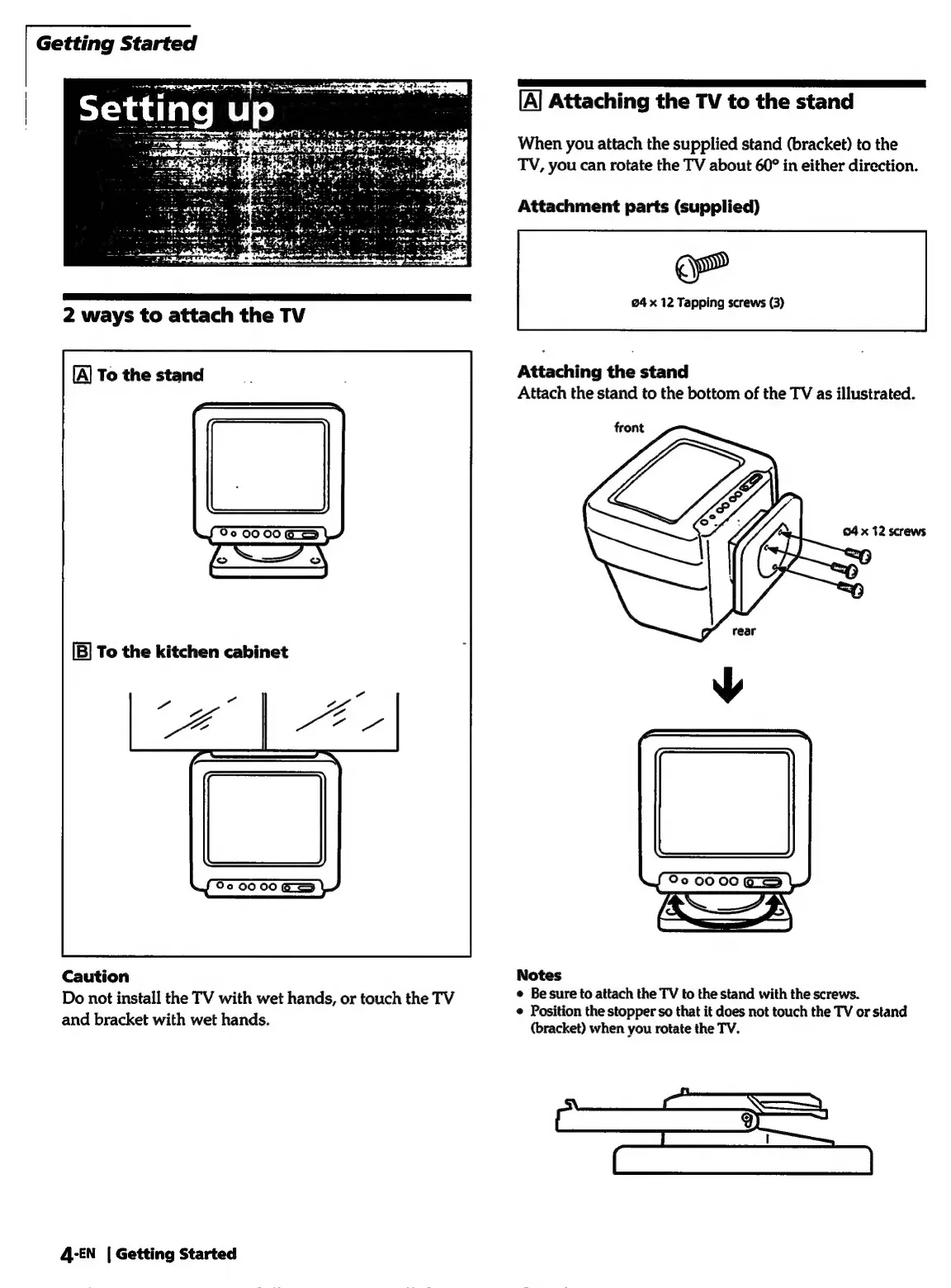
Attaching
the
TV
to
the
stand
When
you
attach
the
supplied
stand
(bracket)
to
the
TV,
you
can
rotate
the
TV
about
60°
in
either
direction.
Attachment
parts
(supplied)
ee
24
x
12
Tapping
screws
(3)
Attaching
the
stand
Attach
the
stand
to
the
bottom
of
the
TV
as
illustrated.
front
Oo
oo
00
es
Notes
e
Be
sure
to
attach
the
TV
to
the
stand
with
the
screws.
¢
Position
the
stopper
so
that
it
does
not
touch
the
TV
or
stand
(bracket)
when
you
rotate
the
TV.

Related product manuals