EasyManua.ls Logo

Sony Trinitron KV-9PT40 - Connecting the TV

Sony Trinitron KV-9PT40
48 pages
Print Icon
To Next Page IconTo Next Page
To Previous Page IconTo Previous Page
Loading...
a
es
ee
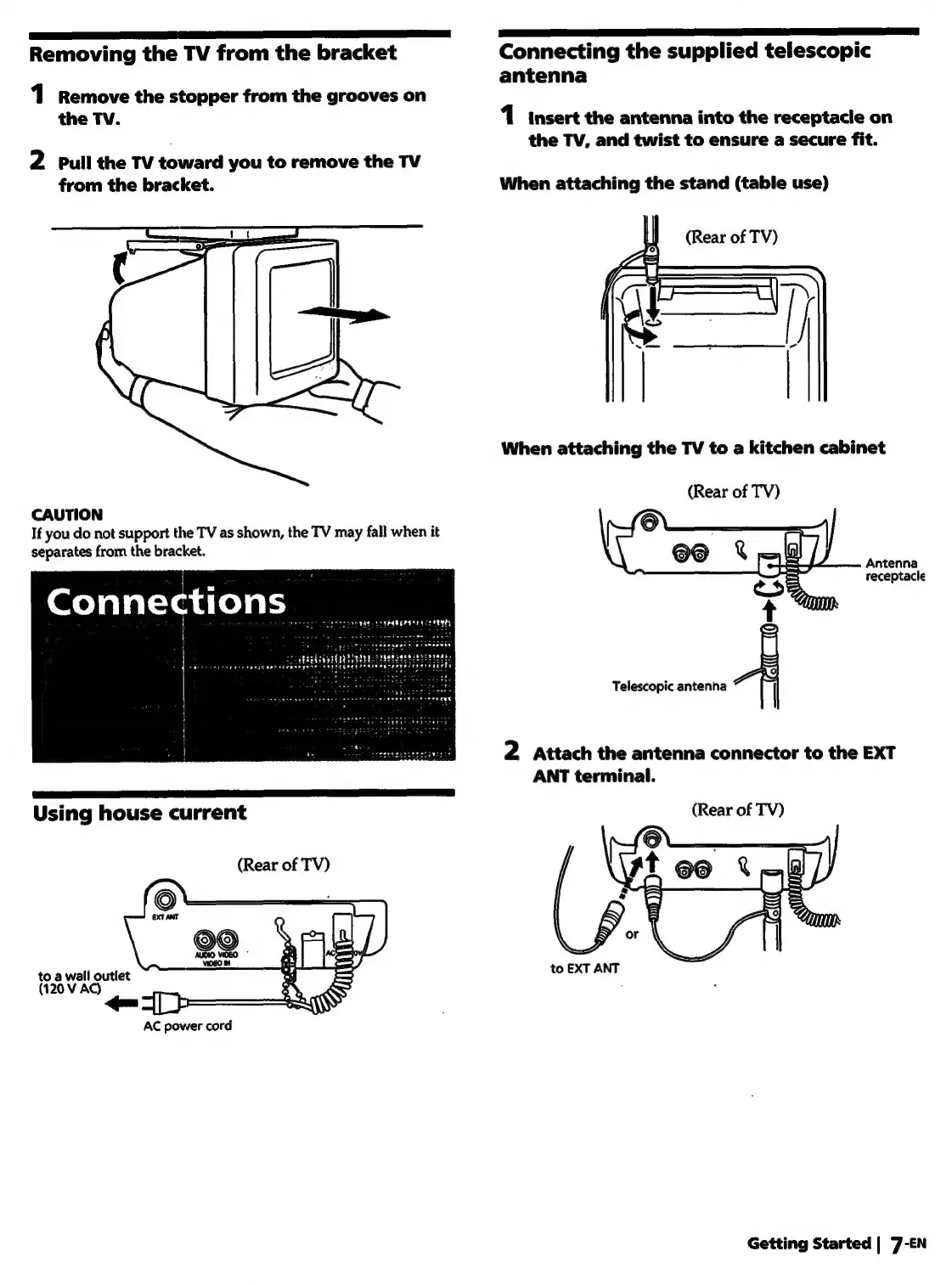
Removing
the
TV
from
the
bracket
Connecting
the
supplied
telescopic
antenna
1
Remove
the
stopper
from
the
grooves
on
the
TV.
1
insert
the
antenna
into
the
receptacle
on
the
TV,
and
twist
to
ensure
a
secure
fit.
2
pull
the
TV
toward
you
to
remove
the
TV
from
the
bracket.
When
attaching
the
stand
(table
use)
When
attaching
the
TV
to
a
kitchen
cabinet
(Rear
of
TV)
CAUTION
If
you
do
not
support
the
TV
as
shown,
the
TV
may
fall
when
it
separates
from
the
bracket.
Antenna
receptacle
Telescopic
antenna
2
Attach
the
antenna
connector
to
the
EXT
ANT
terminal.
Using
house
current
(Rear
of
TV)
(Rear
of
TV)
to
a
wall
outlet
to
EXT
ANT
(120
V
AC)
;
AC
power
cord
Getting
Started
|
7-EN

Related product manuals