EasyManua.ls Logo

Sony Trinitron KV-9PT40 - Page 6

Sony Trinitron KV-9PT40
48 pages
Print Icon
To Next Page IconTo Next Page
To Previous Page IconTo Previous Page
Loading...
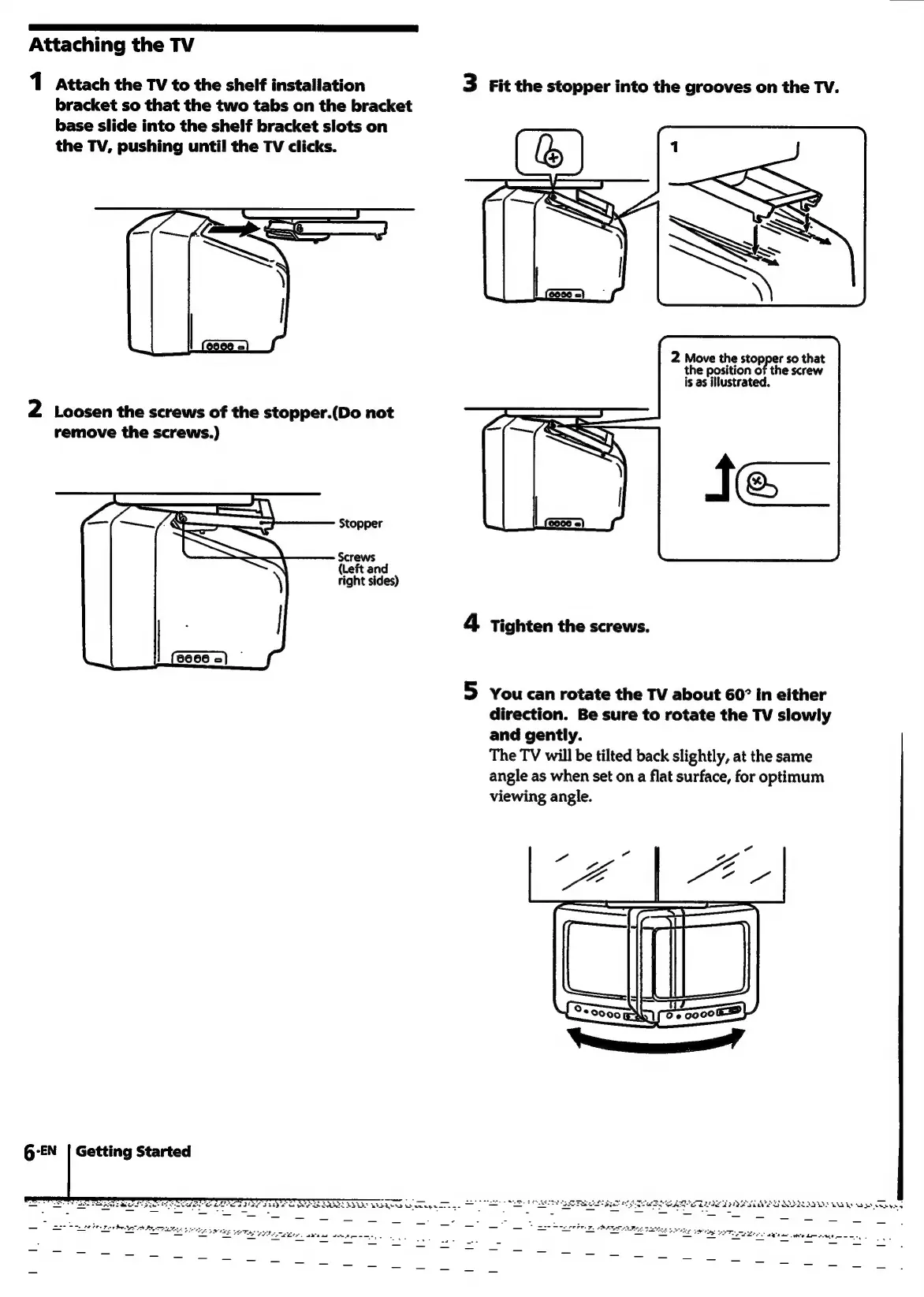
Attaching
the
TV
1
Attach
the
TV
to
the
shelf
installation
bracket
so
that
the
two
tabs
on
the
bracket
base
slide
into
the
shelf
bracket
slots
on
the
TV,
pushing
until
the
TV
clicks.
2
Loosen
the
screws
of
the
stopper.(Do
not
remove
the
screws.)
Stopper
Screws
(Left
and
right
sides)
G-EN
|
Getting
Started
fp
is
bab
RSS
was
i
Te.
3
Fit
the
stopper
into
the
grooves
on
the
TV.
2
Move
the
stopper
so
that
the
position
of
the
screw
is
as
illustrated.
4
Tighten
the
screws.
5
You
can
rotate
the
TV
about
60”
in
either
direction.
Be
sure
to
rotate
the
TV
slowly
and
gently.
The
TV
will
be
tilted
back
slightly,
at
the
same
angle
as
when
set
on
a
flat
surface,
for
optimum
viewing
angle.
ain
O«e
=<
7

Related product manuals