EasyManua.ls Logo

Sony Trinitron KV-9PT40 - Presetting TV Channels

Sony Trinitron KV-9PT40
48 pages
Print Icon
To Next Page IconTo Next Page
To Previous Page IconTo Previous Page
Loading...
baad
deree
Preset
ing
Channels
=a
es
a
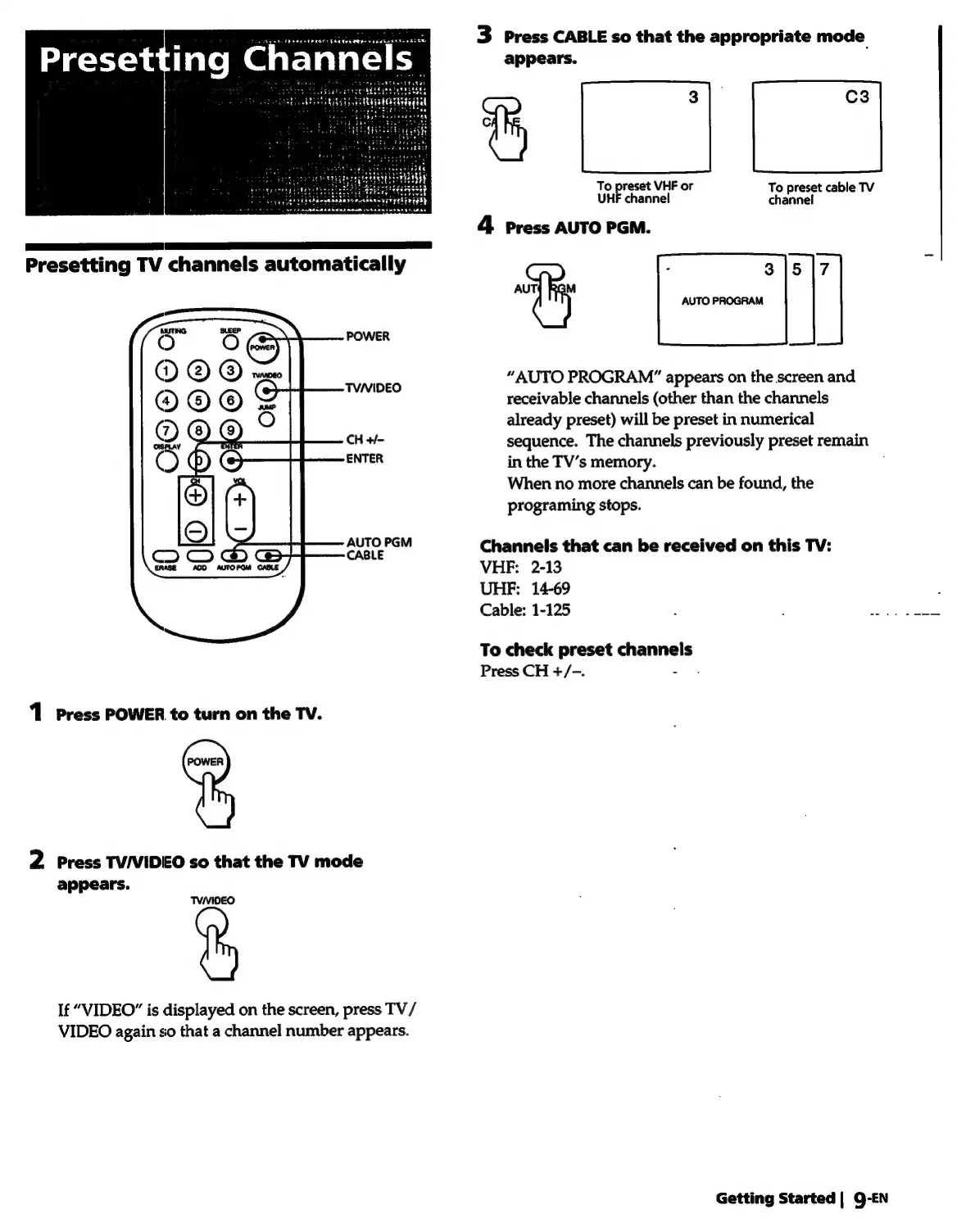
Presetting
TV
channels
automatically
1
Press
POWER
to
turn
on
the
TV.
2
Press
TV/VIDEO
so
that
the
TV
mode
appears.
TVNIDEO
If
“VIDEO”
is
displayed
on
the
screen,
press
TV/
VIDEO
again
so
that
a
channel
number
appears.
3
Press
CABLE
so
that
the
appropriate
mode
appears.
S|
JL
reset
VHF
or
To
preset
cable
TV
un
channel
ch
Sannel
4
Press
AUTO
PGM.
:
315
|7
AUT{
RGM
AUTO
PROGRAM
“AUTO
PROGRAM”
appears
on
the
screen
and
receivable
channels
(other
than
the
channels
already
preset)
will
be
preset
in
numerical
sequence.
The
channels
previously
preset
remain
in
the
TV’s
memory.
When
no
more
channels
can
be
found,
the
programing
stops.
Channels
that
can
be
received
on
this
TV:
VHF:
2-13
UHF:
14-69
Cable:
1-125
To
check
preset
channels
Press
CH
+/-.
Getting
Started
|
9-EN

Related product manuals