If the TV is connected to a cable rIV system, then the factory setting
CABLE ON is correct. If the TV is not connected, set CABLE to OFF.
Note
If more than 90 seconds elapse after you press a button, the menu disappears
automatically.
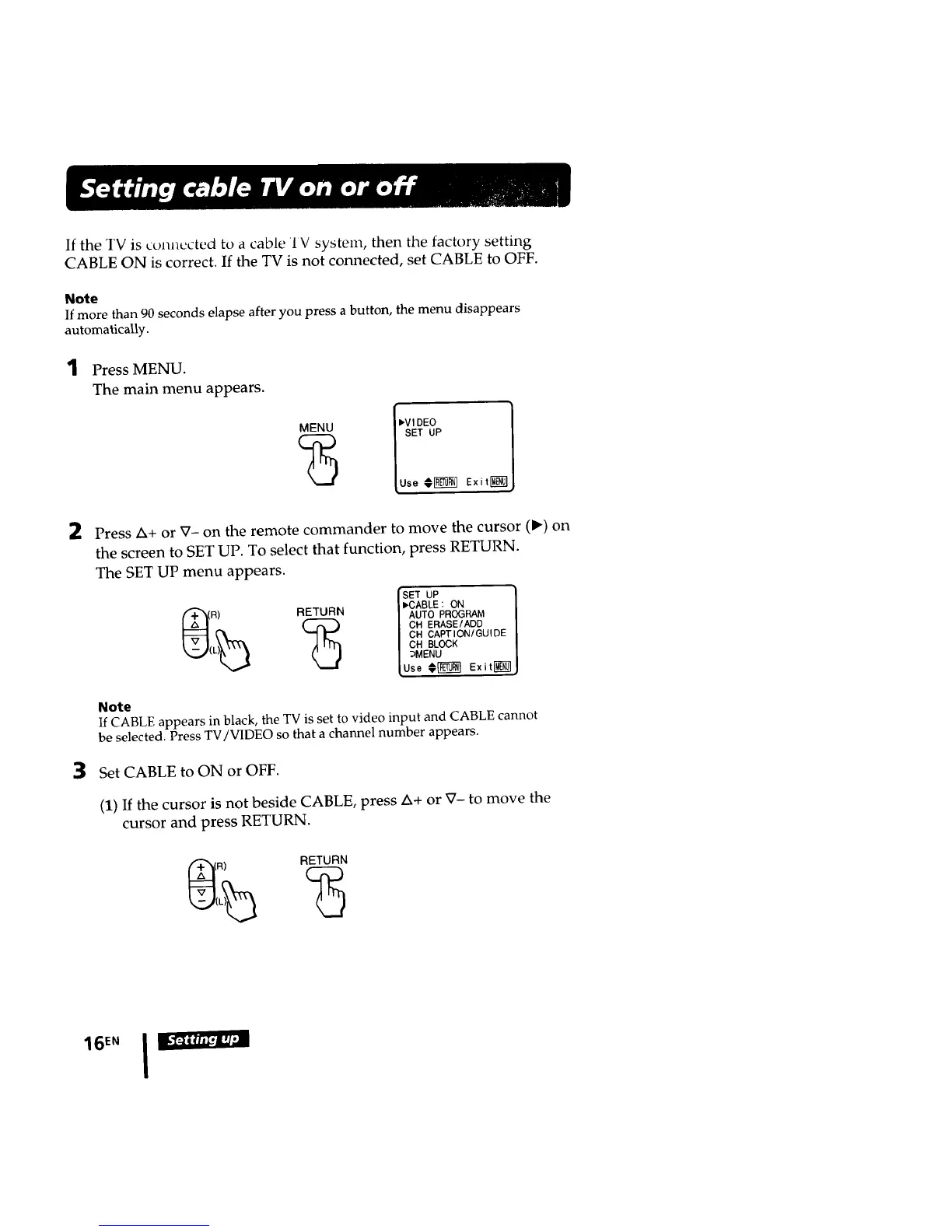
1 Press MENU.
The main menu appears.
I,,VI DEO
SET UP
Use €_ Exiting}
2
3
Press Zx+or V- on the remote commander to move the cursor (I_) on
the screen to SET UP. To select that function, press RETURN.
The SET UP menu appears.
_SET UP
R) RETURN / AUTO PROGRAM
/ CH ERASE/ADD
/ CH CAPTION/GUIDE
| CH BLOCK
/ bMENU
lUse€_ Exit_
Note
If CABLE appears in black, the TV is set to video input and CABLE cannot
be selected. Press TV/VIDEO so that a channel number appears.
Set CABLE to ON or OFF.
(1) If the cursor is not beside CABLE, press Z_+or _- to move the
cursor and press RETURN.
16 TM I II_I_l








 To Next Page