EasyManua.ls Logo

Sony Trinitron KV-XA29 - User Manual

Sony Trinitron KV-XA29
38 pages
Print Icon
To Next Page IconTo Next Page
Loading...
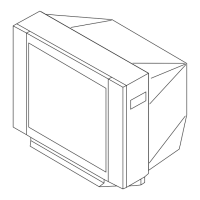
Trinitron Color TV
© 2000 Sony Corporation
KV-XA34
KV-XA29
KV-XA25
4-081-045-E2 (1)
Operating Instructions
M86
M84
Before operating the unit, please read this manual thoroughly and retain
it for future reference.

Questions and Answers

  • K
    Kimberly LeSep 15, 2025
    Why is there no color on my Sony Trinitron KV-XA29 TV?
    • D
      Danielle HerringSep 15, 2025
      If your Sony TV is displaying no color, first access the “PICTURE” menu, select “ADJUST” of “PICTURE MODE”, and then adjust the “COLOR” level. If that doesn't resolve the issue, go to the “SETUP” menu and check the color system (“COLOR SYS”) setting, ensuring it is set to “AUTO”.
  • A
    Ana RoachAug 25, 2025
    What to do if Sony Trinitron KV-XA29 TV has good picture but noisy sound?
    • D
      Donna PottsAug 25, 2025
      If your Sony TV has a good picture but noisy sound, and the noise affects all channels, go to the “CH PRESET” menu and check the TV system (“TV SYS”) setting. Then, select “AUTO PROGRAM” to preset the channels again. If only some channels are noisy, select the specific channel, go to the “CH PRESET” menu, and choose the appropriate TV system (“TV SYS”).
  • J
    Jason MitchellAug 26, 2025
    How to get rid of double images or ghosts on Sony Trinitron KV-XA29?
    • R
      Russell EvansAug 26, 2025
      Double images or “ghosts” on your Sony TV can be caused by broadcast signals reflected by nearby mountains or buildings, or an inappropriate antenna direction, or inappropriate use of a booster. Try using a highly directional antenna or the fine tuning (“FINE”) function. Adjust the antenna direction. If you're using a booster, turn it off or disconnect it.
  • Z
    zwellsAug 26, 2025
    How to fix dotted lines or stripes on Sony Trinitron KV-XA29 TV?
    • H
      heather93Aug 27, 2025
      Dotted lines or stripes on your Sony TV screen can be caused by local interference from sources like cars, neon signs, hair dryers, or power generators. To resolve this, avoid using such equipment near the TV and adjust the antenna direction to minimize interference.
  • J
    Jennifer FrostSep 16, 2025
    Why does the stereo broadcast sound switch on and off or is distorted on my Sony Trinitron KV-XA29?
    • M
      Maria Dalton DDSSep 16, 2025
      If the stereo broadcast sound on your Sony TV switches on and off or is distorted, check the antenna cable and connection on the TV, VCR, and on the wall. Also, adjust the antenna direction. You can also press A/B until a good sound is heard, which may resolve issues with the broadcast signal.
  • B
    Brian CombsSep 23, 2025
    Why can't my Sony Trinitron KV-XA29 TV receive stereo broadcast signal?
    • A
      Ashley CruzSep 23, 2025
      If your Sony TV cannot receive a stereo broadcast signal, press A/B until “AUTO” appears on the screen. This should correct any inappropriate stereo reception settings.
  • S
    Stephen Cobb PhDSep 7, 2025
    How to fix a snowy picture and noisy sound on my Sony Trinitron KV-XA29?
    • L
      lmartinSep 7, 2025
      To fix a snowy picture and noisy sound on your Sony TV, check the antenna cable and its connections on the TV, VCR, and the wall. Ensure that the channel presetting is appropriate by displaying the “CH PRESET” menu and selecting “MANUAL PROGRAM” to preset the channel again. Also, verify the antenna type (VHF/UHF) and adjust the antenna direction. If the signal transmission is low, consider using a booster.
  • K
    Katelyn SmithSep 8, 2025
    Why is there no sound on my Sony TV but the picture is good?
    • K
      karen08Sep 8, 2025
      If you have a good picture but no sound on your Sony TV, first, increase the volume level by pressing the volume up button. Also, check if the sound is muted and, if so, cancel the muting. If the volume level is too low, press the volume up button to increase it.
  • M
    Meagan CarterSep 2, 2025
    How to fix snowy picture and noisy sound on Sony Trinitron KV-XA29 TV?
    • D
      Denise SteeleSep 2, 2025
      To fix a snowy picture and noisy sound on your Sony TV, check the antenna cable and its connections on the TV, VCR, and wall. If the issue persists, access the “CH PRESET” menu and select “MANUAL PROGRAM” to preset the channel again. Ensure the antenna type (“VHF”/“UHF”) is correct. Adjust the antenna direction or try using a booster to improve the signal.
  • P
    Patricia PooleAug 31, 2025
    How to remove double images or ghosts on Sony Trinitron KV-XA29 TV?
    • L
      laurenjensenAug 31, 2025
      To remove double images or “ghosts” on your Sony TV, use a highly directional antenna. You can also use the fine tuning (“FINE”) function. Also, turn off or disconnect the booster if it is in use.

Sony Trinitron KV-XA29 Specifications

General IconGeneral
Display TechnologyCRT
Screen Size29 inches
Aspect Ratio4:3
Remote ControlYes
InputsComposite

Related product manuals