13
Advanced Operations
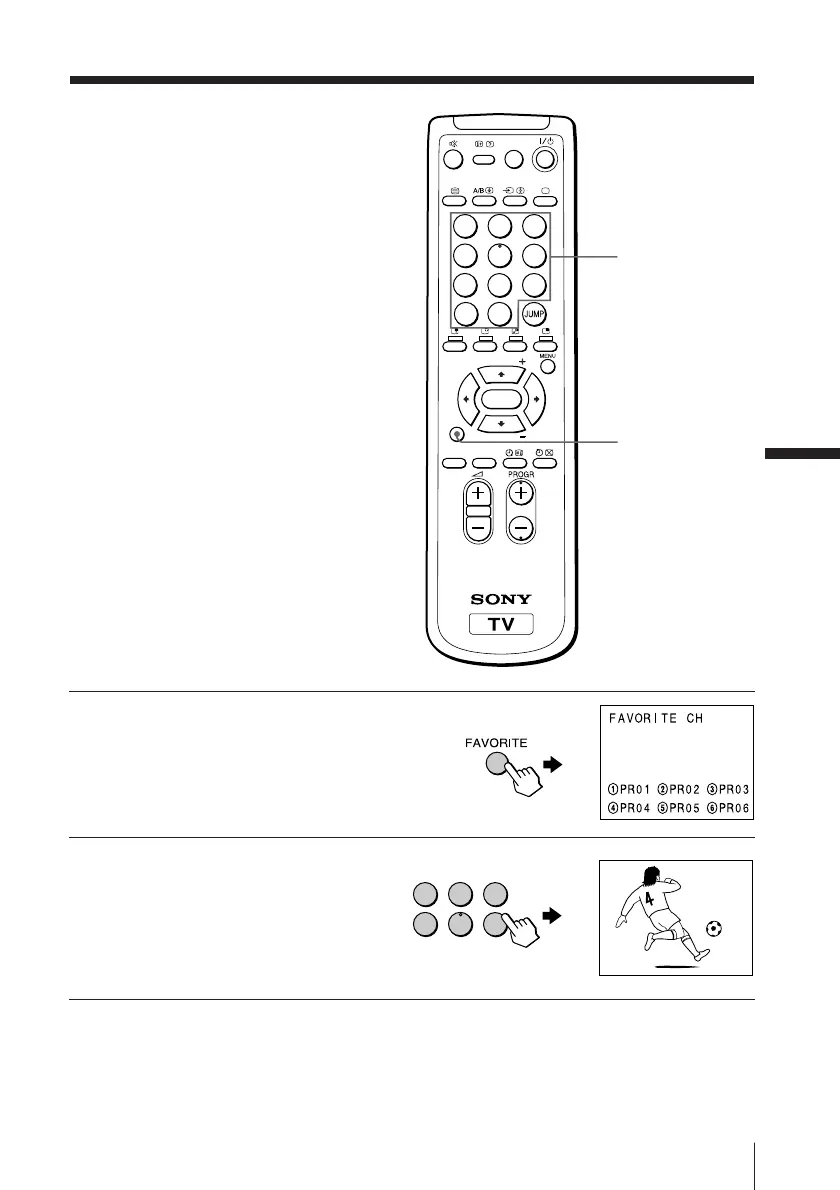
1
Press FAVORITE.
2
Press the number button
from 1 to 6 to select the
desired favorite channel.
Tip
• To program your favorite channels, see Adjusting each program number
settings (PROGRAM SETUP) on page 28.
Viewing your
favorite channels
You can display and select six of your
favorite channels directly from your TV
screen.
Number buttons
FAVORITE
1
2
3
4
5
6
1
2
3
4
5
6
7
8
0
-/--
9
FAVORITE
SOUND
MODE
SURROUND
PIP PROGR
PIP PROGR
ENTER
PIC MODE
1
Advanced Operations








 To Next Page