9
Using Your New TV
Using Your New TV
Watching the TV
This section explains various functions
and operations available while watching
the TV. Most operations can be done
using the remote.
1
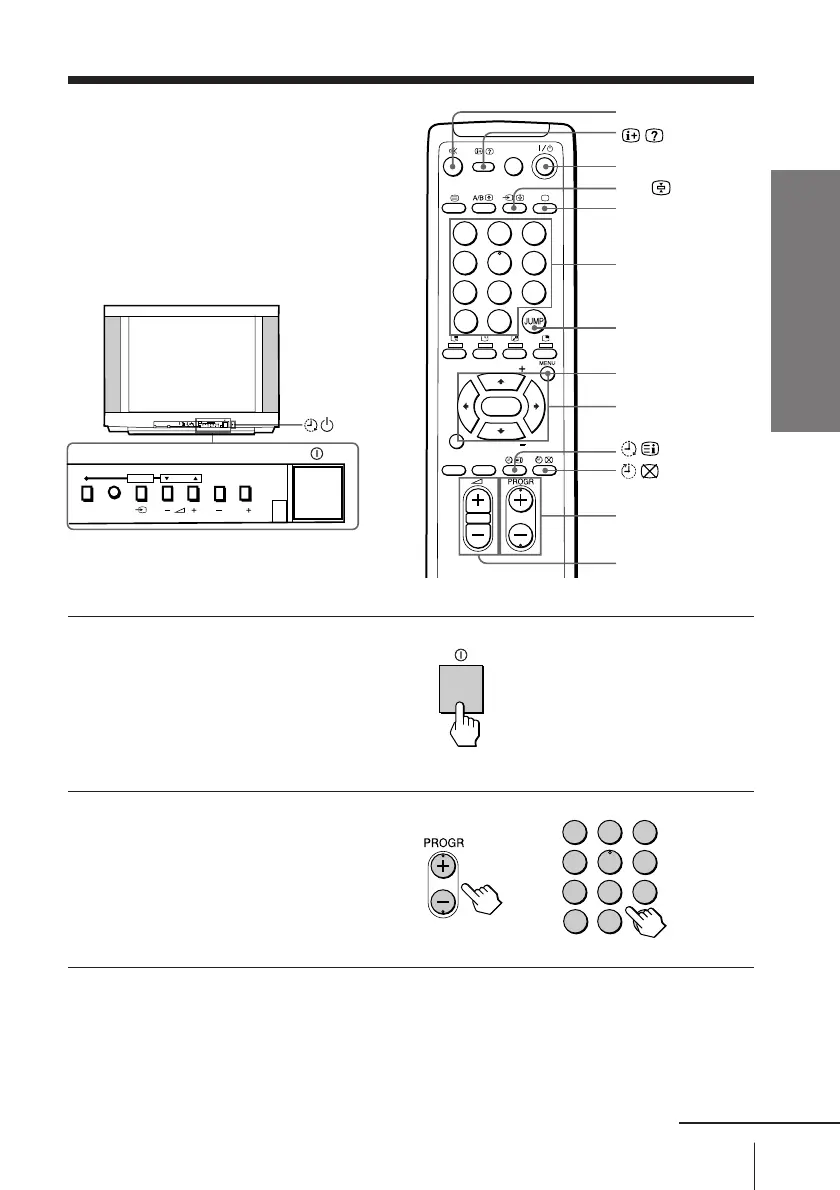
Press ! to turn on the TV.
When the TV is in the
standby mode (the
1
indicator on the TV is lit
red), press
?/1 on the
remote or PROGR +/– on
the TV.
2
Press PROGR +/– or
number buttons to select
the program number.
For double digit numbers,
press
-, then the number
(e.g., for 25, press -, then
2 and 5).
To select a program number quickly
(1) Press and hold PROGR +/–.
(2) Release PROGR +/– when the desired program number appears.
Note
• When you select a program number quickly, the picture
may be disrupted. This does not indicate a malfunction.
%
?/1
t
a
Number buttons
JUMP
2 +/–
PROGR +/–
MENU
V/b/v/B/ENTER
or
indicator
1
2
3
4
5
6
7
8
0
-/--
9
1
2
3
4
5
6
7
8
0
-/--
9
FAVORITE
SOUND
MODE
SURROUND
PIP PROGR
PIP PROGR
ENTER
PIC MODE
PROGRMENU
AUTO
PROGR
ENTER SELECT
L(MONO) R
4
PROGRMENU
AUTO
PROGR
ENTER SELECT
continued








 To Next Page