17
Advanced Operations
Viewing Teletext
(KV-XA34M86 only)
TV stations broadcast an information
service called Teletext via some TV
channels. Teletext allows you to receive
various information, such as shares
market or news.
Displaying Teletext
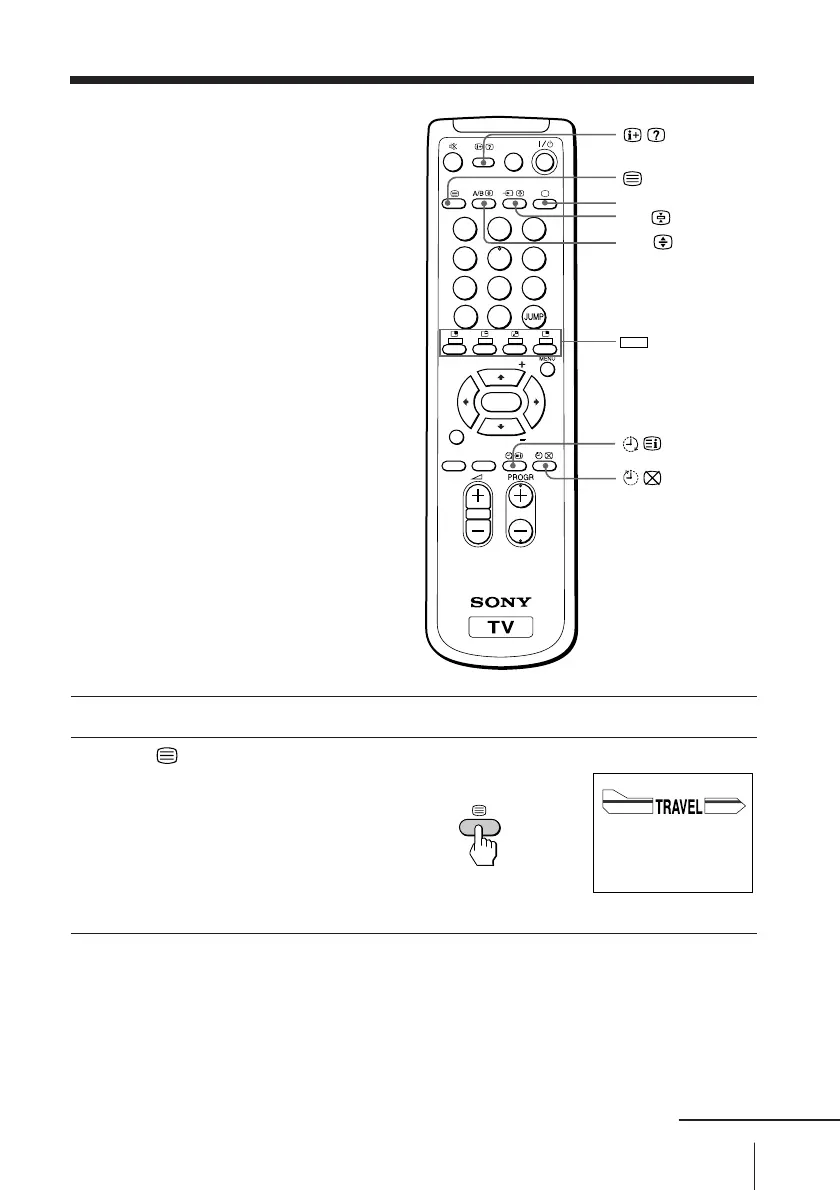
1
Select a TV channel that carries the Teletext broadcast you want to watch.
2
Press to display the
text.
A Teletext page (normally
the index page) is
displayed. If there is no
Teletext broadcast, “100” is
displayed at the top left
corner of the screen.
To turn off Teletext
Press a.
t
b
a
P166 SECTEXT 166 FR1 MAR 03:59:09
From Singapore
To PAR IS
To OSAKA
To ROMA
To SYDNEY
Day Dep/Arr Flight Alrcraft
1.6 220/0588 SQ28 747
2 2130/1225 PA115 L15
3 2115/1330 SQ26 747
2.7 2130/0745 SQ24
747
4 2300/0915 AZ487 747
2.5 1000/1715 SQ6 747
4.6 0930/2015 CX522 L10
1 2210/0610 SQ21A 747
2 2100/0835 SQ21A 747
A/B
1
2
3
4
5
6
7
8
0
-/--
9
FAVORITE
SOUND
MODE
SURROUND
PIP PROGR
PIP PROGR
ENTER
PIC MODE
(red, green,
yellow, blue)
continued








 To Next Page