EasyManua.ls Logo

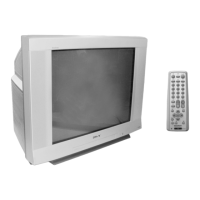
Sony Trinitron KV-XA29 - User Manual

Sony Trinitron KV-XA29
38 pages
Print Icon
To Next Page IconTo Next Page
Loading...
Trinitron Color TV
© 2000 Sony Corporation
KV-XA34
KV-XA29
KV-XA25
4-081-045-E2 (1)
Operating Instructions
M86
M84
• Before operating the unit, please read this manual thoroughly and retain
it for future reference.

Questions and Answers

  • Z
    zwellsAug 26, 2025
    How to fix dotted lines or stripes on Sony Trinitron KV-XA29 TV?
    • H
      heather93Aug 27, 2025
      Dotted lines or stripes on your Sony TV screen can be caused by local interference from sources like cars, neon signs, hair dryers, or power generators. To resolve this, avoid using such equipment near the TV and adjust the antenna direction to minimize interference.
  • J
    Jason MitchellAug 26, 2025
    How to get rid of double images or ghosts on Sony Trinitron KV-XA29?
    • R
      Russell EvansAug 26, 2025
      Double images or “ghosts” on your Sony TV can be caused by broadcast signals reflected by nearby mountains or buildings, or an inappropriate antenna direction, or inappropriate use of a booster. Try using a highly directional antenna or the fine tuning (“FINE”) function. Adjust the antenna direction. If you're using a booster, turn it off or disconnect it.
  • A
    Ana RoachAug 25, 2025
    What to do if Sony Trinitron KV-XA29 TV has good picture but noisy sound?
    • D
      Donna PottsAug 25, 2025
      If your Sony TV has a good picture but noisy sound, and the noise affects all channels, go to the “CH PRESET” menu and check the TV system (“TV SYS”) setting. Then, select “AUTO PROGRAM” to preset the channels again. If only some channels are noisy, select the specific channel, go to the “CH PRESET” menu, and choose the appropriate TV system (“TV SYS”).

Sony Trinitron KV-XA29 Specifications

General IconGeneral
Display TechnologyCRT
Screen Size29 inches
Aspect Ratio4:3
Remote ControlYes
InputsComposite

Related product manuals