EasyManua.ls Logo

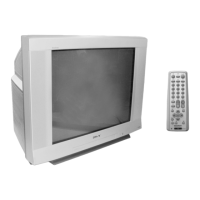
Sony Trinitron KV-XA29 - User Manual

Sony Trinitron KV-XA29
38 pages
Print Icon
To Next Page IconTo Next Page
Loading...
Trinitron Color TV
© 2000 Sony Corporation
KV-XA34
KV-XA29
KV-XA25
4-081-045-E2 (1)
Operating Instructions
M86
M84
• Before operating the unit, please read this manual thoroughly and retain
it for future reference.

Questions and Answers

  • Q
    qsmithSep 4, 2025
    Why does my Sony TV have no color?
    • R
      Robert GallagherSep 4, 2025
      If your Sony TV displays no color, check if the color level setting is too low in the “PICTURE” menu under “ADJUST” of “PICTURE MODE”, and adjust the “COLOR” level accordingly. Also, verify the color system (“COLOR SYS”) setting in the “SETUP” menu, typically set to “AUTO”. Adjust the antenna direction.
  • K
    Kristen GonzalezSep 3, 2025
    Why is my Sony Trinitron KV-XA29 picture distorted and the sound noisy?
    • C
      Carlos RobinsonSep 3, 2025
      If your Sony TV shows a distorted picture and noisy sound, it might be due to broadcast signals being too strong. If you are using a booster, try turning it off or disconnecting it.
  • M
    Meagan CarterSep 2, 2025
    How to fix snowy picture and noisy sound on Sony Trinitron KV-XA29 TV?
    • D
      Denise SteeleSep 2, 2025
      To fix a snowy picture and noisy sound on your Sony TV, check the antenna cable and its connections on the TV, VCR, and wall. If the issue persists, access the “CH PRESET” menu and select “MANUAL PROGRAM” to preset the channel again. Ensure the antenna type (“VHF”/“UHF”) is correct. Adjust the antenna direction or try using a booster to improve the signal.
  • T
    Timothy SwansonSep 1, 2025
    Why is there no picture and no sound on my Sony TV?
    • J
      joshua30Sep 1, 2025
      If your Sony TV shows no picture and produces no sound, check if the power cord, antenna, or VCR is properly connected. Also, ensure the TV is turned on by pressing the power button or the main power switch, turning it off for five seconds and then on again.
  • P
    Patricia PooleAug 31, 2025
    How to remove double images or ghosts on Sony Trinitron KV-XA29 TV?
    • L
      laurenjensenAug 31, 2025
      To remove double images or “ghosts” on your Sony TV, use a highly directional antenna. You can also use the fine tuning (“FINE”) function. Also, turn off or disconnect the booster if it is in use.
  • S
    Sandra HaleAug 30, 2025
    What to do if my Sony Trinitron KV-XA29 has good picture but noisy sound?
    • J
      jasonbrownAug 30, 2025
      If your Sony TV shows a good picture but has noisy sound, and the sound of all channels is noisy, go to the “CH PRESET” menu and check the TV system (“TV SYS”) setting, then select “AUTO PROGRAM” to preset the channels again. If the sound of some channels are noisy, select the channel, then display the “CH PRESET” menu and select the appropriate TV system (“TV SYS”). If the sound of some channels are noisy, select the channel, then press A/B to select the main sound.
  • M
    Maria RichardsonAug 29, 2025
    Why is there good picture but no sound on my Sony Trinitron KV-XA29 TV?
    • H
      hallfrankAug 29, 2025
      If your Sony TV displays a good picture but has no sound, first, ensure that the volume level isn't too low by pressing the volume up button. Also, check if the sound is muted and, if so, cancel the muting. If the problem persists, the broadcast signal may have a transmission issue, so try pressing the A/B button until you hear good sound.
  • P
    Peggy BurkeAug 28, 2025
    How to fix no color on my Sony Trinitron KV-XA29 TV?
    • D
      Danny StewartAug 28, 2025
      If your Sony TV has no color, display the “PICTURE” menu and select “ADJUST” of “PICTURE MODE”, then adjust the “COLOR” level. Also, display the “SETUP” menu and check the color system (“COLOR SYS”) setting, usually set to “AUTO”. Finally, adjust the antenna direction.
  • T
    Tracey PerryAug 28, 2025
    What causes double images or ghosts on my Sony Trinitron KV-XA29?
    • K
      Kayla RogersAug 28, 2025
      Double images or ghosts on your Sony TV can be caused by broadcast signals reflected by nearby mountains or buildings. Try using a highly directional antenna or use the fine tuning function. Ensure that the antenna direction is appropriate and turn off or disconnect the booster if it is in use.
  • H
    holderkennethAug 27, 2025
    How to stop lines moving across the screen on my Sony Trinitron KV-XA29 TV?
    • L
      Lisa BlairAug 27, 2025
      Lines moving across your Sony TV screen are often due to interference from external sources such as heavy machinery or a nearby broadcast station. Try using the fine tuning (“FINE”) function to mitigate this issue.

Sony Trinitron KV-XA29 Specifications

General IconGeneral
Display TechnologyCRT
Screen Size29 inches
Aspect Ratio4:3
Remote ControlYes
InputsComposite

Related product manuals