20 Menu Adjustment
Sony KV-BT21M81 Group A7 (GB,FR, PR, AR)_4-096-628-13 (1)
x C
hanging the “Setup” setting
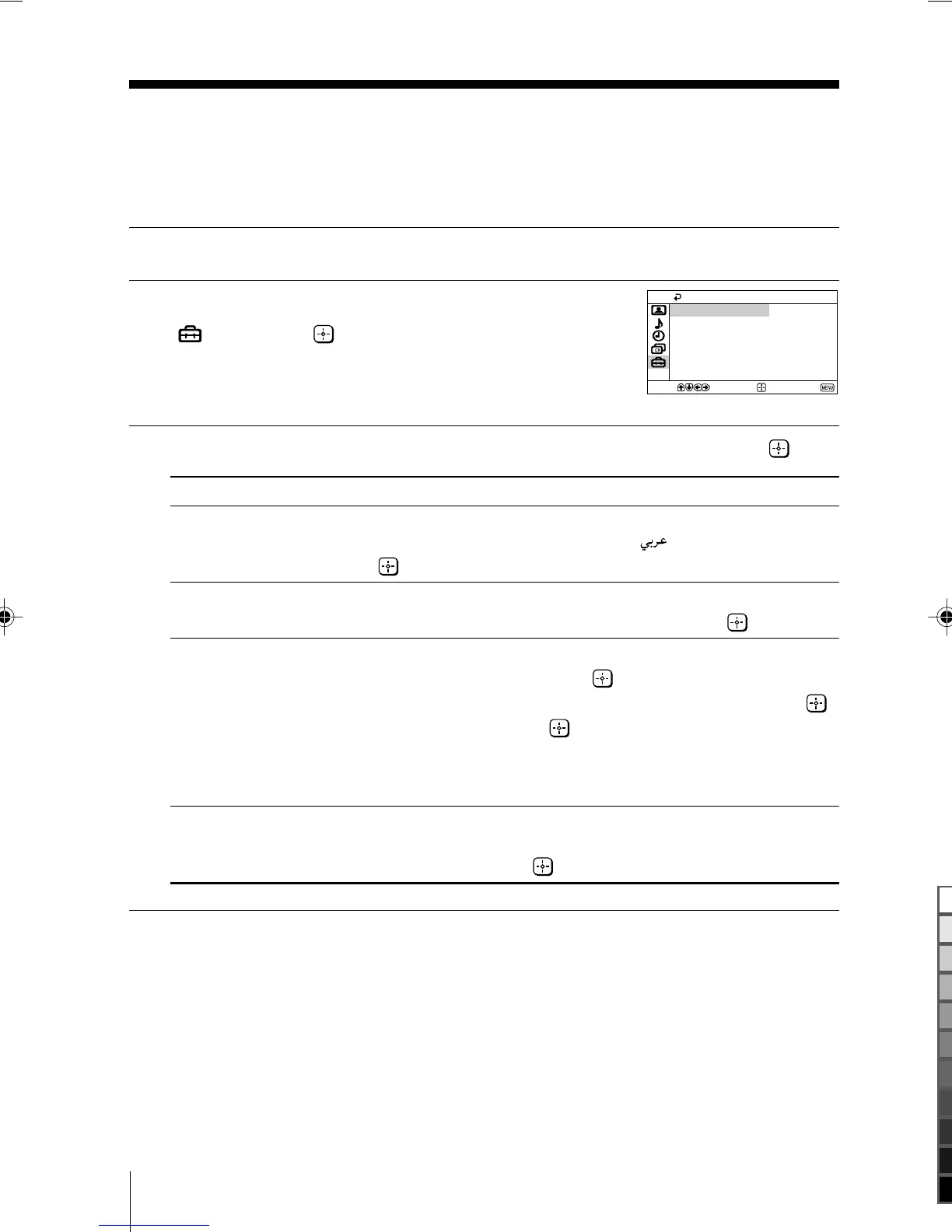
The “Setup” menu allows you to change the menu language, adjust the picture
position, label the connected equipment and select the color system.
1
Press MENU.
2
Press V or v to select the “Setup” icon
(
), then press .
3
Press V or v to select the desired item (e.g., “Language”), then press .
Select To
“Language” change the menu language.
Press V or v to select either “English” or “ ” (Arabic), then
press .
“Picture Rotation” adjust the picture position when it is not aligned with the TV screen.
(KV-BT21M81 only) Press B or b to adjust the picture position, then press .
“Video Label” label the connected equipment.
(1) Select “Video Input” and press .
Press V or v to select the input you want to label, then press .
(2) Select “Label” and press , then press V or v to select the label
options: ”Video 1/Video 2”, “VCR”, “SAT”, “Game” or “Edit”*.
* You may edit the video label by entering alphanumeric
characters.
“Color System” select the color system.
Press V or v to select either “Auto”, “PAL”, “SECAM”, “NTSC3.58”
or “NTSC4.43”, then press . Normally, set this to “Auto”.
Confirm
End
Setup
Video Label
Picture Rotation
Language: English
Color System: Auto
Select
01GB06ADJ-MIX.p65 12/19/03, 9:24 AM20
Black



 To Next Page