– 9 –
KV-PG14P40/PG14L70/PG14L70/H
RM-952
TV
1
2
3
4
6
7
8
9
-
0
5
JUMP
SOUND
MODE
FAVORITE
PROGR
2
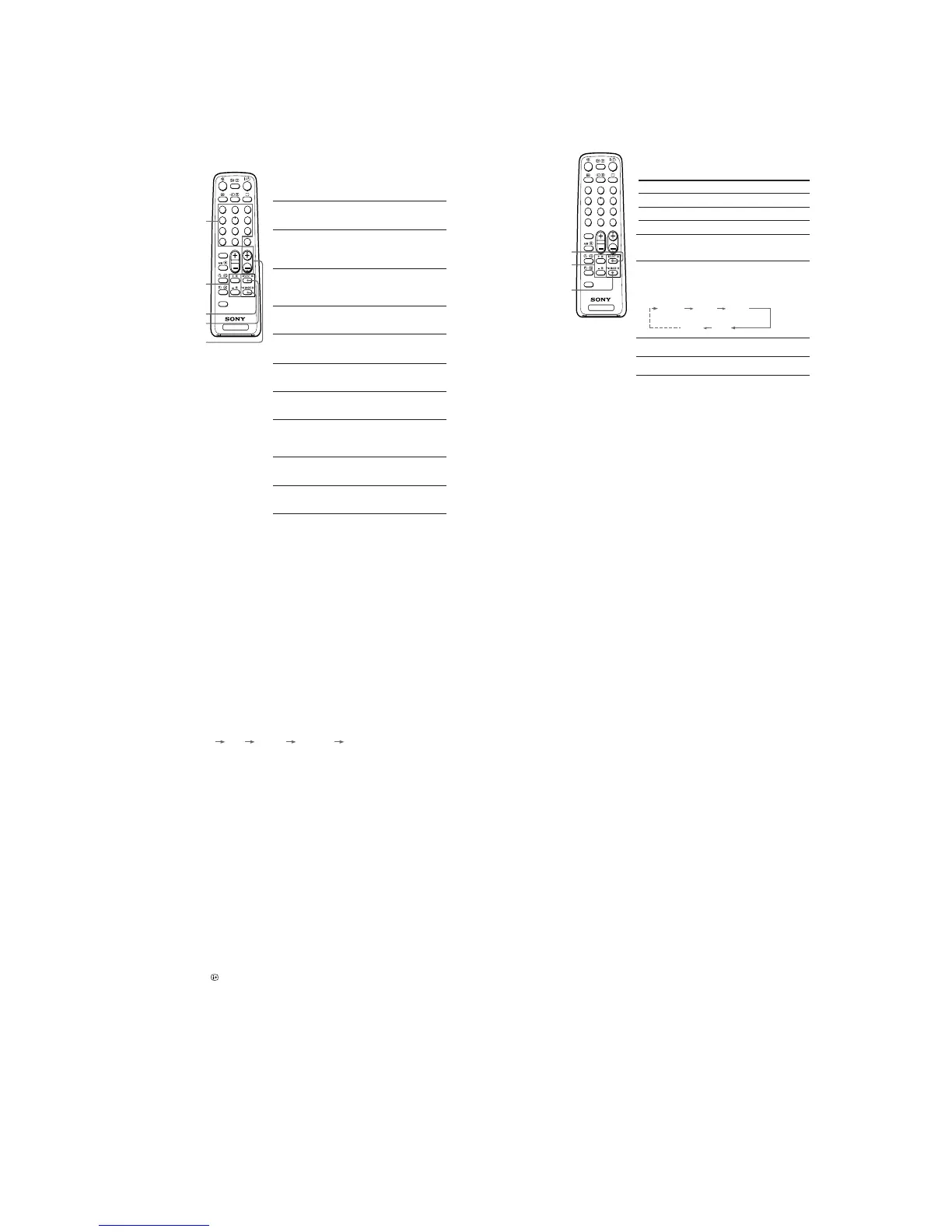
J Presetting channels
You can automatically preset up to 100 TV channels in numerical sequence
from program number 1, or manually preset desired channels and channels
that cannot be preset automatically.
Presetting channels automatically
from a specified program number
1
Press SELECT until “AUTO PROGRAM” appears
on the screen.
2
Press + or – once to enter the “AUTO
PROGRAM” mode.
The on-screen display will start flashing.
3
Press PROGR +/– or the number buttons until
the desired program number appears on the
screen.
4
Press + or – to start presetting channels
automatically.
Presetting channels manually
1
Press SELECT until “MANUAL PROGRAM”
appears on the screen.
2
Press + or – once to enter the “MANUAL
PROGRAM” mode.
3
Press PROGR +/– or the number buttons until
the desired program number appears on the
screen.
4
Press + or – until the desired channel picture
appears on the screen.
5
To preset other channels manually, repeat steps
3 to 4.
Number
buttons
SELECT
PROGR +/–
+ or –
PIC MODE
Presetting channels (continued)
To change the color system setting
If the color is abnormal when receiving programs through the
8
(antenna) terminal
or the t (video input) terminal
(1) Press SELECT until “COLOR SYS” appears on the screen.
(2) Press + or – to select the appropriate color system until the color is optimal.
AUTO PAL SECAM NTSC3.58 NTSC4.43
To skip program numbers
(1) Press PROGR +/– or the number buttons until the unused or unwanted program
number appears on the screen.
(2) Press SELECT until “MANUAL PROGRAM” appears on the screen.
(3) Press + or – once to enter the “MANUAL PROGRAM” mode.
(4) Press PIC MODE to skip the unused or unwanted program number.
(5) Press SELECT to exit the “MANUAL PROGRAM” mode.
Note
• To restore the skipped program number again, preset the channel automatically or manually.
To use the fine tuning function
The fine tuning (FINE) function may help to reduce the following problems: double
images and lines moving across the TV screen.
You can use the fine tuning function as below:
(1) Select the program number you want to adjust.
(2) Press SELECT until “MANUAL PROGRAM” appears on the screen.
(3) Press + or – once to enter the “MANUAL PROGRAM” mode.
(4) Press
to display “FINE” on the screen.
(5) Press + or – continuously until the above problems are minimized.
The + or – icon on the screen flashes while tuning.
(6) Press SELECT to exit the “MANUAL PROGRAM” mode.
TV
1
2
3
4
6
7
8
9
-
0
5
JUMP
SOUND
MODE
FAVORITE
PROGR
2
K Customizing the picture
You can customize the picture by selecting the picture mode or by adjusting its
settings.
Selecting the picture mode
Press PIC MODE to select the desired picture mode.
Select To
“DYNAMIC” view high contrast pictures.
“STANDARD” view normal contrast pictures.
“SOFT” view mild pictures.
Adjusting the picture setting
1
Press SELECT until the desired setting appears.
Each time you press SELECT, the setting item will
change as follows:
2
Press + or – to adjust the item.
3
To adjust other items, repeat steps 1 to 2.
Notes
•“HUE” can be adjusted for the NTSC color system only.
• Reducing “SHARP” can also reduce picture noise.
PIC MODE
SELECT
+ or –
PICTURE COLOR BRIGHT
HUE
SHARP







 To Next Page