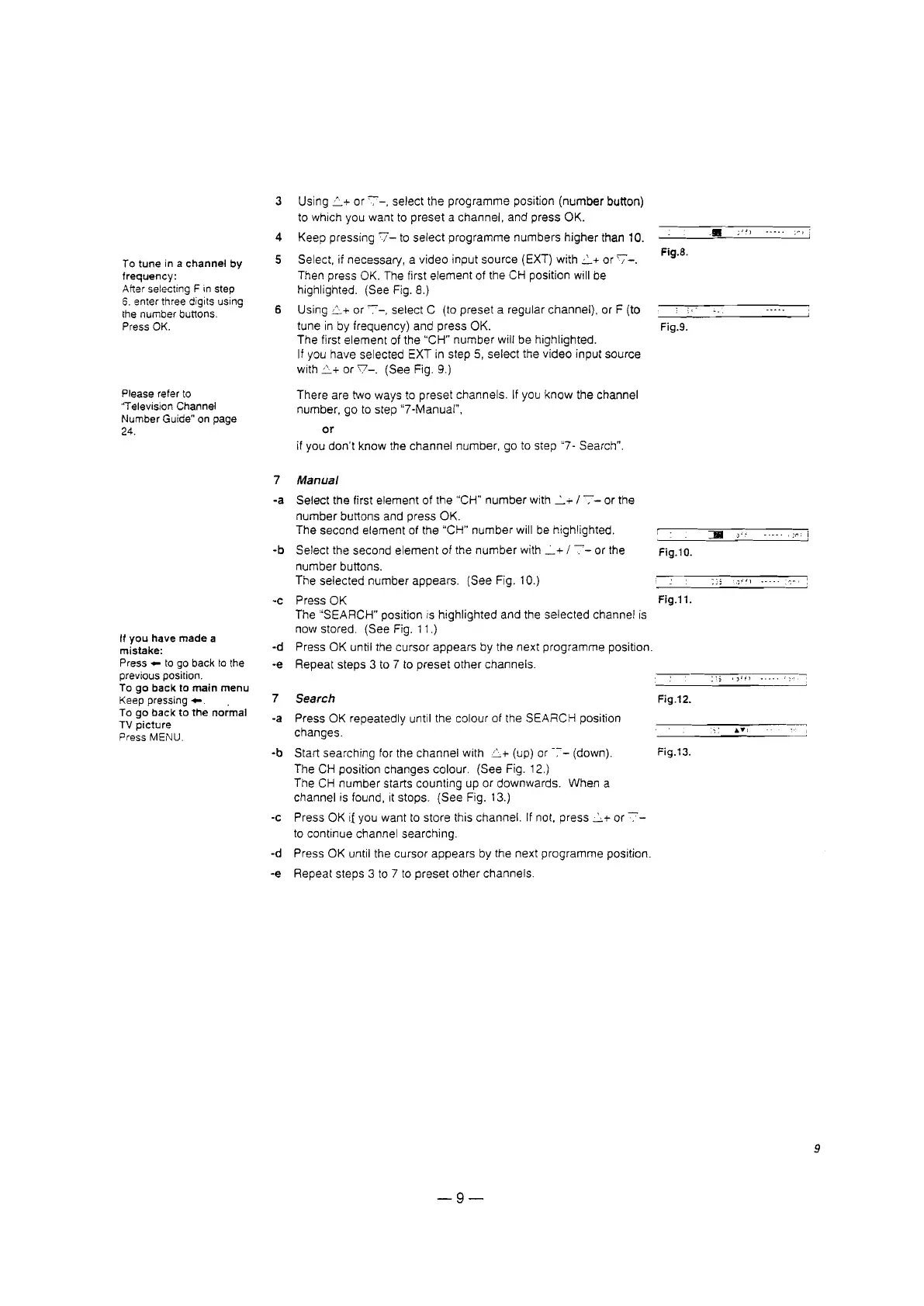
3 Using
.<::.+
or
'7-,
select the programme position
(number
button)
to which you want to preset a channel, and press OK.
4 Keep pressing
7-
to select programme numbers higher than 10.
•
;01)
.. -..
;'" i
5
Select, if necessary, a video input source (EXT) with
:.2..+
or
'7-.
Flg.S.
To tune in a channel by
frequency:
Then press OK. The first element of the CH position will be
After selectingF in step
highlighted. (See Fig. 8.)
6. enterthree digits using
the numberbuttons.
6
Using
L+
or
'":"'_,
select C (to preset a regular channel), or F (to
Press OK.
tune in by frequency) and press OK.
Fig.9.
The first element of the "CH"
number
will be highlighted.
If you have selected EXT in step 5, select the video input source
with
L+
or
\7-.
(See Fig. 9.)
Pleaserefer to
There are two ways to preset channels. If you
know
the channel
''TelevisionChannel
number, go to step "7-Manual",
NumberGuide"on page
24.
or
if you don't know the channel number, go to step "7- Search".
7
Manual
-a Select the first element of the "CH"
number
with
-.:...+
1-:-
or the
number
buttons and press OK.
The second element of the uCH"
number
will be highlighted.
:JII
)"~
.:f\'
!
-b Select the second
element
of the
number
with
-.:...+
1
'7-
or the
Fig.10.
number buttons.
The selected number appears.
(See Fig. 10.)
;fI)
.---
-c Press OK
Fig.11.
The "SEARCH" position is highlighted and the selected channel is
If you have made a
now stored. (See Fig. 11.)
mistake:
-d Press OK until the cursor appears by the next programme position.
Press _ to go back to the
-e Repeat steps 3 to 7 to preset other channels.
previousposition.
..
,,"fl
....
To go back to main menu
Keeppressing
....
7 Search Fig.12.
To go back to the normal
-a Press OK repeatedly until the colour of the SEARCH position
TV picture
changes.
..
..
..
,
PressMENU.
-b
Start searching for the channel with
L+
(up) or
-;--
(down).
Fig.13.
The CH position changes colour. (See Fig. 12.)
The CH
number
starts counting up or downwards. When a
channel is found, it stops. (See Fig. 13.)
-c
Press OK if you want to store this channel. If not, press
L+
or
-::-
to continue channel searching.
-d Press OK until the cursor appears by the next programme position.
-e
Repeat steps 3 to 7 to
preset
other channels.
-9-
9








 To Next Page