12
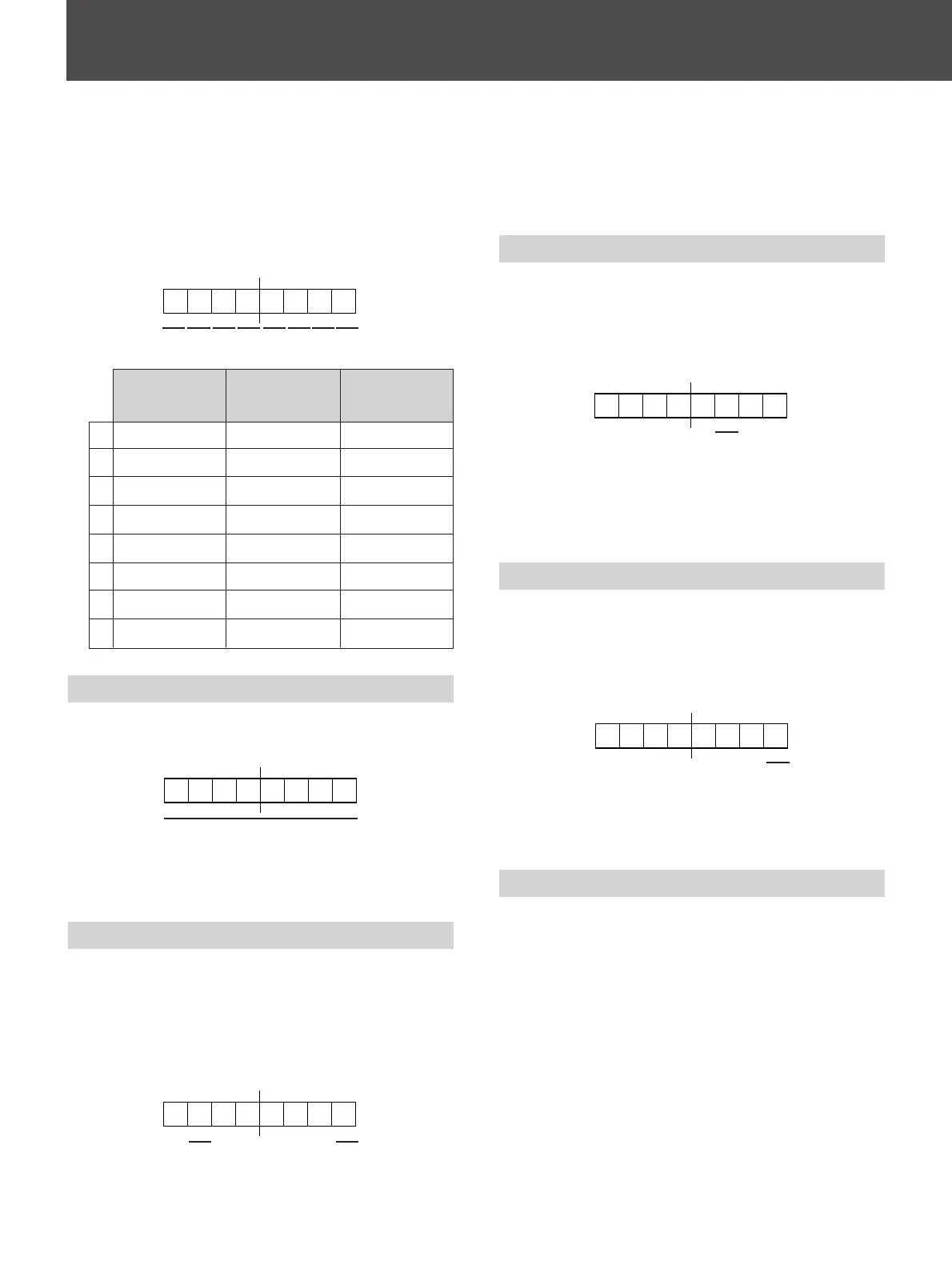
White Balance data request
(always 1)
User Preset deta request
(always 1)
1 Selected Offset
2 Current Input Configuration
The monitor will reply with the Status Reply (70H)
message.
White Balance Sense (61H)
This command is used to obtain the White Balance
data stored in one of the registers of the monitor.
The White Balance data request bit of the first byte of
data must be set (1). Bits other than that are
undefined bits and their values are always ignored.
The monitor will reply with the White Balance Reply
(71H) message.
Preset Sense (62H)
This command is used to obtain the Preset data stored
in one of the registers of the monitor.
The least significant bit of the first byte of data must
be set (1). Bits other than this are undefined bits and
their values are always ignored.
The monitor will reply with the Preset Reply message
(72H).
Sub Control Sense (6BH)
This command is used to obtain the following Sub
Control data.
• Brightness value
• Chroma value
• Phase value
• Contrast value
The monitor will reply with the Sub Control Reply
(7BH) message.
2
Command Description
2. The data items to be restored are defined in the
second, third and fourth bytes of data.
This is the last section of data within the message
and is used with the White Balance (user), User
Preset and Sub Control mentioned above.
The bytes are applied from White Balance (user)
data towards Sub Control data.
The values are specified as follows:
Split Phase Data (51H)
This command is used to specify the Split Phase data.
The values are specified as follows:
The value is one byte long, up to a maximum value of
100 (7 bit data, MSB always 0).
Status Sense 1 (60H)
This command is used to sense the status of the
monitor’s current operation.
The remote control device can specify which item of
data should be in the reply. The items being asked for
are detailed in one data byte.
The requested items are specified as follows:
Sub Control
(fourth byte)
(Ignored)
(Ignored)
(Ignored)
Contrast
(Ignored)
Bright
Phase
Chroma
62 3 4 5
1 87
User Preset
(third byte)
Volume
(Ignored)
(Ignored)
Contrast
Aperture
Bright
Phase
Chroma
White Balance
(second byte)
(Ignored)
Blue bias
Green bias
Red bias
(Ignored)
Blue gain
Green gain
Red gain
1
2
3
4
5
6
7
8
Split phase date value
1





 To Next Page