6
Command Description
Input Config (21H)
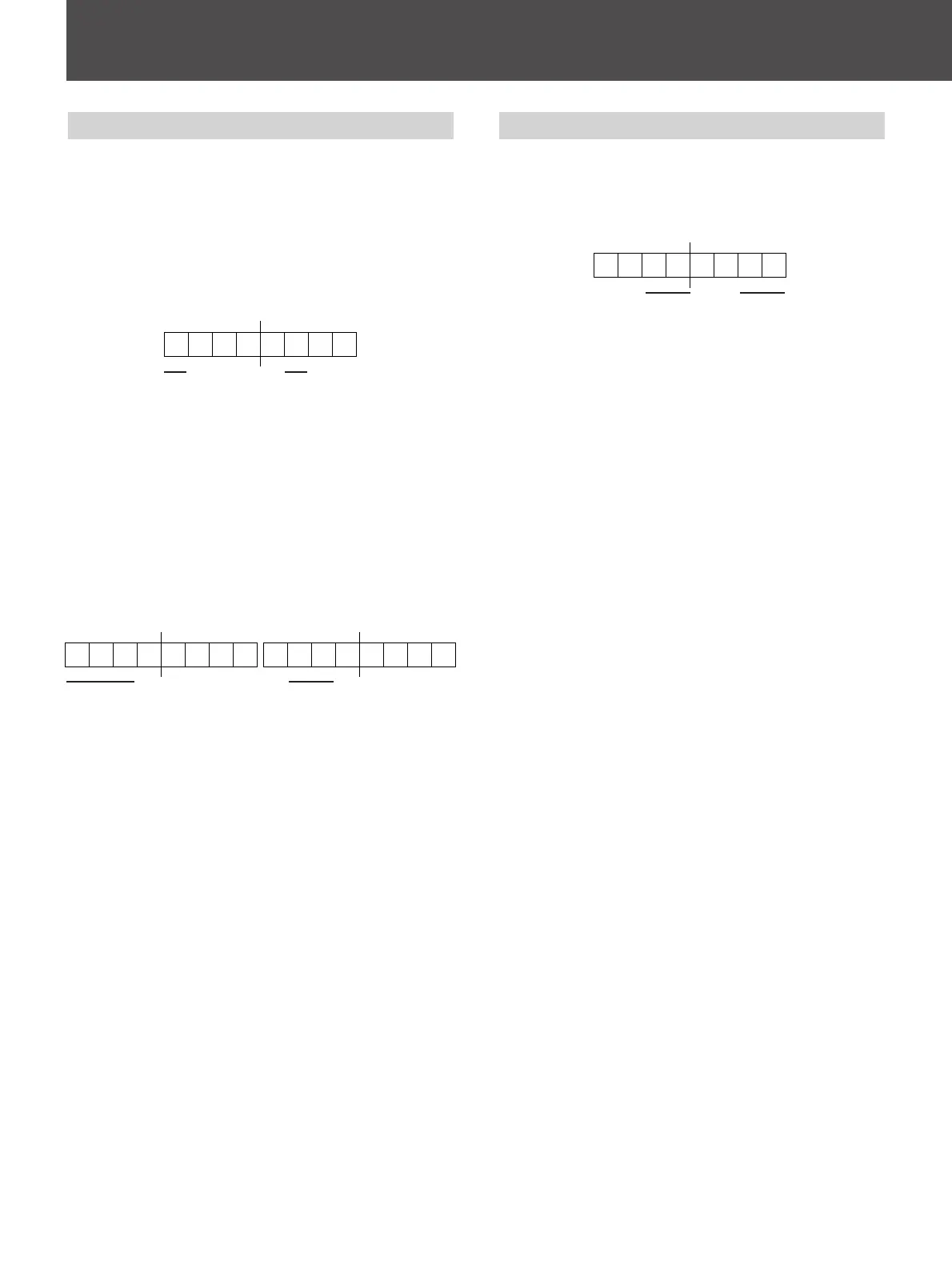
Used to control the current video signal being
displayed on the monitor.
The switches effectively being controlled are Input
Connector, Sync, System, Preset White Balance.
The command has two sections.
1. Information being changed.
Bits which are not specified here are undefined bits
and their values are always ignored.
1 Input connector information
2 Preset white balance information
The bit is set for the corresponding information to
be applied to the monitor. If no bits are set the
command is effectively ignored.
2. Values to be applied.
The values are specified as follows:
Bits which are not specified here are undefined bits
and their values are always ignored.
1 Input connector
LINE A = 000
LINE B = 001
RGB/COMPONENT A = 010
RGB/COMPONENT B = 011
SPLIT = 100
2 Preset white balance
6500K = 00
5600K = 01
9300K = 11
User = 10
These values are applied to the current monitor state.
1 2
21
Selected Offset (28H)
Defines which type of offset is to be applied to
COMPONENT and NTSC signals when these types
of signals are selected for displaying.
The values are specified as follows:
Bits which are not specified here are undefined bits
and their values are always ignored.
1 COMPONENT Offset
N10/SMPTE = 01
Betacam 0% = 10
Betacam 7.5% = 11
2 NTSC Offset
NTSC 0% = 01
NTSC 7.5% = 10
1 2





 To Next Page