EasyManua.ls Logo

Sony Trinitron PVM-20M4E - Connections Guide; AC Power Cord Connection; BNC Connector Cable Attachment

Sony Trinitron PVM-20M4E
19 pages
Print Icon
To Next Page IconTo Next Page
To Previous Page IconTo Previous Page
Loading...
‘Otel
alalseilel
ar
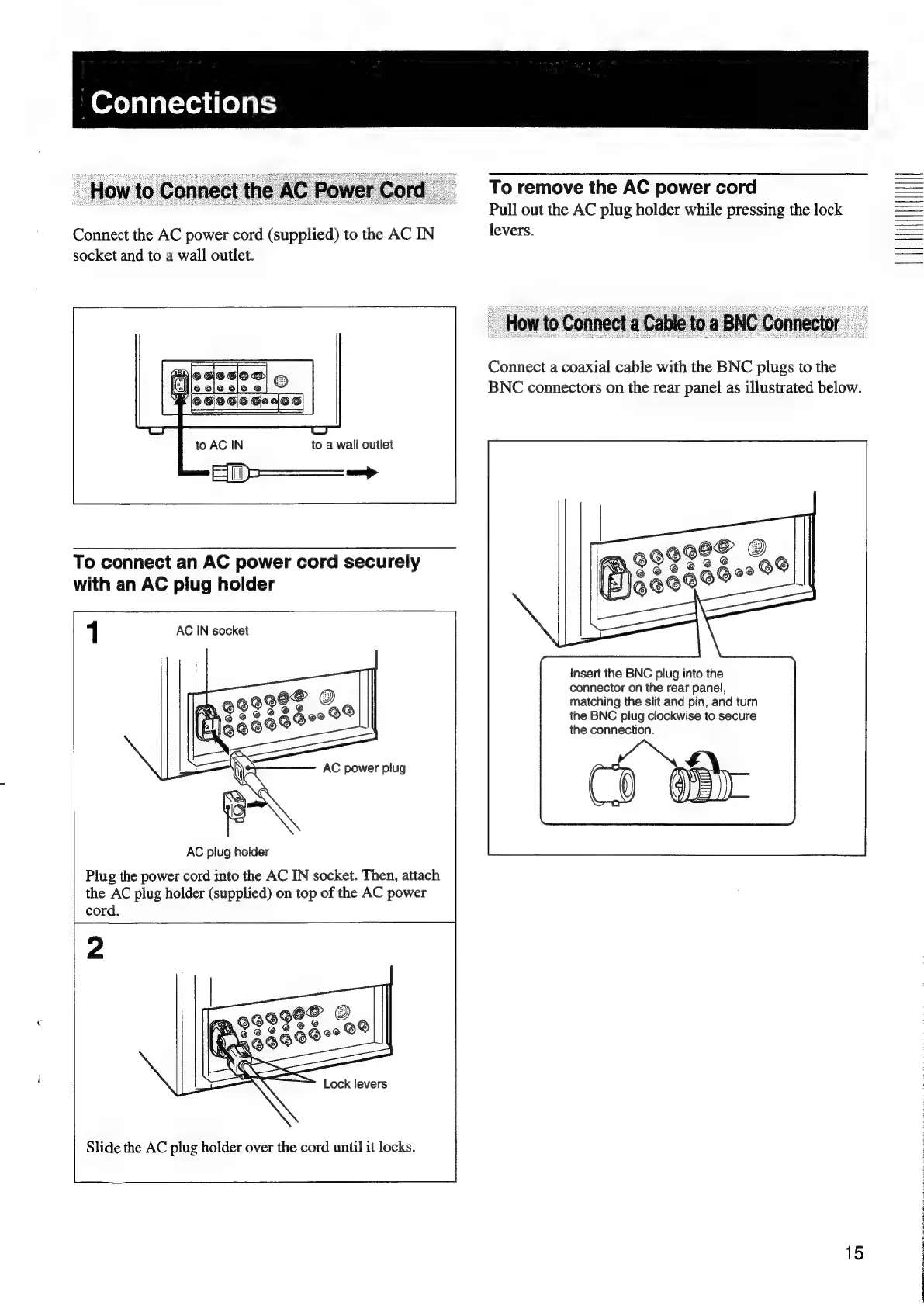
Connect
the
AC
power
cord
(supplied)
to
the
AC
IN
socket
and
to
a
wall
outlet.
to
a
wall
outlet
To
connect
an
AC
power
cord
securely
with
an
AC
plug
holder
AC
IN
socket
AC
plug
holder
Plug
the
power
cord
into
the
AC
IN
socket.
Then,
attach
the
AC
plug
holder
(supplied)
on
top
of
the
AC
power
cord.
Slide
the
AC
plug
holder
over
the
cord
until
it
locks.
To
remove
the
AC
power
cord
Pull
out
the
AC
plug
holder
while
pressing
the
lock
levers.
Connect
a
coaxial
cable
with
the
BNC
plugs
to
the
BNC
connectors
on
the
rear
panel
as
illustrated
below.
Insert
the
BNC
plug
into
the
connector
on
the
rear
panel,
matching
the
slit
and
pin,
and
turn
the
BNC
plug
clockwise
to
secure
the
connection.
ch
YB
15
AEN

Related product manuals