EasyManua.ls Logo

Sony Trinitron PVM-4300 - Picture and Sound Adjustments; Monitoring Analog RGB Input; Adjusting Picture and Sound Settings

Sony Trinitron PVM-4300
28 pages
Print Icon
To Next Page IconTo Next Page
To Previous Page IconTo Previous Page
Loading...
Monitoring
an Analog
RGB
Signal
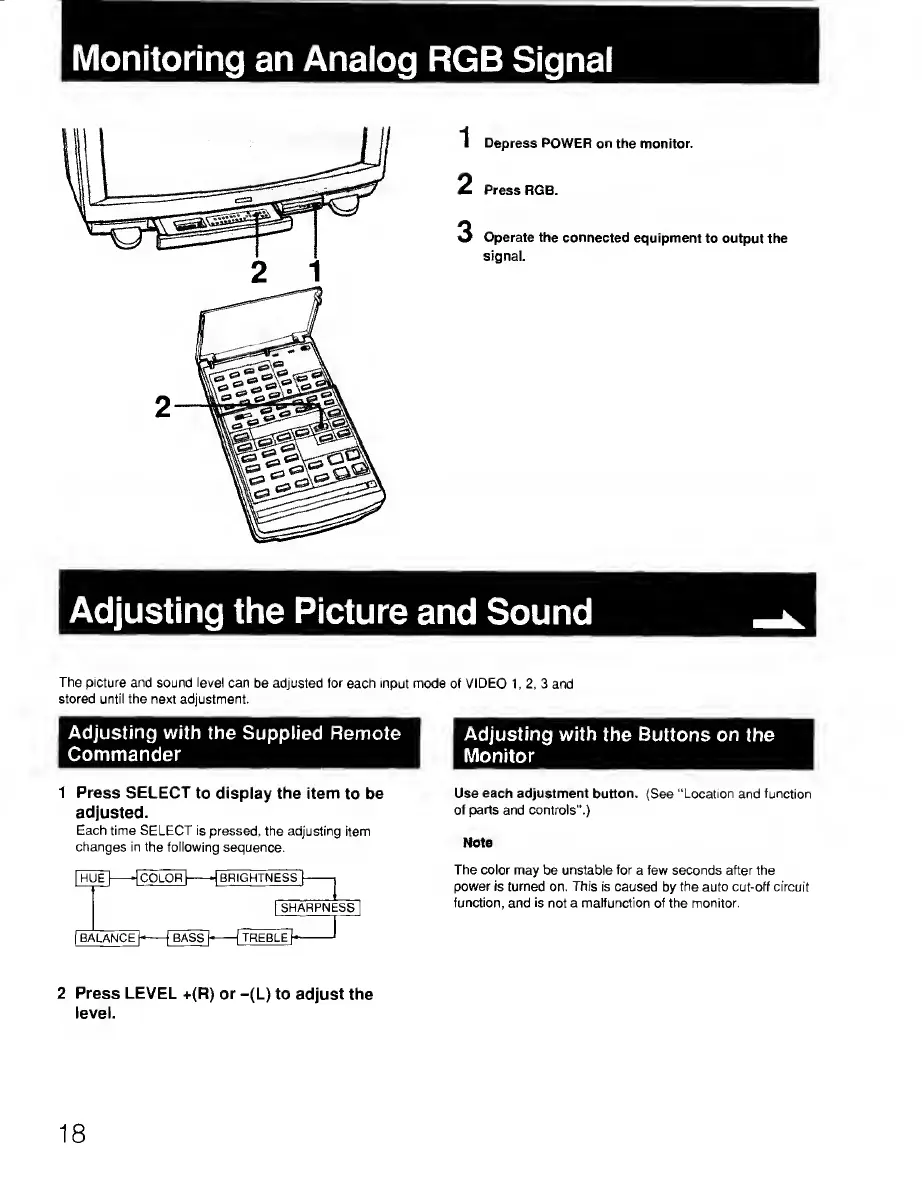
Depress
POWER on the monitor.
Press
RGB.
3
Operate the connected
equipment
to output the
signal.
Adjusting the
Picture
and Sound
The picture and
sound level can
be adjusted
for
each input mode
of
VIDEO
1,2,3 and
stored until the next adjustment.
Adjusting with
the Buttons on
the
Monitor
Use
each
adjustment button. (See “Location
and function
of parts and controls".)
Note
The
color may
be
unstable for
a few seconds after the
power is turned
on.
This
is caused
by
the auto cut-off circuit
function,
and
is
not a malfunction of the monitor.
2 Press LEVEL
+(R) or
-(L) to adjust the
level.
1 Press SELECT
to display the
item
to
be
adjusted.
Each time SELECT
is pressed, the adjusting
item
changes in
the
following
sequence.
Adjusting
with the
Supplied Remote
Commander
18

Related product manuals