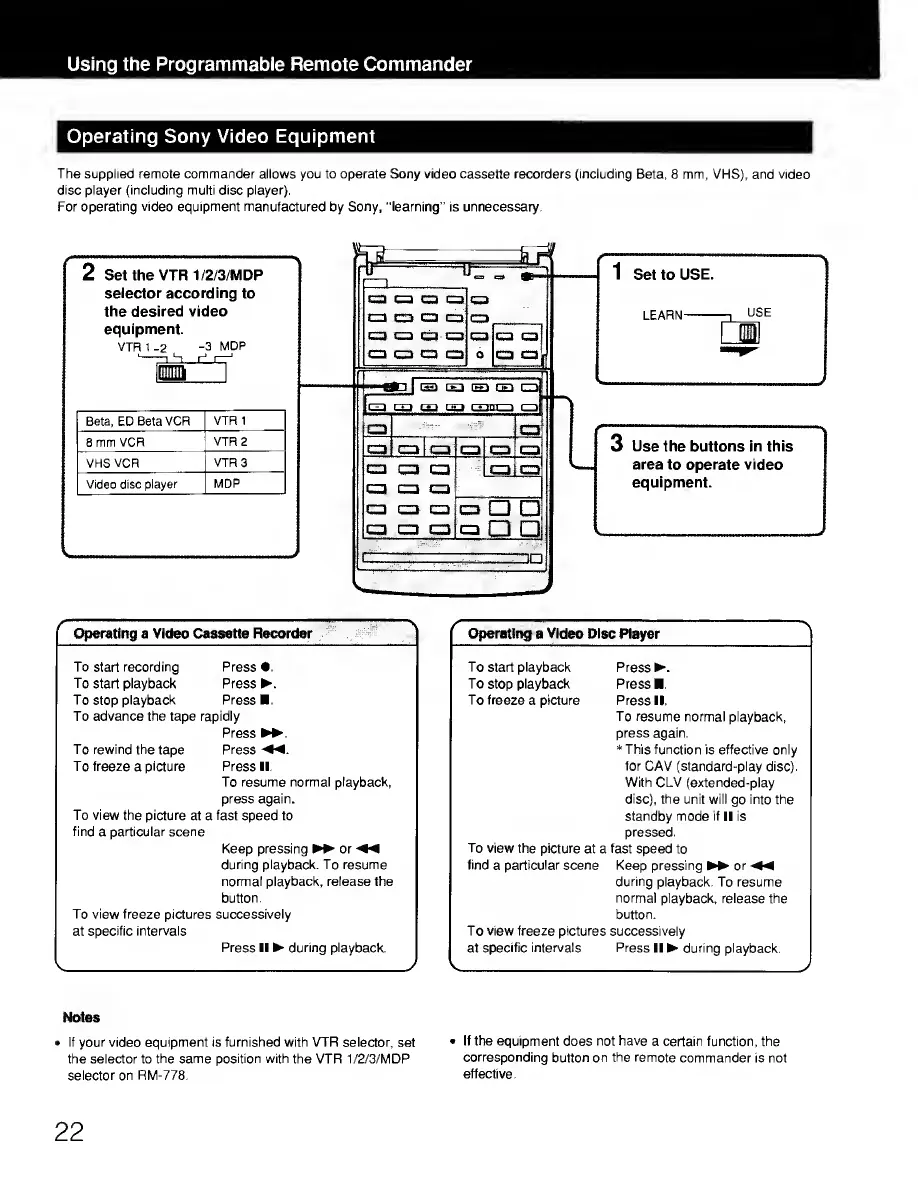
The supplied remote commander allows you to operate Sony video cassette recorders (including
Beta, 8 mm, VHS), and video
disc player (including multi disc player).
For
operating video equipment manufactured
by
Sony, "learning"
is unnecessary.
2 Set the VTR 1/2/3/MDP
selector according
to
the desired video
equipment.
VTR 1
-2
-3
MDP
Beta, ED
Beta VCR
VTR 1
8 mm
VCR
VTR 2
VHS VCR
VTR
3
Video disc
player MDP
1
Set to
USE.
LEARN
-1
USE
3
Use the buttons in this
area to operate video
equipment.
f
Operating a Video
Cassette Recorder
'j
To start recording Press
•.
To
start playback
Press .
To
stop
playback
Press .
To advance the tape rapidly
Press
To rewind the
tape
Press
«.
T
o
freeze
a
picture
Press II.
To
resume normal playback,
press again.
To view the picture
at a
fast
speed to
find
a
particular scene
Keep pressing or
•«
during playback. To resume
normal playback, release the
button.
To view freeze
pictures
successively
at
specific intervals
v
Press II
during
playback.
y
f
Operating
a
Video
Disc Player
^
To starl playback
Press .
To
stop
playback Press
.
To freeze
a
picture Press II.
To resume
normal playback,
press again.
*
This function
is effective only
for
CAV (standard-play disc).
With CLV (extended-play
disc),
the unit will go into the
standby mode if
II is
pressed.
To view the picture
at a
fast
speed to
find
a
particular scene
Keep pressing or
during
playback. To resume
normal
playback, release the
button.
To view freeze pictures
successively
^
at
specific intervals Press
II during playback.
y
Notes
•
If your video equipment is furnished with VTR selector,
set
•
If the equipment
does
not have
a certain function, the
the
selector to
the same position with the
VTR 1/2/3/MDP
corresponding
button on
the
remote commander
is not
selector on RM-778.
effective.
22











 To Next Page