USB DAC AMPLIFIER
UDA-1
Connecting to a computer
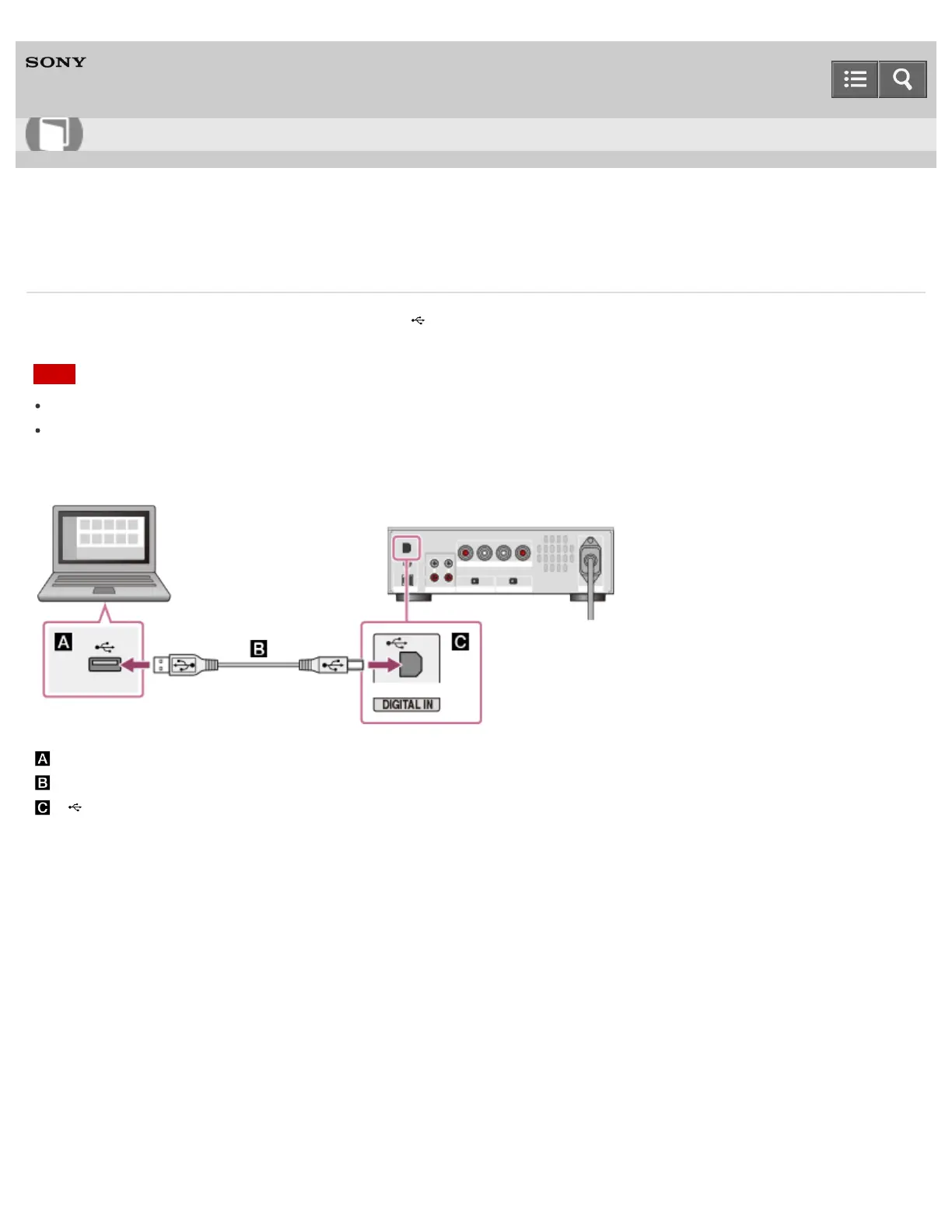
Connect a USB port of your computer to the (USB) port on the rear panel of the USB DAC AMPLIFIER
using the USB cable (supplied), then start up your computer.
Note
Make sure that the USB DAC AMPLIFIER is turned off when you connect a USB cable.
When a signal of a format not supported is input, the USB REAR lamp flashes. Inputting such a signal
may produce noise or even damage the speakers or headphones if played at a high volume.
: USB port of a computer
: USB cable (supplied)
: (USB) port of the USB DAC AMPLIFIER
Notes on use
4-469-134-11(2)
Copyright 2013 Sony Corporation
Help Guide
How to Use



 To Next Page