2
UP-DR80
Quick Guide
English
All of the indicators are lit and printing is disabled.•
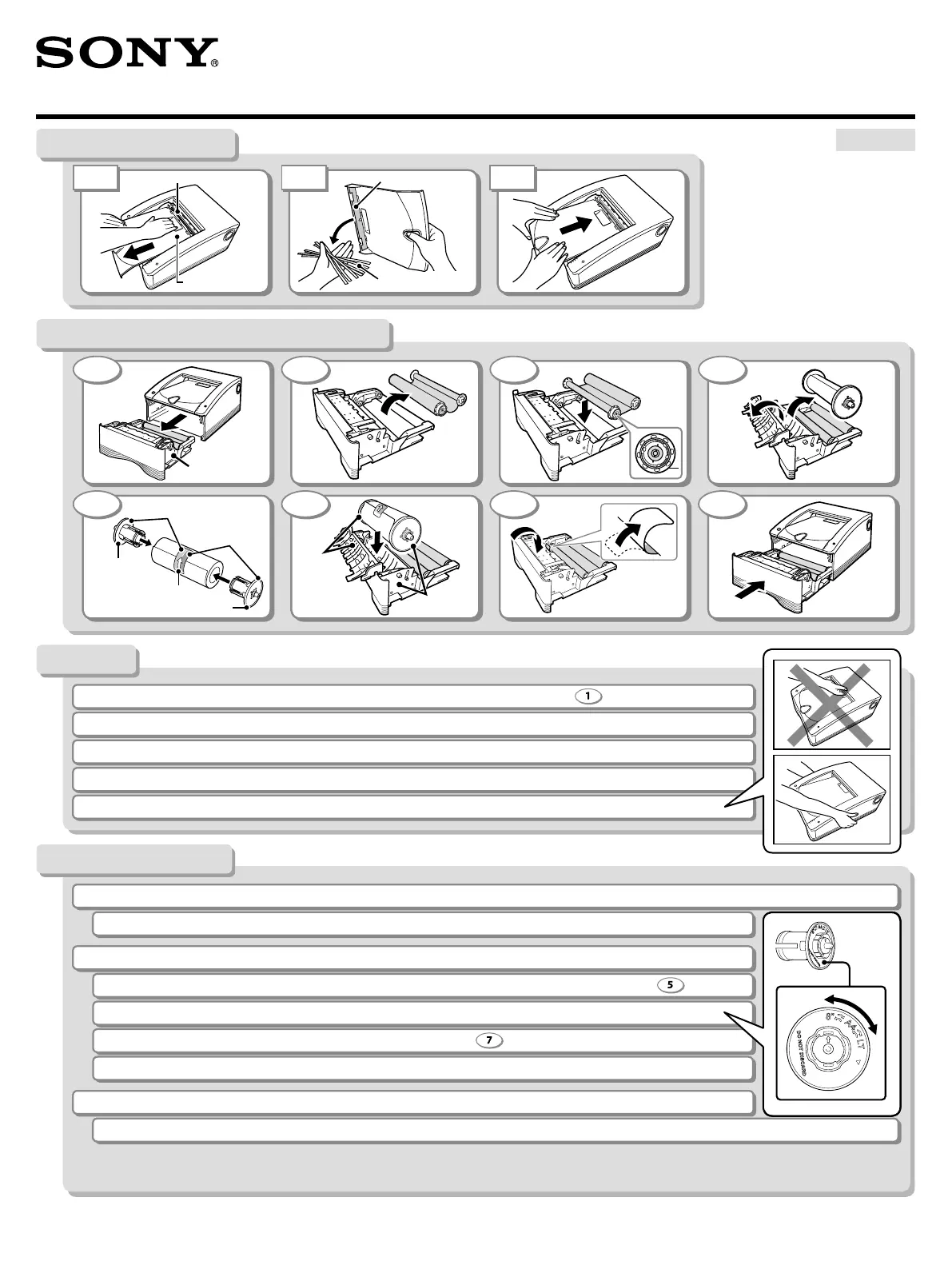
Scrap receptacle
Scrap receptacle
Scraps
Paper cover
IC board
Media tray
Blue
Blue
Pink
Pink
Label
Paper holder
Paper holder
If a problem persists, refer to the operating instructions.
1 2 3 4
5 6 7 8
When loading the ink ribbon and paper, remove the media tray from the printer. (Fig. • )
If the ALARM indicator is lit:•
If the CLEANING and ALARM indicators are lit:•
Turn off the printer, and turn it on again.
Make sure that the colors of the paper holders and the colored label on the paper match. (Fig.
)
Remove any paper scraps that have accumulated in the scrap receptacle. (See “Removing Scraps”)
Make sure that the selector on the paper holder matches the paper size.
Make sure that the label on the paper has been removed. (Fig.
)
Remove any printouts that have accumulated on the paper cover.
When replacing an ink ribbon,• replace both the ink ribbon and the paper.
When transporting the printer, be sure to remove the paper scraps, paper, ink ribbon, and paper holders beforehand.•
Do not open the media tray and paper cover while printing is in progress or while the printer indicators are blinking.•
Do not lift the printer by the paper outlet.•
1 2 3
Removing Scraps
Notes
Troubleshooting
Replacing the Ink Ribbon and Paper



 To Next Page