EasyManua.ls Logo

Sony VGN-TX50B - User Manual

Sony VGN-TX50B
23 pages
Print Icon
To Next Page IconTo Next Page
Loading...
Sony Confidential
VGN-TX50B/TX70PZ/TX90PS/TX90S
VGN-TX610P/TX630P/TX650P/TX651P/TX670P/TX690P
VGN-TX1HP/TX1XP/TX1XRP
VGN-TX15C/TX16C/TX16GP/TX16SP/TX16TP/TX17C/TX17GP/TX17TP
SERVICE MANUAL
Ver 3-2005J
9-876-428-03
PERSONAL COMPUTER
Revision History
ᧄᯏߩ઀᭽߅ࠃ߮ᄖⷰߪޔᡷ⦟ߩߚ߼๔ߥߊ
ᄌᦝߔࠆߎߣ߇޽ࠅ߹ߔ߇ޔߏᛚߊߛߐ޿ޕ
z
Design and specifications are subject to
change without notice.
Area Model Lineup
VGN-TX50B/B
VGN-TX70PZ
Japanese Japanese VGN-TX90PS
VGN-TX90PS
VGN-TX90S
VGN-TX610P/B
VGN-TX630P/B
VGN-TX650P/B
American US/Canadian VGN-TX651P/B
VGN-TX670P/B
VGN-TX670P/W
VGN-TX690P/L
VGN-TX1HP/W
European AEP/UK
VGN-TX1XP/B
VGN-TX1XP/L
VGN-TX1XRP/B
VGN-TX16GP/W
International VGN-TX17GP/B
VGN-TX17GP/W
Asian/
Oceania/
VGN-TX15C/W
South Africa
VGN-TX16C/B
Chinese VGN-TX16C/W
VGN-TX17C/B
VGN-TX17C/L
Taiwan
VGN-TX16TP/W
VGN-TX17TP/B
Thai
VGN-TX16SP/W
: CTO model
[MA]
1
[MA]
2
[MA]
2
[MA]
2
[MA]
2
[MA]
2
[MA]
2
[MA]
1
[MA]
1
[MA]
1
[MA]
2
[MA]
2
[MA]
2
[MA]
2
[MA]
1
[MA]
1
[MA]
1
[MA]
1
[MA]
1
[MA]
2
[MA]
2
[MA]
1
Question and Answer IconNeed help?

Do you have a question about the Sony VGN-TX50B and is the answer not in the manual?

Summary

Revision History

Service and Inspection Precautions

Obey precautionary markings and instructions

Follow safety markings on components and in documentation for safe operation.

Use designated parts only

Ensure replacement parts possess the same safety characteristics as the originals.

Always follow the original design when mounting parts and routing wires

Duplicate original layout for all safety features when reassembling.

Inspect after completing service

Verify all components are returned to their original condition and no damage occurred.

When replacing chip components

Never reuse components and be careful with tantalum capacitors.

When handling flexible print boards

Adhere to specific temperature and handling guidelines for flexible boards.

Chapter 1. Specifications

1-1. Specifications

Detailed technical specifications for various VGN-TX models.

Chapter 2. Block Diagram

Block Diagram Main Unit

Diagram illustrating the main internal components and their connections.

Chapter 3. Frame Harness Diagram

Frame Harness Diagram

Diagram showing the internal wiring and harness connections.

Chapter 4. Exploded Views and Parts List

How to identify the VGN-TX90 PS

Guidance on identifying specific VGN-TX90PS models using product codes.

Palmrest

Exploded view and parts list for the palmrest assembly.

Main Board

Exploded view and parts list for the main logic board.

Bottom

Exploded view and parts list for the bottom chassis components.

LCD

Exploded view and parts list for the LCD display assembly.

Accessories

List of included or optional accessories for the VGN-TX series.

Chapter 5. Others

5-1. The Barcode Label

Explanation of barcode label usage for repair data.

5-2. Precautions for Handling the Drive

Specific precautions for handling the optical or storage drive during service.

5-3. Note for WWAN Board Replacement

Instructions for replacing the WWAN board, including label handling.

Summary

Revision History

Service and Inspection Precautions

Obey precautionary markings and instructions

Follow safety markings on components and in documentation for safe operation.

Use designated parts only

Ensure replacement parts possess the same safety characteristics as the originals.

Always follow the original design when mounting parts and routing wires

Duplicate original layout for all safety features when reassembling.

Inspect after completing service

Verify all components are returned to their original condition and no damage occurred.

When replacing chip components

Never reuse components and be careful with tantalum capacitors.

When handling flexible print boards

Adhere to specific temperature and handling guidelines for flexible boards.

Chapter 1. Specifications

1-1. Specifications

Detailed technical specifications for various VGN-TX models.

Chapter 2. Block Diagram

Block Diagram Main Unit

Diagram illustrating the main internal components and their connections.

Chapter 3. Frame Harness Diagram

Frame Harness Diagram

Diagram showing the internal wiring and harness connections.

Chapter 4. Exploded Views and Parts List

How to identify the VGN-TX90 PS

Guidance on identifying specific VGN-TX90PS models using product codes.

Palmrest

Exploded view and parts list for the palmrest assembly.

Main Board

Exploded view and parts list for the main logic board.

Bottom

Exploded view and parts list for the bottom chassis components.

LCD

Exploded view and parts list for the LCD display assembly.

Accessories

List of included or optional accessories for the VGN-TX series.

Chapter 5. Others

5-1. The Barcode Label

Explanation of barcode label usage for repair data.

5-2. Precautions for Handling the Drive

Specific precautions for handling the optical or storage drive during service.

5-3. Note for WWAN Board Replacement

Instructions for replacing the WWAN board, including label handling.
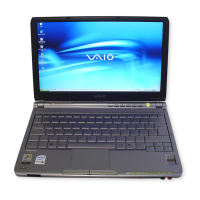
Sony VGN-TX50B Specifications

General IconGeneral
BrandSony
ModelVGN-TX50B
CategoryLaptop
LanguageEnglish

Related product manuals