162
nN
Precautions
❑ Use only specified peripheral equipment and interface cables; otherwise, problems may occur.
❑ Do not use cut or damaged connection cables.
❑ If your computer is brought directly from a cold location to a warm one, moisture may condense inside the computer. In
this case, allow at least one hour before turning on the computer. If any problems occur, unplug the computer and contact
an authorized Sony Service Center. To find the nearest center or agent, see Sony Support Information (page 222).
❑ Make sure you disconnect the power cord before cleaning your computer.
❑ To avoid losing data if your computer is damaged, back up your data regularly.
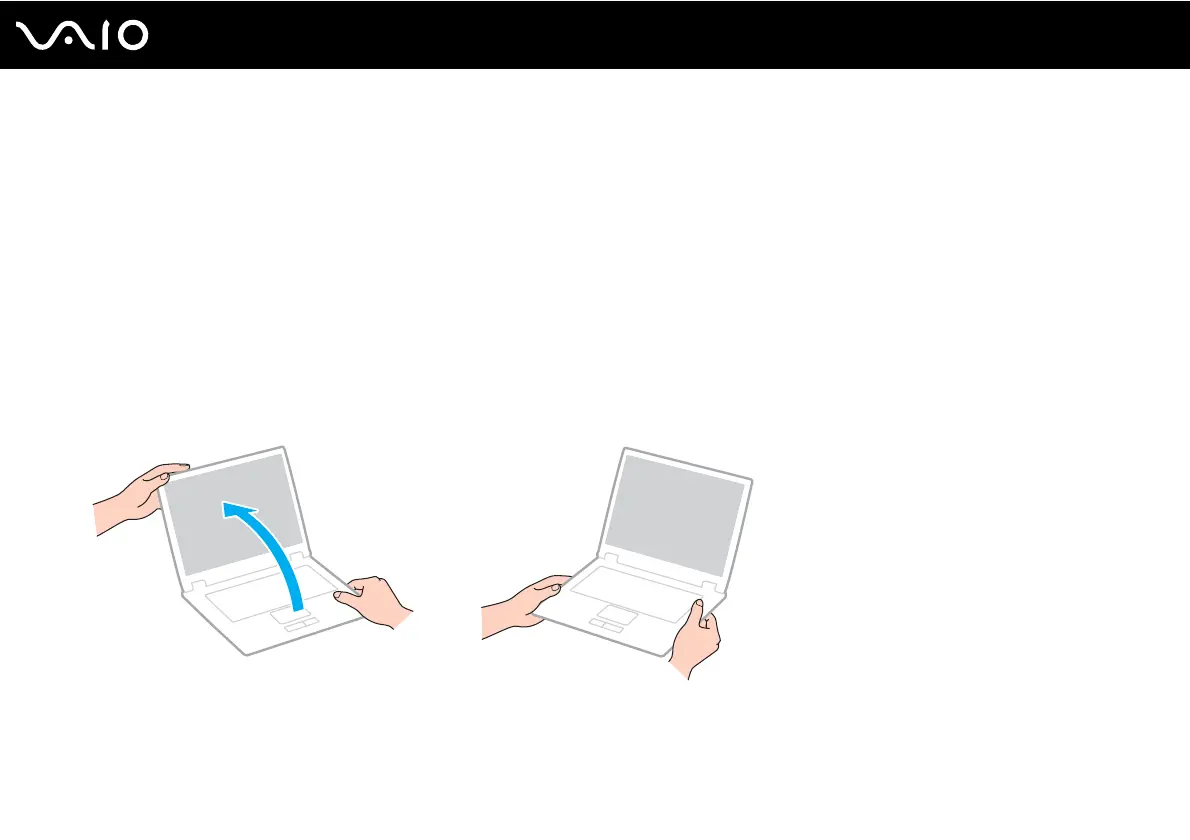
❑ Do not exert pressure on the LCD screen or its edges when opening the LCD screen lid or lifting your computer. The LCD
screen may be sensitive to pressure or added stress and exerting pressure may damage the screen or cause it to
malfunction. To open the computer, hold the base with one hand and gently lift the LCD screen lid with the other. To carry
the computer with the lid open, be sure to hold the computer with both hands.
❑ Use a carrying case specially designed to carry your computer.




 To Next Page