30
nN
Getting Started
Removing the Battery Pack
!
You may lose data if you remove the battery pack while your computer is on and not connected to the AC adapter or if you remove the battery pack
while the computer is in Sleep mode.
To remove the battery pack
1 Turn off the computer and close the LCD screen lid.
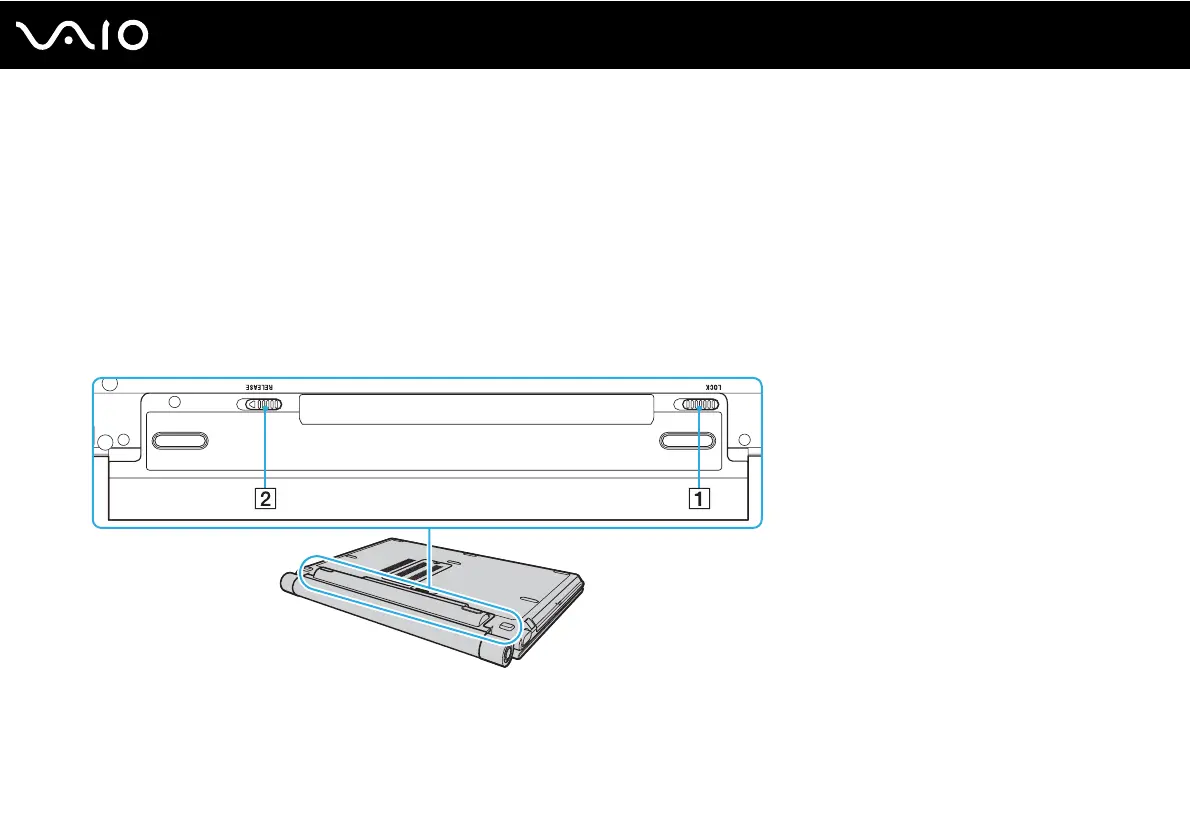
2 Slide the battery LOCK switch (1) inward and slide and hold the battery RELEASE latch (2) on the bottom of the
computer.




 To Next Page