55
nN
Using Your VAIO Computer
Inserting a Memory Stick Media
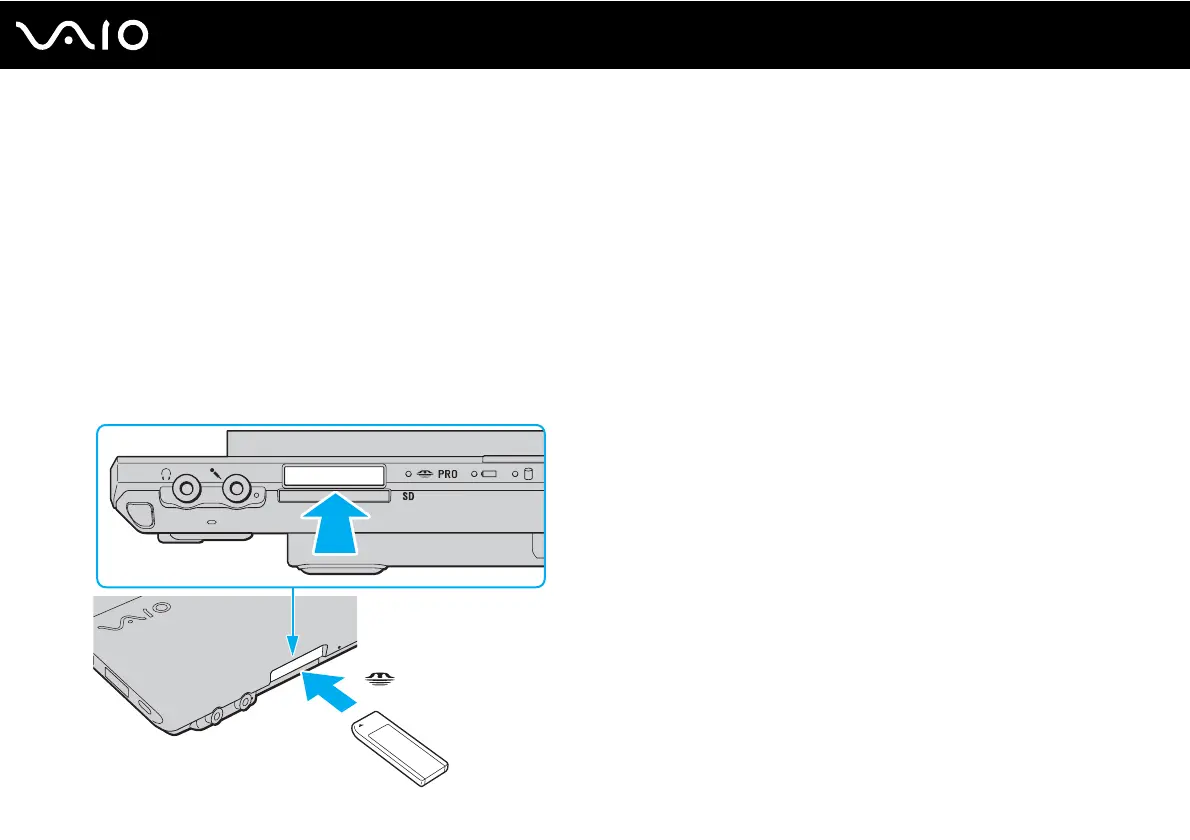
To insert a Memory Stick media
1 Locate the Memory Stick slot.
2 Push in the Memory Stick slot protector toward the computer.
3 Pull the protector out of the slot.
4 Hold the Memory Stick media with the arrow facing upward and pointing toward the Memory Stick slot.
5 Carefully slide the Memory Stick media into the slot until it clicks into place.
The Memory Stick media is automatically detected by your system and the contents on the Memory Stick media are
displayed. If nothing appears on the desktop, click Start, Computer, and double-click the Memory Stick media icon.




 To Next Page