90
nN
Using Peripheral Devices
Connecting an Optical Disc Drive
If your computer is not equipped with an optical disc drive, you need to connect an external optical disc drive (not supplied).
Connecting an Optical Disc Drive
!
Be sure to connect an external optical disc drive before you launch any preinstalled CD/DVD software.
To connect an optical disc drive
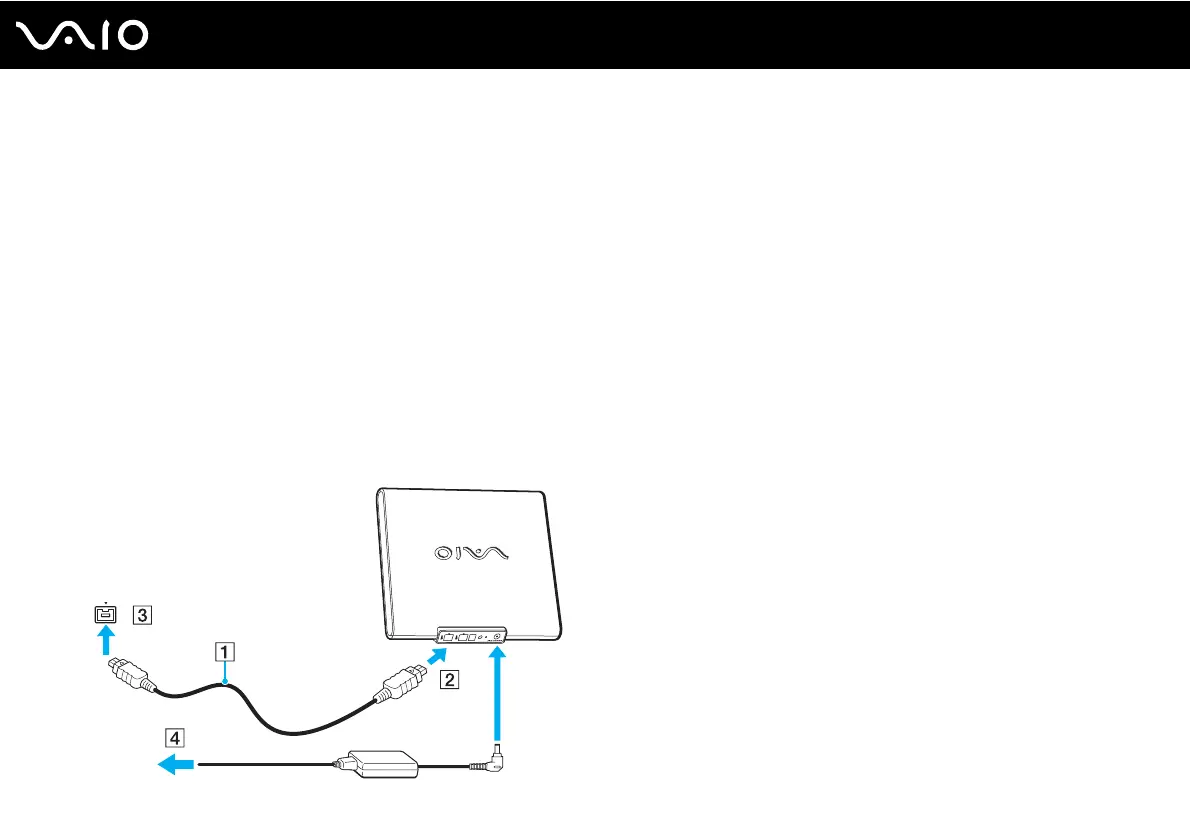
1 Plug one end of an i.LINK cable (not supplied) (1) to an external optical disc drive (not supplied) (2), and the other end to
the i.LINK port (3) on the computer.
2 Connect the external optical disc drive (2) to a AC power source (4) with an AC adapter.
See the manual that came with your external optical disc drive for the detailed instructions on connecting the i.LINK cable
and the AC adapter to the drive.




 To Next Page