19
nN
Getting Started
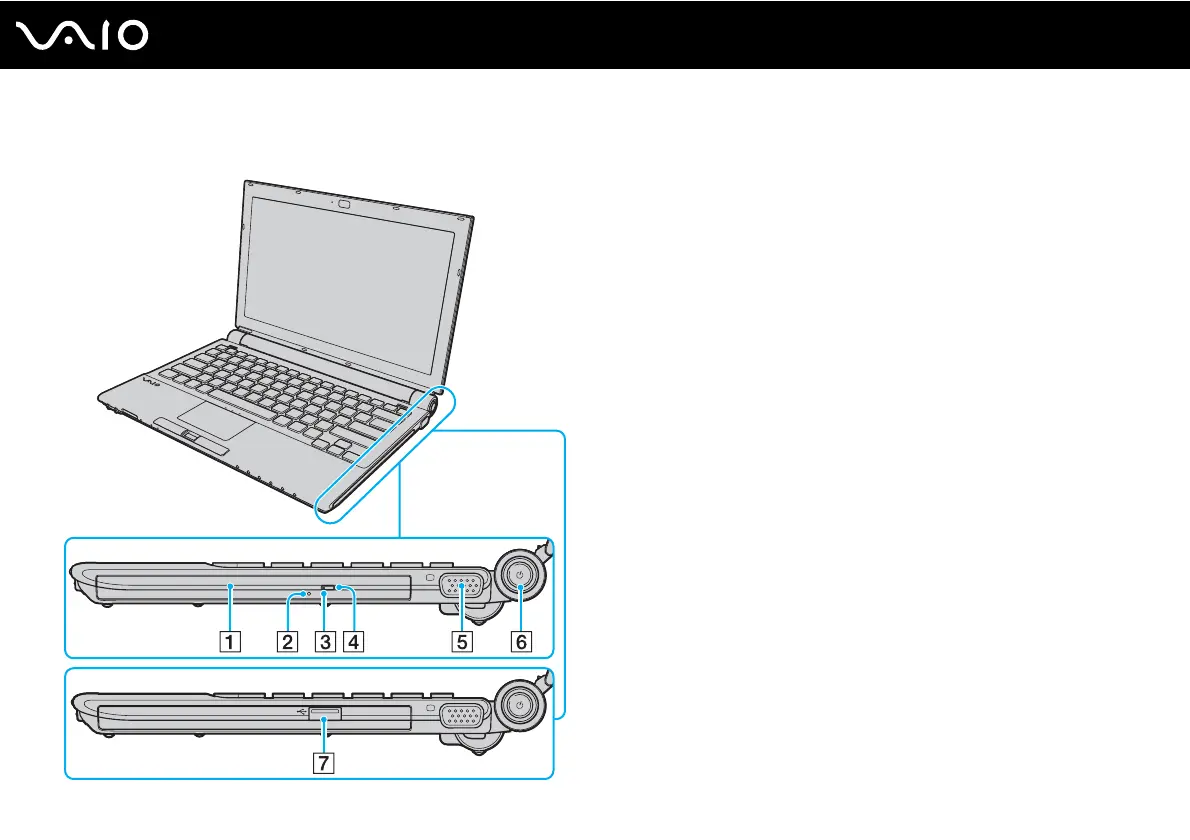
Right
A Optical disc drive
*1
(page 40)
B Manual eject hole
*1
(page 201)
C Optical disc drive indicator
*1
(page 22)
D Substitute drive eject button
*1
(page 40)
E Monitor (VGA) port (page 93)
F Power button / Power indicator (page 22)
G Hi-Speed USB (USB 2.0) port
*2
(page 101)
*1
On models with the built-in optical disc drive.
*2
Supports high-/full-/low- speeds on models without the built-in optical disc
drive.




 To Next Page